

編輯:中階開發
Intent 是 Android 最 Frequent 用到的元件之一,但每次要用的時候總得翻一遍 API。以下把日常開發中最常出現的隱式 Intent 寫法整理成速查表,需要的時候直接複製。
// 開啟瀏覽器
Uri uri = Uri.parse("https://www.example.com");
Intent it = new Intent(Intent.ACTION_VIEW, uri);
startActivity(it);

// 在地圖上標記某個座標
Uri uri = Uri.parse("geo:38.899533,-77.036476");
Intent it = new Intent(Intent.ACTION_VIEW, uri);
startActivity(it);

// 規劃路線
Uri uri = Uri.parse("https://maps.google.com/maps?f=d&saddr=startLat%20startLng&daddr=endLat%20endLng&hl=en");
Intent it = new Intent(Intent.ACTION_VIEW, uri);
startActivity(it);
// 撥號(只跳到撥號盤,不實際撥出)
Uri uri = Uri.parse("tel:10086");
startActivity(new Intent(Intent.ACTION_DIAL, uri));

// 直接撥打,需加入權限
// <uses-permission android:name="android.permission.CALL_PHONE" />
Uri uri = Uri.parse("tel:10086");
startActivity(new Intent(Intent.ACTION_CALL, uri));

// 開啟簡訊/彩信編輯器
Intent it = new Intent(Intent.ACTION_VIEW);
it.putExtra("sms_body", "The SMS text");
it.setType("vnd.android-dir/mms-sms");
startActivity(it);

// 指定號碼傳送簡訊
Uri uri = Uri.parse("smsto:10086");
Intent it = new Intent(Intent.ACTION_SENDTO, uri);
it.putExtra("sms_body", "hello");
startActivity(it);

// 附加圖片傳送彩信
Uri uri = Uri.parse("content://media/external/images/media/23");
Intent it = new Intent(Intent.ACTION_SEND);
it.putExtra("sms_body", "some text");
it.putExtra(Intent.EXTRA_STREAM, uri);
it.setType("image/png");
startActivity(it);
// 最簡寫法
Uri uri = Uri.parse("mailto:android123@163.com");
startActivity(new Intent(Intent.ACTION_SENDTO, uri));

// 帶入收件者與本文
Intent it = new Intent(Intent.ACTION_SEND);
it.putExtra(Intent.EXTRA_EMAIL, new String[]{"me@abc.com"});
it.putExtra(Intent.EXTRA_TEXT, "The email body text");
it.setType("text/plain");
startActivity(Intent.createChooser(it, "Choose Email Client"));

// 完整版本:收件者、副本、主旨
Intent it = new Intent(Intent.ACTION_SEND);
it.putExtra(Intent.EXTRA_EMAIL, new String[]{"me@abc.com"});
it.putExtra(Intent.EXTRA_CC, new String[]{"you@abc.com"});
it.putExtra(Intent.EXTRA_TEXT, "The email body text");
it.putExtra(Intent.EXTRA_SUBJECT, "The email subject text");
it.setType("message/rfc822");
startActivity(Intent.createChooser(it, "Choose Email Client"));
Intent it = new Intent(Intent.ACTION_VIEW);
Uri uri = Uri.parse("file:///sdcard/cwj.mp3");
it.setDataAndType(uri, "audio/mp3");
startActivity(it);

// 播放媒體庫中的指定項目
Uri uri = Uri.withAppendedPath(MediaStore.Audio.Media.INTERNAL_CONTENT_URI, "1");
startActivity(new Intent(Intent.ACTION_VIEW, uri));

// 分享音檔
Intent it = new Intent(Intent.ACTION_SEND);
it.putExtra(Intent.EXTRA_SUBJECT, "The email subject text");
it.putExtra(Intent.EXTRA_STREAM, Uri.parse("file:///sdcard/cwj.mp3"));
it.setType("audio/mp3");
startActivity(Intent.createChooser(it, "Share audio"));
// 移除
Uri uri = Uri.fromParts("package", strPackageName, null);
startActivity(new Intent(Intent.ACTION_DELETE, uri));

// 安裝
Uri installUri = Uri.fromParts("package", "xxx", null);
startActivity(new Intent(Intent.ACTION_PACKAGE_ADDED, installUri));
// 依套件名稱搜尋
Uri uri = Uri.parse("market://search?q=pname:pkg_name");
startActivity(new Intent(Intent.ACTION_VIEW, uri));

// 進入應用詳情頁
Uri uri = Uri.parse("market://details?id=app_id");
startActivity(new Intent(Intent.ACTION_VIEW, uri));

// 呼叫系統搜尋
Intent intent = new Intent(Intent.ACTION_WEB_SEARCH);
intent.putExtra(SearchManager.QUERY, "android123");
startActivity(intent);
其一,ACTION_CALL 需要 CALL_PHONE 權限,正式環境建議改用 ACTION_DIAL 讓使用者自行確認,避免觸發商店審核問題。其二,一律建議包上 Intent.createChooser,讓使用者決定用哪個 App 處理。其三,攜帶 extras 時若為陣列型別,記得傳陣列而非單一字串,否則收件端拿不到值。
 Android 特色開發:Google Map 與桌面組件入門(1)
本文節選自《Android 應用開發揭秘》的相關內容,重點放在 Android 平台中颇具特色的地圖與桌面組件開發。Android 除了基本的 UI 與資料管理之外,也提
 Android 3.x 平板相容性設計:讓 1.5~2.3 的 App 跑在 Honeycomb 上
Android 3.x(Honeycomb)是為平板而生的一代,螢幕尺寸與解析度都遠高於早期手機,因此舊有應用要在平板上正確顯示,需要做一些資源與版面配置上的調整。以下說
 Android 的併發、網路與資料庫實作指南
摘要:Java 是 Android 開發者的主要工具,但 Android 執行時用的是自己的虛擬機器 Dalvik,而不是常見的 Java VM。Dalvik 支援 Ja
 Android Activity 指南:生命週期、Intent 通訊與 Intent Filter
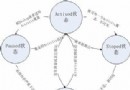
Activity 的基本狀態 Android 中的 Activity 由系統管理,常見狀態包含執行中、暫停、停止與刪除。當新 Activity 進入前景,舊 Activi