

編輯:中階開發
不少初學者會疑惑:既然已經有 Intent,為什麼還需要 PendingIntent?看看 Notification、SmsManager 的 sendMessage、AlarmManager 的 set 等方法,參數清單裡出現的都是 PendingIntent。兩者的定位其實完全不同。
Intent 位於 android.content.Intent,直接繼承 Object,內部保存一些字串、整數與輕量級陣列,方法多為賦值與取值。它是一次性的、當下的意圖描述。
PendingIntent 被放在 android.app 而非 content 層,這已經暗示了它的定位——它屬於應用層的概念,代表一個尚未發生、但已授權可被觸發的操作。
最典型的例子是簡訊發送。從 GSM 通訊到 RIL,再到行動基站,整個過程很漫長。如果要在應用裡開一條 Thread 坐著等結果,既麻煩又耗資源。Android 的做法是把這件事交給框架層的 TelephonyManager 遠程服務去追蹤,最後透過 PendingIntent 把結果回傳給你。這也就是為什麼簡訊回執、發送成功或失敗的 callback 都長這個樣子。
public final class PendingIntent implements Parcelable {
    private final IIntentSender mTarget;

    public static final int FLAG_ONE_SHOT = 1 << 30;
    public static final int FLAG_NO_CREATE = 1 << 29;
    public static final int FLAG_CANCEL_CURRENT = 1 << 28;
    public static final int FLAG_UPDATE_CURRENT = 1 << 27;

    public static class CanceledException extends android.util.AndroidException { ... }

    public interface OnFinished {
        void onSendFinished(PendingIntent pendingIntent, Intent intent,
                int resultCode, String resultData, Bundle resultExtras);
    }
值得注意的第一點是它實作了 Parcelable——因為 PendingIntent 需要跨進程傳遞,底層靠 writeStrongBinder 把 mTarget 序列化過去。
第二點是 FinishedDispatcher,它繼承自 IIntentReceiver.Stub 並實作 Runnable。如果你了解 Android 的 RemoteService 或 Java RMI,這段就不難理解:它是一個跨進程的 callback 接收器,收到結果後再拋給 Handler 或直接呼叫 onSendFinished。
// 用於啟動 Activity
public static PendingIntent getActivity(Context context, int requestCode,
        Intent intent, int flags)

// 用於送出廣播
public static PendingIntent getBroadcast(Context context, int requestCode,
        Intent intent, int flags)

// 用於啟動 Service
public static PendingIntent getService(Context context, int requestCode,
        Intent intent, int flags)
三者內部邏輯幾乎一致,差別只在傳給 ActivityManagerNative 的 INTENT_SENDER 型別常數不同。
FLAG_ONE_SHOT:只能觸發一次,之後自動失效。
FLAG_NO_CREATE:不存在就回傳 null,不要新建。
FLAG_CANCEL_CURRENT:若已存在同值的 PendingIntent,先取消再建新的。
FLAG_UPDATE_CURRENT:若已存在,則用新的 extras 更新它。
這幾個 flag 在搭配通知時特別重要。由於 PendingIntent 的相等性判斷只看 mTarget.asBinder(),不包含 extras,因此當你更新通知內容卻發現點進去還是舊資料時,通常就是忘了加上 UPDATE_CURRENT。
PendingIntent 的實作本身並不複雜,本質上就是一個可跨進程傳遞、代表授權動作的 Binder 包裝。日常應用中多數場景用不到它,但一旦涉及通知、鬧鐘、簡訊回執或 AppWidget,它就是必備工具。
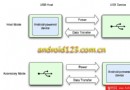 Android 3.1 USB 配件開發入門:Host Mode 與 Accessory Mode
從 Android 3.1 開始,官方正式支援把 USB 配件連接到 Android 裝置,並定義了一套配件通訊協議。而在 Android 2.3.4 上,透過附加函式庫
 混合式應用程式模型打造 WebSphere Commerce 行動 App(上)
摘要:本文說明「混合式應用程式」(hybrid application)這個編程模型與其他行動方案差異在哪,並透過兩個實作案例,示範如何用它為 WebSphere Com
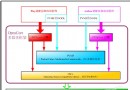 Android 多媒體框架 OpenCore 入門(一):PVPlayer、PVAuthor 與原始碼結構
本文為個人整理,重點在於快速建立 Android 早期多媒體框架 OpenCore 的整體輪廓,並說明它與 Android 其他模組的關係。 OpenCore 的定位 O
 動手分析你的 Android ANR 錯誤日誌
Android 的 ANR 錯誤對開發者來說並不陌生。從 Android 2.2 開始,當系統發生 ANR 時,相關資訊會自動上傳給 Google 用於分析與改進。而應用