編輯:關於android開發
學習導圖
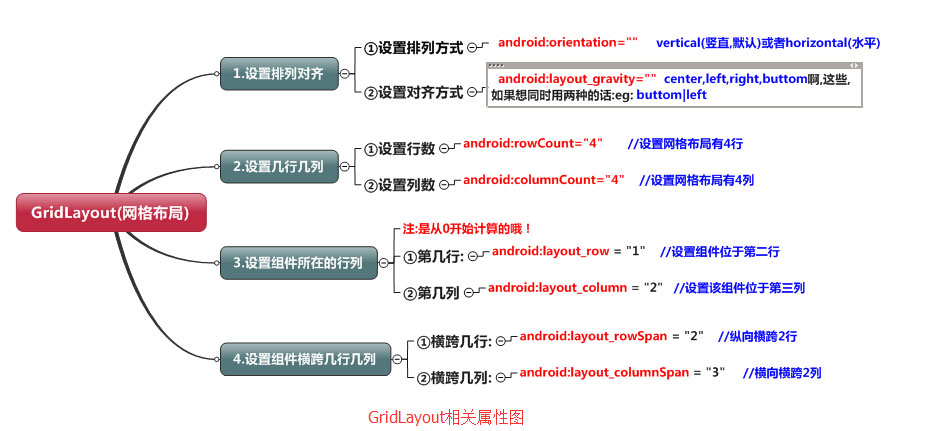
(一)簡介
網格布局由GridLayout所代表,在android4.0之後新增加的布局管理器,因此需要android4.0之後的版本中使用,如果在更早的平台使用該布局管理器,則需要導入相應的支持庫<android.support.v7.widget.GridLayout>
(二)案列----計算器
<?xml version="1.0" encoding="utf-8"?>
<GridLayout
xmlns:android="http://schemas.android.com/apk/res/android"
android:layout_width="match_parent"
android:layout_height="match_parent"
android:rowCount="6"
android:columnCount="4"
android:layout_gravity="fill">
<TextView
android:layout_width="match_parent"![]() android:layout_height="wrap_content"
android:text="0"
android:textSize="80sp"
android:layout_marginRight="5dp"
android:layout_marginLeft="5dp"
android:layout_columnSpan="4"
android:background="#eee"
android:padding="3sp"
android:editable="false"
android:textColor="#000"
/>
<Button
android:layout_width="match_parent"
android:layout_height="wrap_content"
android:layout_columnSpan="4"
android:text="清除"
android:textColor="#000"
android:textSize="24dp"
android:layout_marginLeft="5dp"
android:layout_marginRight="5dp"
android:background="@android:color/background_light"
/>
<Button
android:layout_marginTop="20dp"
android:layout_width="wrap_content"
android:layout_height="wrap_content"
android:text="7"
android:textColor="#000"
android:textSize="24dp"
android:layout_marginLeft="5dp"
android:layout_marginRight="5dp"
android:background="@android:color/background_light"
/>
<Button
android:layout_marginTop="20dp"
android:layout_width="wrap_content"
android:layout_height="wrap_content"
android:text="8"
android:textColor="#000"
android:textSize="24dp"
android:layout_marginLeft="10dp"
android:background="@android:color/background_light"
/>
<Button
android:layout_marginTop="20dp"
android:layout_width="wrap_content"
android:layout_height="wrap_content"
android:text="9"
android:textColor="#000"
android:textSize="24dp"
android:layout_marginLeft="10dp"
android:background="@android:color/background_light"
/>
<Button
android:layout_marginTop="20dp"
android:layout_width="wrap_content"
android:layout_height="wrap_content"
android:text="+"
android:textColor="#000"
android:textSize="24dp"
android:layout_marginLeft="10dp"
android:background="@android:color/background_light"
/>
<Button
android:layout_marginTop="20dp"
android:layout_width="wrap_content"
android:layout_height="wrap_content"
android:text="4"
android:textColor="#000"
android:textSize="24dp"
android:layout_marginLeft="5dp"
android:layout_marginRight="5dp"
android:background="@android:color/background_light"
/>
<Button
android:layout_marginTop="20dp"
android:layout_width="wrap_content"
android:layout_height="wrap_content"
android:text="5"
android:textColor="#000"
android:textSize="24dp"
android:layout_marginLeft="10dp"
android:background="@android:color/background_light"
/>
<Button
android:layout_marginTop="20dp"
android:layout_width="wrap_content"
android:layout_height="wrap_content"
android:text="6"
android:textColor="#000"
android:textSize="24dp"
android:layout_marginLeft="10dp"
android:background="@android:color/background_light"
/>
<Button
android:layout_marginTop="20dp"
android:layout_width="wrap_content"
android:layout_height="wrap_content"
android:text="-"
android:textColor="#000"
android:textSize="24dp"
android:layout_marginLeft="10dp"
android:background="@android:color/background_light"
/>
<Button
android:layout_marginTop="20dp"
android:layout_width="wrap_content"
android:layout_height="wrap_content"
android:text="1"
android:textColor="#000"
android:textSize="24dp"
android:layout_marginLeft="5dp"
android:layout_marginRight="5dp"
android:background="@android:color/background_light"
/>
<Button
android:layout_marginTop="20dp"
android:layout_width="wrap_content"
android:layout_height="wrap_content"
android:text="2"
android:textColor="#000"
android:textSize="24dp"
android:layout_marginLeft="10dp"
android:background="@android:color/background_light"
/>
<Button
android:layout_marginTop="20dp"
android:layout_width="wrap_content"
android:layout_height="wrap_content"
android:text="3"
android:textColor="#000"
android:textSize="24dp"
android:layout_marginLeft="10dp"
android:background="@android:color/background_light"
/>
<Button
android:layout_marginTop="20dp"
android:layout_width="wrap_content"
android:layout_height="wrap_content"
android:text="*"
android:textColor="#000"
android:textSize="24dp"
android:layout_marginLeft="10dp"
android:background="@android:color/background_light"
/>
<Button
android:layout_marginTop="20dp"
android:layout_width="wrap_content"
android:layout_height="wrap_content"
android:text="."
android:textColor="#000"
android:textSize="24dp"
android:layout_marginLeft="5dp"
android:layout_marginRight="5dp"
android:background="@android:color/background_light"
/>
<Button
android:layout_marginTop="20dp"
android:layout_width="wrap_content"
android:layout_height="wrap_content"
android:text="0"
android:textColor="#000"
android:textSize="24dp"
android:layout_marginLeft="10dp"
android:background="@android:color/background_light"
/>
<Button
android:layout_marginTop="20dp"
android:layout_width="wrap_content"
android:layout_height="wrap_content"
android:text="="
android:textColor="#000"
android:textSize="24dp"
android:layout_marginLeft="10dp"
android:background="@android:color/background_light"
/>
<Button
android:layout_marginTop="20dp"
android:layout_width="wrap_content"
android:layout_height="wrap_content"
android:text="/"
android:textColor="#000"
android:textSize="24dp"
android:layout_marginLeft="10dp"
android:background="@android:color/background_light"
/>
</GridLayout>
android:layout_height="wrap_content"
android:text="0"
android:textSize="80sp"
android:layout_marginRight="5dp"
android:layout_marginLeft="5dp"
android:layout_columnSpan="4"
android:background="#eee"
android:padding="3sp"
android:editable="false"
android:textColor="#000"
/>
<Button
android:layout_width="match_parent"
android:layout_height="wrap_content"
android:layout_columnSpan="4"
android:text="清除"
android:textColor="#000"
android:textSize="24dp"
android:layout_marginLeft="5dp"
android:layout_marginRight="5dp"
android:background="@android:color/background_light"
/>
<Button
android:layout_marginTop="20dp"
android:layout_width="wrap_content"
android:layout_height="wrap_content"
android:text="7"
android:textColor="#000"
android:textSize="24dp"
android:layout_marginLeft="5dp"
android:layout_marginRight="5dp"
android:background="@android:color/background_light"
/>
<Button
android:layout_marginTop="20dp"
android:layout_width="wrap_content"
android:layout_height="wrap_content"
android:text="8"
android:textColor="#000"
android:textSize="24dp"
android:layout_marginLeft="10dp"
android:background="@android:color/background_light"
/>
<Button
android:layout_marginTop="20dp"
android:layout_width="wrap_content"
android:layout_height="wrap_content"
android:text="9"
android:textColor="#000"
android:textSize="24dp"
android:layout_marginLeft="10dp"
android:background="@android:color/background_light"
/>
<Button
android:layout_marginTop="20dp"
android:layout_width="wrap_content"
android:layout_height="wrap_content"
android:text="+"
android:textColor="#000"
android:textSize="24dp"
android:layout_marginLeft="10dp"
android:background="@android:color/background_light"
/>
<Button
android:layout_marginTop="20dp"
android:layout_width="wrap_content"
android:layout_height="wrap_content"
android:text="4"
android:textColor="#000"
android:textSize="24dp"
android:layout_marginLeft="5dp"
android:layout_marginRight="5dp"
android:background="@android:color/background_light"
/>
<Button
android:layout_marginTop="20dp"
android:layout_width="wrap_content"
android:layout_height="wrap_content"
android:text="5"
android:textColor="#000"
android:textSize="24dp"
android:layout_marginLeft="10dp"
android:background="@android:color/background_light"
/>
<Button
android:layout_marginTop="20dp"
android:layout_width="wrap_content"
android:layout_height="wrap_content"
android:text="6"
android:textColor="#000"
android:textSize="24dp"
android:layout_marginLeft="10dp"
android:background="@android:color/background_light"
/>
<Button
android:layout_marginTop="20dp"
android:layout_width="wrap_content"
android:layout_height="wrap_content"
android:text="-"
android:textColor="#000"
android:textSize="24dp"
android:layout_marginLeft="10dp"
android:background="@android:color/background_light"
/>
<Button
android:layout_marginTop="20dp"
android:layout_width="wrap_content"
android:layout_height="wrap_content"
android:text="1"
android:textColor="#000"
android:textSize="24dp"
android:layout_marginLeft="5dp"
android:layout_marginRight="5dp"
android:background="@android:color/background_light"
/>
<Button
android:layout_marginTop="20dp"
android:layout_width="wrap_content"
android:layout_height="wrap_content"
android:text="2"
android:textColor="#000"
android:textSize="24dp"
android:layout_marginLeft="10dp"
android:background="@android:color/background_light"
/>
<Button
android:layout_marginTop="20dp"
android:layout_width="wrap_content"
android:layout_height="wrap_content"
android:text="3"
android:textColor="#000"
android:textSize="24dp"
android:layout_marginLeft="10dp"
android:background="@android:color/background_light"
/>
<Button
android:layout_marginTop="20dp"
android:layout_width="wrap_content"
android:layout_height="wrap_content"
android:text="*"
android:textColor="#000"
android:textSize="24dp"
android:layout_marginLeft="10dp"
android:background="@android:color/background_light"
/>
<Button
android:layout_marginTop="20dp"
android:layout_width="wrap_content"
android:layout_height="wrap_content"
android:text="."
android:textColor="#000"
android:textSize="24dp"
android:layout_marginLeft="5dp"
android:layout_marginRight="5dp"
android:background="@android:color/background_light"
/>
<Button
android:layout_marginTop="20dp"
android:layout_width="wrap_content"
android:layout_height="wrap_content"
android:text="0"
android:textColor="#000"
android:textSize="24dp"
android:layout_marginLeft="10dp"
android:background="@android:color/background_light"
/>
<Button
android:layout_marginTop="20dp"
android:layout_width="wrap_content"
android:layout_height="wrap_content"
android:text="="
android:textColor="#000"
android:textSize="24dp"
android:layout_marginLeft="10dp"
android:background="@android:color/background_light"
/>
<Button
android:layout_marginTop="20dp"
android:layout_width="wrap_content"
android:layout_height="wrap_content"
android:text="/"
android:textColor="#000"
android:textSize="24dp"
android:layout_marginLeft="10dp"
android:background="@android:color/background_light"
/>
</GridLayout>
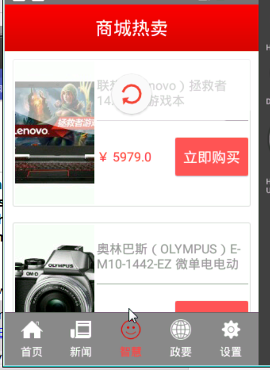 商城熱賣,淘寶熱賣商城
商城熱賣,淘寶熱賣商城 1.商品展示頁面的請求地址 http://112.124.22.238:8081/course_api/wares/hot?pageS
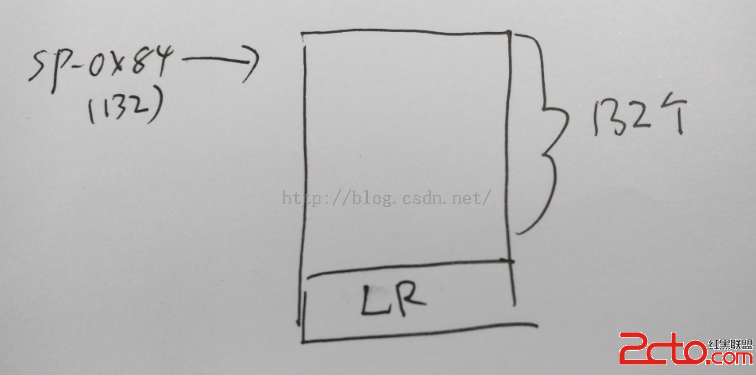 一步一步學ROP之Android ARM 32位篇
一步一步學ROP之Android ARM 32位篇 0x00 本文僅解釋說明蒸米大神一步一步學ROP之Android ARM 32位篇,讀者應先閱讀這篇文章,遇到問題
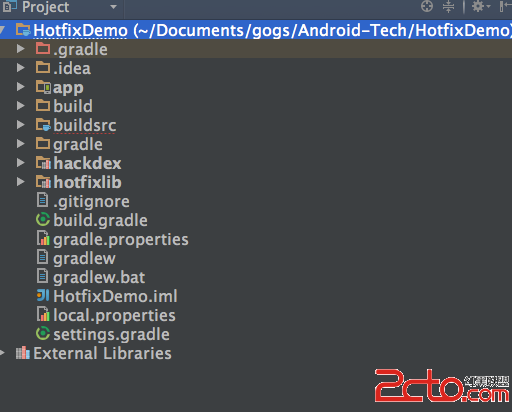 Android熱補丁動態修復實踐
Android熱補丁動態修復實踐 前言 好幾個月之前關於Android App熱補丁修復火了一把,源於QQ空間團隊的一篇文章安卓App熱補丁動態修復技術介紹,然後各大
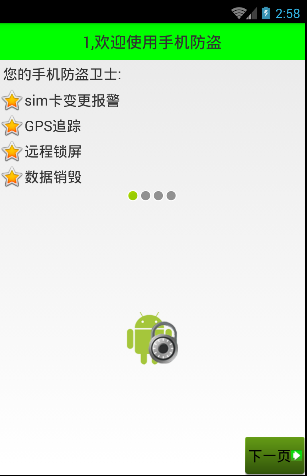 Android 手機衛士--平移動畫實現,android衛士
Android 手機衛士--平移動畫實現,android衛士本文實現如下幾個界面之間的平移動畫實現 本文地址:http://www.cnblogs.com/wuyudo