編輯:關於android開發
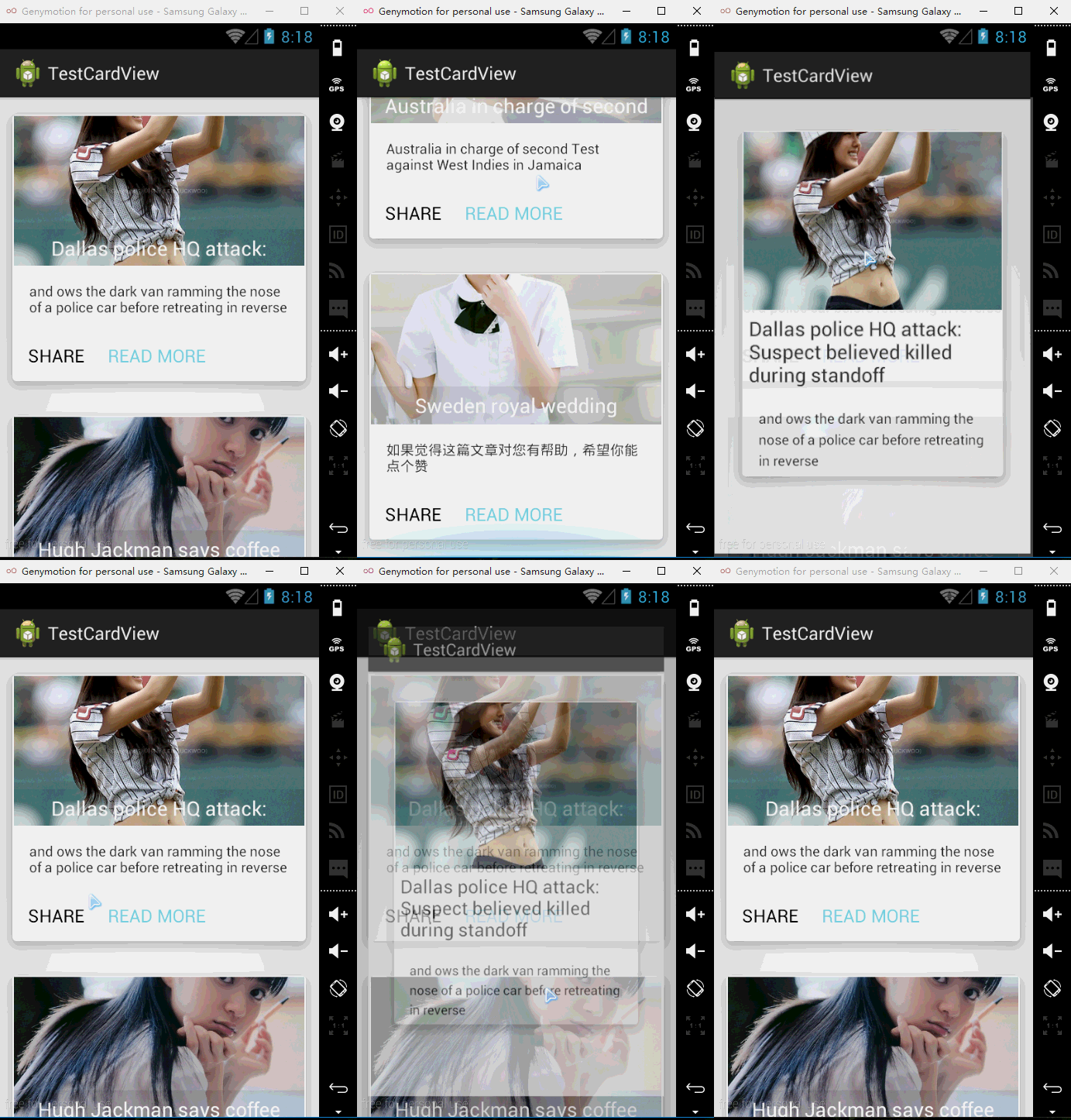
引入的包:
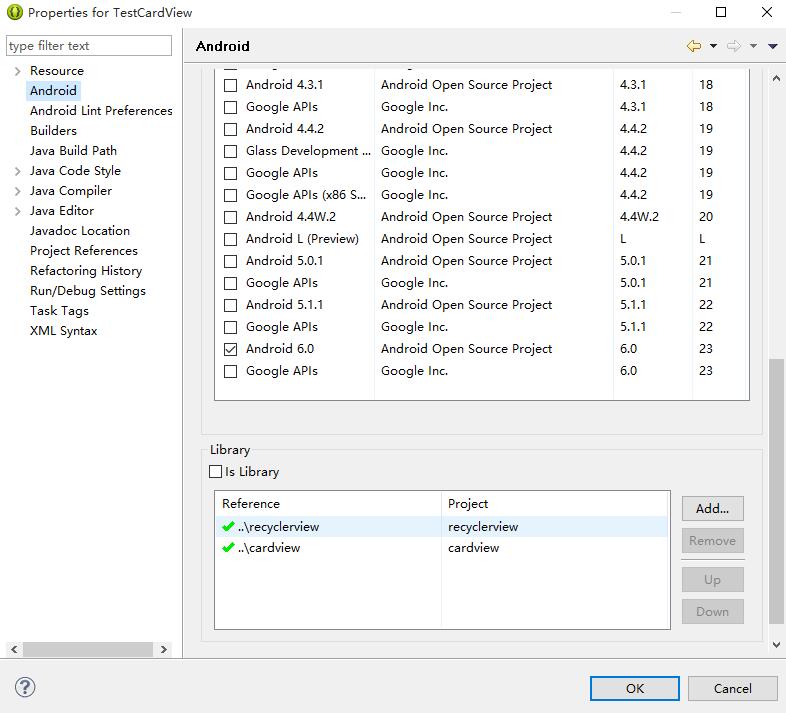
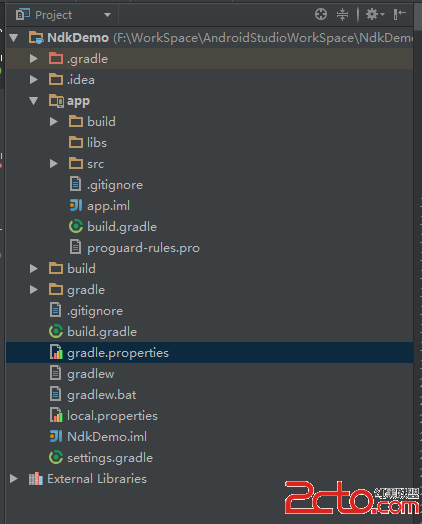
demo結構:
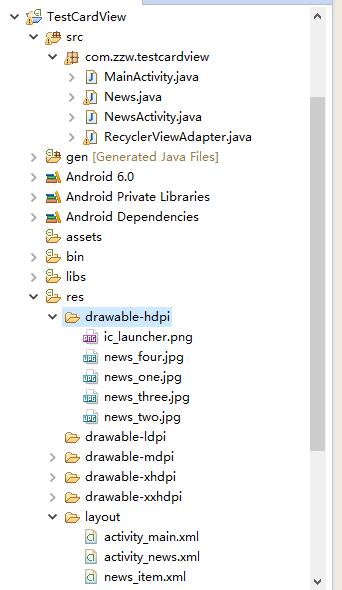
測試代碼:
News.java:
package com.zzw.testcardview;

import java.io.Serializable;

public class News implements Serializable {

    // 新聞標題,內容,圖片
    private String title;
    private String desc;
    private int photoId;

    public News(String title, String desc, int photoId) {
        super();
        this.title = title;
        this.desc = desc;
        this.photoId = photoId;
    }

    public String getTitle() {
        return title;
    }

    public void setTitle(String title) {
        this.title = title;
    }

    public String getDesc() {
        return desc;
    }

    public void setDesc(String desc) {
        this.desc = desc;
    }

    public int getPhotoId() {
        return photoId;
    }

    public void setPhotoId(int photoId) {
        this.photoId = photoId;
    }
}
MainActivity.java:
package com.zzw.testcardview;

import java.util.ArrayList;
import java.util.List;

import android.app.Activity;
import android.os.Bundle;
import android.support.v7.widget.LinearLayoutManager;
import android.support.v7.widget.RecyclerView;

public class MainActivity extends Activity {

    private RecyclerView recyclerView;
    private List<News> newsList;
    private RecyclerViewAdapter adapter;

    @Override
    protected void onCreate(Bundle savedInstanceState) {
        super.onCreate(savedInstanceState);
        setContentView(R.layout.activity_main);

        LinearLayoutManager layoutManager = new LinearLayoutManager(this);

        recyclerView = (RecyclerView) findViewById(R.id.recyclerView);

        initPersonData();
        adapter = new RecyclerViewAdapter(newsList, MainActivity.this);

        recyclerView.setHasFixedSize(true);
        recyclerView.setLayoutManager(layoutManager);
        recyclerView.setAdapter(adapter);

    }

    private void initPersonData() {
        newsList = new ArrayList<>();
        // 添加新聞
        newsList.add(new News(getString(R.string.news_one_title),
                getString(R.string.news_one_desc), R.drawable.news_one));
        newsList.add(new News(getString(R.string.news_two_title),
                getString(R.string.news_two_desc), R.drawable.news_two));
        newsList.add(new News(getString(R.string.news_three_title),
                getString(R.string.news_three_desc), R.drawable.news_three));
        newsList.add(new News(getString(R.string.news_four_title),
                getString(R.string.news_four_desc), R.drawable.news_four));
    }

}
RecyclerViewAdapter.java:
package com.zzw.testcardview;

import java.util.List;

import android.content.Context;
import android.content.Intent;
import android.graphics.Color;
import android.support.v7.widget.CardView;
import android.support.v7.widget.RecyclerView;
import android.support.v7.widget.RecyclerView.Adapter;
import android.view.LayoutInflater;
import android.view.View;
import android.view.ViewGroup;
import android.widget.Button;
import android.widget.ImageView;
import android.widget.TextView;

public class RecyclerViewAdapter extends
        Adapter<RecyclerViewAdapter.NewsViewHolder> {

    private List<News> newses;
    private Context context;

    public RecyclerViewAdapter(List<News> newses, Context context) {
        super();
        this.newses = newses;
        this.context = context;
    }

    // 自定義ViewHolder類
    static class NewsViewHolder extends RecyclerView.ViewHolder {

        CardView cardView;
        ImageView news_photo;
        TextView news_title;
        TextView news_desc;
        Button share;
        Button readMore;

        public NewsViewHolder(View itemView) {
            super(itemView);
            cardView = (CardView) itemView.findViewById(R.id.card_view);
            news_photo = (ImageView) itemView.findViewById(R.id.news_photo);
            news_title = (TextView) itemView.findViewById(R.id.news_title);
            news_desc = (TextView) itemView.findViewById(R.id.news_desc);
            share = (Button) itemView.findViewById(R.id.btn_share);
            readMore = (Button) itemView.findViewById(R.id.btn_more);

            // 設置TextView背景為半透明
            news_title.setBackgroundColor(Color.argb(20, 0, 0, 0));
        }
    }

    @Override
    public int getItemCount() {

        return newses == null ? 0 : newses.size();
    }

    @Override
    public void onBindViewHolder(
            RecyclerViewAdapter.NewsViewHolder personViewHolder, int position) {

        final int j = position;

        personViewHolder.news_photo.setImageResource(newses.get(position)
                .getPhotoId());
        personViewHolder.news_title.setText(newses.get(position).getTitle());
        personViewHolder.news_desc.setText(newses.get(position).getDesc());

        // 為btn_share btn_readMore cardView設置點擊事件
        // 為btn_share btn_readMore cardView設置點擊事件
        personViewHolder.cardView
                .setOnClickListener(new View.OnClickListener() {
                    @Override
                    public void onClick(View v) {
                        Intent intent = new Intent(context, NewsActivity.class);
                        intent.putExtra("News", newses.get(j));
                        context.startActivity(intent);
                    }
                });

        personViewHolder.share.setOnClickListener(new View.OnClickListener() {
            @Override
            public void onClick(View v) {
                Intent intent = new Intent(Intent.ACTION_SEND);
                intent.setType("text/plain");
                intent.putExtra(Intent.EXTRA_SUBJECT, "分享");
                intent.putExtra(Intent.EXTRA_TEXT, newses.get(j).getDesc());
                intent.setFlags(Intent.FLAG_ACTIVITY_NEW_TASK);
                context.startActivity(Intent.createChooser(intent, newses
                        .get(j).getTitle()));
            }
        });

        personViewHolder.readMore
                .setOnClickListener(new View.OnClickListener() {
                    @Override
                    public void onClick(View v) {
                        Intent intent = new Intent(context, NewsActivity.class);
                        intent.putExtra("News", newses.get(j));
                        context.startActivity(intent);
                    }
                });
    }

    @Override
    public RecyclerViewAdapter.NewsViewHolder onCreateViewHolder(
            ViewGroup viewGroup, int arg1) {

        View view = LayoutInflater.from(context).inflate(R.layout.news_item,
                null);
        NewsViewHolder nvh = new NewsViewHolder(view);

        return nvh;
    }

}
NewsActivity.java:
package com.zzw.testcardview;

import android.app.Activity;
import android.content.Intent;
import android.os.Bundle;
import android.widget.ImageView;
import android.widget.TextView;

public class NewsActivity extends Activity{

    private ImageView newsPhoto;
    private TextView newsTitle;
    private TextView newsDesc;

    @Override
    protected void onCreate(Bundle savedInstanceState) {
        super.onCreate(savedInstanceState);
        setContentView(R.layout.activity_news);

        newsPhoto= (ImageView) findViewById(R.id.news_info_photo);
        newsTitle= (TextView) findViewById(R.id.news_info_title);
        newsDesc= (TextView) findViewById(R.id.news_info_desc);

        Intent intent=getIntent();

        News item= (News) intent.getSerializableExtra("News");
        newsPhoto.setImageResource(item.getPhotoId());
        newsTitle.setText(item.getTitle());
        newsDesc.setText(item.getDesc());

    }
}
布局代碼:
activity_main.xml:
<?xml version="1.0" encoding="utf-8"?>
<android.support.v7.widget.RecyclerView
        xmlns:android="http://schemas.android.com/apk/res/android"
        android:id="@+id/recyclerView"
        android:layout_width="match_parent"
        android:layout_height="match_parent">
</android.support.v7.widget.RecyclerView>
news_item.xml:
<?xml version="1.0" encoding="utf-8"?>
<RelativeLayout xmlns:android="http://schemas.android.com/apk/res/android"
    xmlns:app="http://schemas.android.com/apk/res-auto"
    android:layout_width="match_parent"
    android:layout_height="match_parent"
    android:padding="5dp" >

    <!-- android:clickable="true"  //cardView是否可點擊,默認是不可點擊的 -->
    <!-- app:cardCornerRadius="3dp" //圓角 -->
    <!-- app:cardElevation="8dp" //陰影 -->

    <android.support.v7.widget.CardView
        android:id="@+id/card_view"
        android:layout_width="match_parent"
        android:layout_height="wrap_content"
        android:clickable="true"
        android:foreground="?android:attr/selectableItemBackground"
        app:cardCornerRadius="3dp"
        app:cardElevation="8dp" >

        <RelativeLayout
            android:layout_width="match_parent"
            android:layout_height="wrap_content" >

            <RelativeLayout
                android:id="@+id/news_header"
                android:layout_width="match_parent"
                android:layout_height="wrap_content" >

                <ImageView
                    android:id="@+id/news_photo"
                    android:layout_width="match_parent"
                    android:layout_height="150dp"
                    android:layout_alignParentTop="true"
                    android:scaleType="centerCrop" />

                <TextView
                    android:id="@+id/news_title"
                    android:layout_width="match_parent"
                    android:layout_height="wrap_content"
                    android:layout_alignParentBottom="true"
                    android:layout_alignParentLeft="true"
                    android:gravity="center"
                    android:maxLines="1"
                    android:padding="5dp"
                    android:textColor="#ffffff"
                    android:textSize="20sp" />
            </RelativeLayout>

            <TextView
                android:id="@+id/news_desc"
                android:layout_width="wrap_content"
                android:layout_height="wrap_content"
                android:layout_below="@+id/news_header"
                android:layout_margin="15dp"
                android:maxLines="2" />

            <LinearLayout
                android:layout_width="match_parent"
                android:layout_height="wrap_content"
                android:layout_below="@+id/news_desc"
                android:orientation="horizontal" >

                <Button
                    android:id="@+id/btn_share"
                    android:layout_width="wrap_content"
                    android:layout_height="wrap_content"
                    android:layout_marginLeft="10dp"
                    android:layout_marginRight="20dp"
                    android:background="#00000000"
                    android:text="SHARE" />

                <Button
                    android:id="@+id/btn_more"
                    android:layout_width="wrap_content"
                    android:layout_height="wrap_content"
                    android:background="#00000000"
                    android:text="READ MORE"
                    android:textColor="#7AD3E0" />
            </LinearLayout>
        </RelativeLayout>
    </android.support.v7.widget.CardView>

</RelativeLayout>
activity_news.xml:
<?xml version="1.0" encoding="utf-8"?>
<RelativeLayout xmlns:android="http://schemas.android.com/apk/res/android"
    xmlns:app="http://schemas.android.com/apk/res-auto"
    android:layout_width="match_parent"
    android:layout_height="match_parent"
    android:padding="20dp">
    <android.support.v7.widget.CardView
        android:id="@+id/card_view"
        android:layout_width="match_parent"
        android:layout_height="wrap_content"
        android:foreground="?android:attr/selectableItemBackground"
        android:clickable="true"
        app:cardCornerRadius="3dp"
        app:cardElevation="8dp">

        <RelativeLayout
            android:layout_width="match_parent"
            android:layout_height="wrap_content">
            <RelativeLayout
                android:id="@+id/news_header"
                android:layout_width="match_parent"
                android:layout_height="wrap_content"
                android:layout_alignParentTop="true"
                android:layout_alignParentLeft="true"
                android:layout_alignParentStart="true">
                <ImageView
                    android:id="@+id/news_info_photo"
                    android:scaleType="centerCrop"
                    android:layout_alignParentTop="true"
                    android:layout_width="match_parent"
                    android:layout_height="180dp"/>
                <TextView
                    android:id="@+id/news_info_title"
                    android:layout_alignParentLeft="true"
                    android:layout_below="@+id/news_info_photo"
                    android:textSize="20sp"
                    android:padding="5dp"
                    android:layout_width="match_parent"
                    android:layout_height="wrap_content"/>
            </RelativeLayout>

            <TextView
                android:id="@+id/news_info_desc"
                android:lineSpacingExtra="5dp"
                android:layout_below="@+id/news_header"
                android:layout_margin="15dp"
                android:layout_width="wrap_content"
                android:layout_height="wrap_content"/>
        </RelativeLayout>
    </android.support.v7.widget.CardView>
</RelativeLayout>
 第三方開源水面波浪波形view:WaveView,viewwaveview
第三方開源水面波浪波形view:WaveView,viewwaveview一個比較有趣的Android第三方開源波形view:WaveView,這種WaveView在一些
 Linux內核系列—10.操作系統開發之內核HelloWorld,linuxhelloworld
Linux內核系列—10.操作系統開發之內核HelloWorld,linuxhelloworlda.我們先來體驗一下在Linux下用匯編編程的感覺,見代碼 [secti
 FloatingActionButton增強版,一個按鈕跳出多個按鈕--第三方開源--FloatingActionButton,floatingactionbutton
FloatingActionButton增強版,一個按鈕跳出多個按鈕--第三方開源--FloatingActionButton,floatingactionbutton&
 Android開發技巧之Camera拍照功能
Android開發技巧之Camera拍照功能 本篇是我對開發項目的拍照功能過程中,對Camera拍照使用的總結。由於camera2是在api level 21(5.0