編輯:關於android開發
  1 package com.km.screeninfo;
  2
  3 import android.os.Bundle;
  4 import android.support.v4.app.Fragment;
  5 import android.support.v4.app.FragmentActivity;
  6 import android.util.DisplayMetrics;
  7 import android.view.LayoutInflater;
  8 import android.view.Menu;
  9 import android.view.MenuItem;
 10 import android.view.View;
 11 import android.view.ViewGroup;
 12 import android.widget.TextView;
 13
 14 public class MainActivity extends FragmentActivity {
 15
 16     @Override
 17     protected void onCreate(Bundle savedInstanceState) {
 18         super.onCreate(savedInstanceState);
 19         setContentView(R.layout.activity_main);
 20
 21         if (savedInstanceState == null) {
 22             getSupportFragmentManager().beginTransaction()
 23                     .add(R.id.container, new PlaceholderFragment()).commit();
 24         }
 25     }
 26
 27     @Override
 28     public boolean onCreateOptionsMenu(Menu menu) {
 29
 30         // Inflate the menu; this adds items to the action bar if it is present.
 31         getMenuInflater().inflate(R.menu.main, menu);
 32         return true;
 33     }
 34
 35     @Override
 36     public boolean onOptionsItemSelected(MenuItem item) {
 37         // Handle action bar item clicks here. The action bar will
 38         // automatically handle clicks on the Home/Up button, so long
 39         // as you specify a parent activity in AndroidManifest.xml.
 40         int id = item.getItemId();
 41         if (id == R.id.action_settings) {
 42             return true;
 43         }
 44         return super.onOptionsItemSelected(item);
 45     }
 46
 47     /**
 48      * A placeholder fragment containing a simple view.
 49      */
 50     public static class PlaceholderFragment extends Fragment {
 51
 52         private TextView tvModel;
 53         private TextView tvScreenHeight1;
 54         private TextView tvScreenHeight2;
 55         private TextView tvScreenHeight3;
 56         private TextView tvScreenWidth1;
 57         private TextView tvScreenWidth2;
 58         private TextView tvScreenWidth3;
 59         private TextView tvScreenDensity2;
 60         private TextView tvScreenDensityDPI2;
 61         private TextView tvScreenDensity3;
 62         private TextView tvScreenDensityDPI3;
 63         private TextView tvScreenWidth4;
 64         private TextView tvScreenHeight4;
 65
 66         public PlaceholderFragment() {
 67         }
 68
 69         @Override
 70         public View onCreateView(LayoutInflater inflater, ViewGroup container,
 71                 Bundle savedInstanceState) {
 72             View rootView = inflater.inflate(R.layout.fragment_main, container,false);
 73             tvModel = (TextView) rootView.findViewById(R.id.tv_model);
 74             tvScreenHeight1 = (TextView) rootView.findViewById(R.id.tv_screen_height1);
 75             tvScreenHeight2 = (TextView) rootView.findViewById(R.id.tv_screen_height2);
 76             tvScreenHeight3 = (TextView) rootView.findViewById(R.id.tv_screen_height3);
 77             tvScreenHeight4 = (TextView) rootView.findViewById(R.id.tv_screen_height4);
 78
 79             tvScreenWidth1 = (TextView) rootView.findViewById(R.id.tv_screen_width1);
 80             tvScreenWidth2 = (TextView) rootView.findViewById(R.id.tv_screen_width2);
 81             tvScreenWidth3 = (TextView) rootView.findViewById(R.id.tv_screen_width3);
 82             tvScreenWidth4 = (TextView) rootView.findViewById(R.id.tv_screen_width4);
 83
 84             tvScreenDensity2 = (TextView) rootView.findViewById(R.id.tv_screen_density2);
 85             tvScreenDensityDPI2 = (TextView) rootView.findViewById(R.id.tv_screen_densityDPI2);
 86
 87             tvScreenDensity3 = (TextView) rootView.findViewById(R.id.tv_screen_density3);
 88             tvScreenDensityDPI3 = (TextView) rootView.findViewById(R.id.tv_screen_densityDPI3);
 89
 90
 91             tvModel.setText(android.os.Build.MODEL);
 92
 93             // 獲取屏幕密度(方法1)
 94             int screenWidth1  = getActivity().getWindowManager().getDefaultDisplay().getWidth();       // 屏幕寬(像素,如:480px)
 95             int screenHeight1 = getActivity().getWindowManager().getDefaultDisplay().getHeight();      // 屏幕高(像素,如:800p)
 96
 97             tvScreenHeight1.setText(screenHeight1+" px");
 98             tvScreenWidth1.setText(screenWidth1+" px");
 99
100
101             // 獲取屏幕密度(方法2)
102             DisplayMetrics dm2 = getResources().getDisplayMetrics();
103
104             float density  = dm2.density;        // 屏幕密度(像素比例:0.75/1.0/1.5/2.0)
105             int densityDPI = dm2.densityDpi;     // 屏幕密度(每寸像素:120/160/240/320)
106             float xdpi = dm2.xdpi;
107             float ydpi = dm2.ydpi;
108
109             int screenWidth2  = dm2.widthPixels;      // 屏幕寬(像素,如:480px)
110             int screenHeight2 = dm2.heightPixels;     // 屏幕高(像素,如:800px)
111
112             tvScreenHeight2.setText(screenHeight2+" px");
113             tvScreenWidth2.setText(screenWidth2+" px");
114             tvScreenDensity2.setText(density+"");
115             tvScreenDensityDPI2.setText(densityDPI+"");
116
117             // 獲取屏幕密度(方法3)
118             DisplayMetrics dm3 = new DisplayMetrics();
119             getActivity().getWindowManager().getDefaultDisplay().getMetrics(dm3);
120
121             density  = dm3.density;      // 屏幕密度(像素比例:0.75/1.0/1.5/2.0)
122             densityDPI = dm3.densityDpi;     // 屏幕密度(每寸像素:120/160/240/320)
123             xdpi = dm3.xdpi;
124             ydpi = dm3.ydpi;
125
126             tvScreenDensity3.setText(density+"");
127             tvScreenDensityDPI3.setText(densityDPI+"");
128
129             int screenWidth3 = dm3.widthPixels;          // 屏幕寬(px,如:480px)
130             int screenHeight3 = dm3.heightPixels;        // 屏幕高(px,如:800px)
131
132             tvScreenHeight3.setText(screenHeight3+" px");
133             tvScreenWidth3.setText(screenWidth3+" px");
134
135             float screenWidthDip  = (dm3.widthPixels/density);    // 屏幕寬(dip,如:320dip)
136             float screenHeightDip = (dm3.heightPixels/density);   // 屏幕寬(dip,如:533dip)
137
138             tvScreenHeight4.setText(screenHeightDip+" dip");
139             tvScreenWidth4.setText(screenWidthDip+" dip");
140             return rootView;
141         }
142     }
143
144 }
xml文件:
  1 <ScrollView xmlns:android="http://schemas.android.com/apk/res/android"
  2     xmlns:tools="http://schemas.android.com/tools"
  3     android:layout_width="wrap_content"
  4     android:layout_height="wrap_content"
  5     tools:context="com.km.screeninfo.MainActivity$PlaceholderFragment" >
  6
  7     <LinearLayout
  8         android:layout_width="match_parent"
  9         android:layout_height="match_parent"
 10         android:orientation="vertical" >
 11
 12         <LinearLayout
 13             android:layout_width="match_parent"
 14             android:layout_height="wrap_content"
 15             android:layout_margin="2dip"
 16             android:orientation="horizontal" >
 17
 18             <TextView
 19                 android:layout_width="wrap_content"
 20                 android:layout_height="wrap_content"
 21                 android:text="手機型號:"
 22                 android:text />
 23
 24             <TextView
 25                 android:id="@+id/tv_model"
 26                 android:layout_width="wrap_content"
 27                 android:layout_height="wrap_content" />
 28         </LinearLayout>
 29
 30         <TextView
 31             android:layout_width="wrap_content"
 32             android:layout_height="wrap_content"
 33             android:layout_marginBottom="3dip"
 34             android:layout_marginTop="3dip"
 35             android:text="方法一:getDefaultDisplay().getH/W()"
 36             android:textColor="#aa66aa"
 37             android:textSize="16sp" />
 38
 39         <LinearLayout
 40             android:layout_width="match_parent"
 41             android:layout_height="wrap_content"
 42             android:layout_margin="2dip"
 43             android:layout_marginTop="3dip"
 44             android:orientation="horizontal" >
 45
 46             <TextView
 47                 android:layout_width="wrap_content"
 48                 android:layout_height="wrap_content"
 49                 android:text="屏幕高(一):"
 50                 android:text />
 51
 52             <TextView
 53                 android:id="@+id/tv_screen_height1"
 54                 android:layout_width="wrap_content"
 55                 android:layout_height="wrap_content" />
 56         </LinearLayout>
 57
 58         <LinearLayout
 59             android:layout_width="match_parent"
 60             android:layout_height="wrap_content"
 61             android:layout_margin="2dip"
 62             android:orientation="horizontal" >
 63
 64             <TextView
 65                 android:layout_width="wrap_content"
 66                 android:layout_height="wrap_content"
 67                 android:text="屏幕寬(一):"
 68                 android:text />
 69
 70             <TextView
 71                 android:id="@+id/tv_screen_width1"
 72                 android:layout_width="wrap_content"
 73                 android:layout_height="wrap_content" />
 74         </LinearLayout>
 75
 76         <TextView
 77             android:layout_width="wrap_content"
 78             android:layout_height="wrap_content"
 79             android:layout_marginBottom="3dip"
 80             android:layout_marginTop="3dip"
 81             android:text="方法二:getResources().getDisplayMetrics().H/W"
 82             android:textColor="#aa66aa"
 83             android:textSize="16sp" />
 84
 85         <LinearLayout
 86             android:layout_width="match_parent"
 87             android:layout_height="wrap_content"
 88             android:layout_margin="2dip"
 89             android:layout_marginTop="3dip"
 90             android:orientation="horizontal" >
 91
 92             <TextView
 93                 android:layout_width="wrap_content"
 94                 android:layout_height="wrap_content"
 95                 android:text="屏幕高(二):"
 96                 android:text />
 97
 98             <TextView
 99                 android:id="@+id/tv_screen_height2"
100                 android:layout_width="wrap_content"
101                 android:layout_height="wrap_content" />
102         </LinearLayout>
103
104         <LinearLayout
105             android:layout_width="match_parent"
106             android:layout_height="wrap_content"
107             android:layout_margin="2dip"
108             android:orientation="horizontal" >
109
110             <TextView
111                 android:layout_width="wrap_content"
112                 android:layout_height="wrap_content"
113                 android:text="屏幕寬(二):"
114                 android:text />
115
116             <TextView
117                 android:id="@+id/tv_screen_width2"
118                 android:layout_width="wrap_content"
119                 android:layout_height="wrap_content" />
120         </LinearLayout>
121
122         <LinearLayout
123             android:layout_width="match_parent"
124             android:layout_height="wrap_content"
125             android:layout_margin="2dip"
126             android:layout_marginTop="3dip"
127             android:orientation="horizontal" >
128
129             <TextView
130                 android:layout_width="wrap_content"
131                 android:layout_height="wrap_content"
132                 android:text="density2:"
133                 android:text />
134
135             <TextView
136                 android:id="@+id/tv_screen_density2"
137                 android:layout_width="wrap_content"
138                 android:layout_height="wrap_content" />
139
140             <TextView
141                 android:layout_width="wrap_content"
142                 android:layout_height="wrap_content"
143                 android:layout_marginLeft="20dip"
144                 android:text="densityDPI2:"
145                 android:text />
146
147             <TextView
148                 android:id="@+id/tv_screen_densityDPI2"
149                 android:layout_width="wrap_content"
150                 android:layout_height="wrap_content" />
151         </LinearLayout>
152
153         <TextView
154             android:layout_width="wrap_content"
155             android:layout_height="wrap_content"
156             android:layout_marginBottom="3dip"
157             android:layout_marginTop="3dip"
158             android:text="方法三:getDefaultDisplay().getMetrics(DisplayMetrics).H/W"
159             android:textColor="#aa66aa"
160             android:textSize="16sp" />
161
162         <LinearLayout
163             android:layout_width="match_parent"
164             android:layout_height="wrap_content"
165             android:layout_margin="2dip"
166             android:layout_marginTop="3dip"
167             android:orientation="horizontal" >
168
169             <TextView
170                 android:layout_width="wrap_content"
171                 android:layout_height="wrap_content"
172                 android:text="屏幕高(三):"
173                 android:text />
174
175             <TextView
176                 android:id="@+id/tv_screen_height3"
177                 android:layout_width="wrap_content"
178                 android:layout_height="wrap_content" />
179         </LinearLayout>
180
181         <LinearLayout
182             android:layout_width="match_parent"
183             android:layout_height="wrap_content"
184             android:layout_margin="2dip"
185             android:orientation="horizontal" >
186
187             <TextView
188                 android:layout_width="wrap_content"
189                 android:layout_height="wrap_content"
190                 android:text="屏幕寬(三):"
191                 android:text />
192
193             <TextView
194                 android:id="@+id/tv_screen_width3"
195                 android:layout_width="wrap_content"
196                 android:layout_height="wrap_content" />
197         </LinearLayout>
198
199         <LinearLayout
200             android:layout_width="match_parent"
201             android:layout_height="wrap_content"
202             android:layout_margin="2dip"
203             android:layout_marginTop="3dip"
204             android:orientation="horizontal" >
205
206             <TextView
207                 android:layout_width="wrap_content"
208                 android:layout_height="wrap_content"
209                 android:text="density3:"
210                 android:text />
211
212             <TextView
213                 android:id="@+id/tv_screen_density3"
214                 android:layout_width="wrap_content"
215                 android:layout_height="wrap_content" />
216
217             <TextView
218                 android:layout_width="wrap_content"
219                 android:layout_height="wrap_content"
220                 android:layout_marginLeft="20dip"
221                 android:text="densityDPI3:"
222                 android:text />
223
224             <TextView
225                 android:id="@+id/tv_screen_densityDPI3"
226                 android:layout_width="wrap_content"
227                 android:layout_height="wrap_content" />
228         </LinearLayout>
229
230         <TextView
231             android:layout_width="wrap_content"
232             android:layout_height="wrap_content"
233             android:layout_marginBottom="3dip"
234             android:layout_marginTop="3dip"
235             android:text="屏幕寬高(px/density)"
236             android:textColor="#aa66aa"
237             android:textSize="16sp" />
238
239         <LinearLayout
240             android:layout_width="match_parent"
241             android:layout_height="wrap_content"
242             android:layout_margin="2dip"
243             android:layout_marginTop="3dip"
244             android:orientation="horizontal" >
245
246             <TextView
247                 android:layout_width="wrap_content"
248                 android:layout_height="wrap_content"
249                 android:text="屏幕高:"
250                 android:text />
251
252             <TextView
253                 android:id="@+id/tv_screen_height4"
254                 android:layout_width="wrap_content"
255                 android:layout_height="wrap_content" />
256         </LinearLayout>
257
258         <LinearLayout
259             android:layout_width="match_parent"
260             android:layout_height="wrap_content"
261             android:layout_margin="2dip"
262             android:orientation="horizontal" >
263
264             <TextView
265                 android:layout_width="wrap_content"
266                 android:layout_height="wrap_content"
267                 android:text="屏幕寬:"
268                 android:text />
269
270             <TextView
271                 android:id="@+id/tv_screen_width4"
272                 android:layout_width="wrap_content"
273                 android:layout_height="wrap_content" />
274         </LinearLayout>
275
276         <TextView
277             android:layout_width="wrap_content"
278             android:layout_height="wrap_content"
279             android:layout_marginBottom="3dip"
280             android:layout_marginTop="3dip"
281             android:text="科普:"
282             android:textColor="#aa66aa"
283             android:textSize="16sp" />
284
285         <TextView
286             android:layout_width="wrap_content"
287             android:layout_height="wrap_content"
288             android:layout_margin="2dip"
289             android:text="density = densityDpi/160" />
290
291         <TextView
292             android:layout_width="wrap_content"
293             android:layout_height="wrap_content"
294             android:layout_margin="2dip"
295             android:text="px(pixels) = dip * (densityDpi/160) = dip*density" />
296
297         <TextView
298             android:layout_width="wrap_content"
299             android:layout_height="wrap_content"
300             android:layout_margin="2dip"
301             android:text="dip(device independent pixels) = dp " />
302
303         <TextView
304             android:layout_width="wrap_content"
305             android:layout_margin="2dip"
306             android:layout_height="wrap_content"
307             android:text="dip = (px * 160)/densityDpi = px / density" />
308
309         <TextView
310             android:layout_width="wrap_content"
311             android:layout_height="wrap_content"
312             android:layout_margin="20dip" />
313     </LinearLayout>
314
315 </ScrollView>
運行效果圖: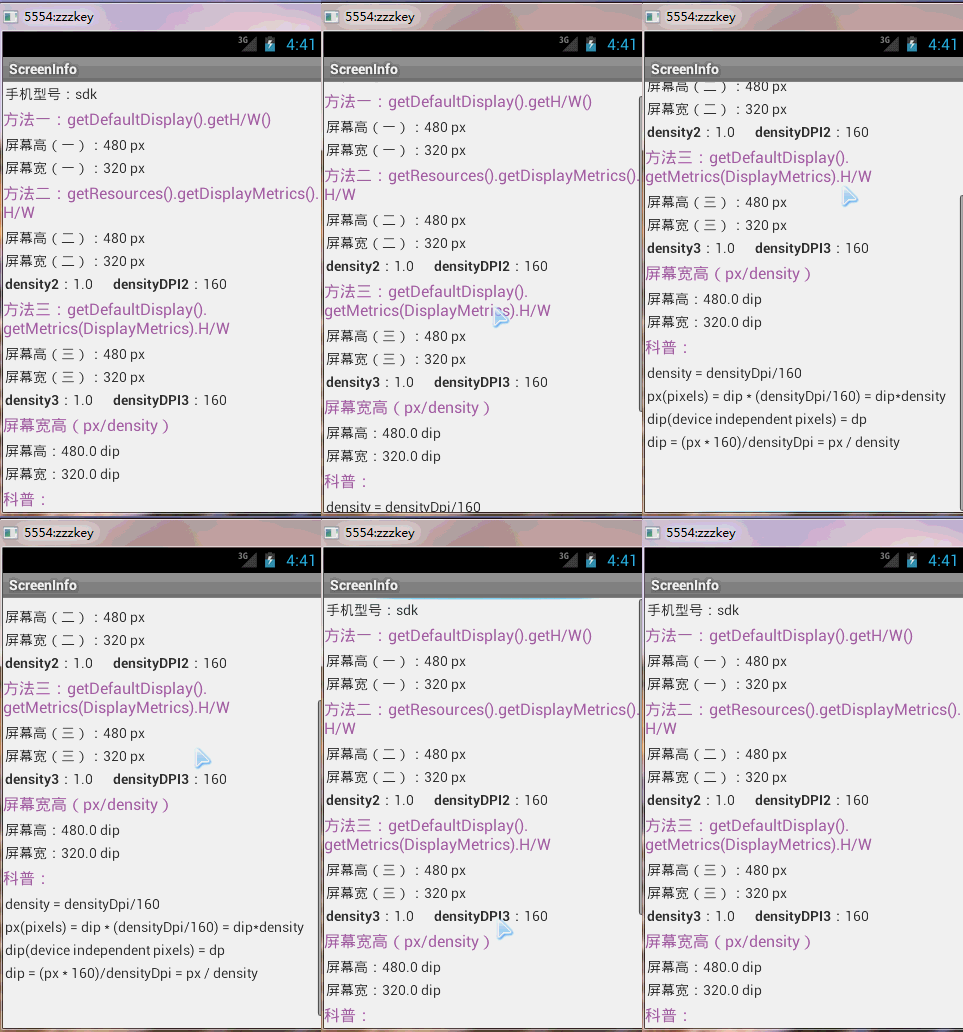
 使用自定義的item、Adapter和AsyncTask、第三方開源框架PullToRefresh聯合使用實現自定義的下拉列表(從網絡加載圖片顯示在item中的ImageView),
使用自定義的item、Adapter和AsyncTask、第三方開源框架PullToRefresh聯合使用實現自定義的下拉列表(從網絡加載圖片顯示在item中的Image
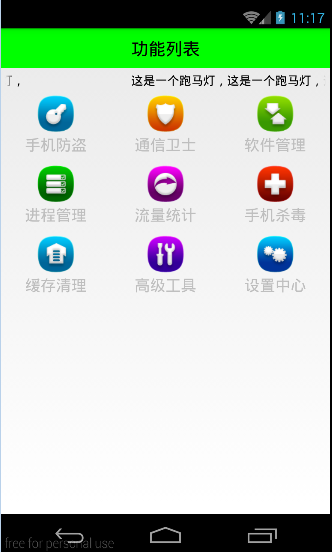 Android 手機衛士--九宮格使用,android九宮
Android 手機衛士--九宮格使用,android九宮本文地址:http://www.cnblogs.com/wuyudong/p/5907736.html,轉載請注
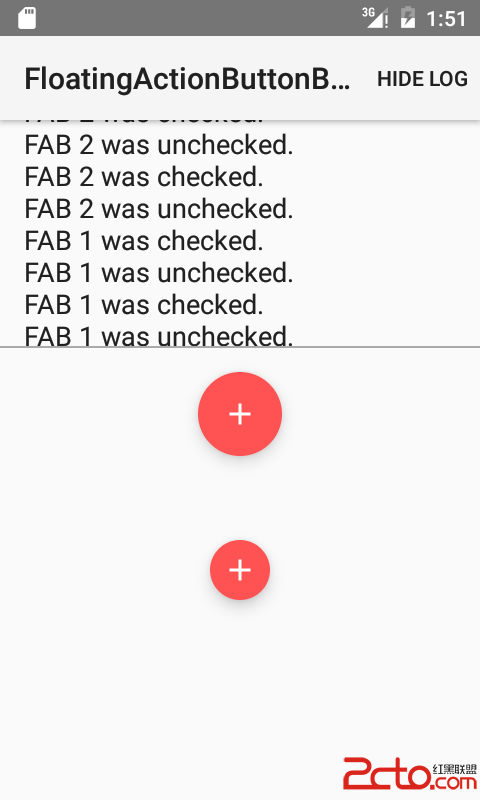 Android V7包學習筆記更新中.....
Android V7包學習筆記更新中..... 關於V4 V7 V13 VX包介紹轉自這裡 1, Android Support V4, V7, V13是什麼
 android:ImageView選擇本地圖片並顯示
android:ImageView選擇本地圖片並顯示 運行結果: 模擬器圖庫就三張 沒辦法~畫質挺感人~ 一個隱式意圖 布局文件: <relativelay