編輯:關於android開發
                ObjectAnimator.ofFloat(view, "translationX", 0, 50, -50, 0).setDuration(duration).start();//位移
                ObjectAnimator.ofFloat(view, "translationY", 0, 50, -50, 0).setDuration(duration).start();
                ObjectAnimator.ofFloat(view, "scaleX", 1, 2, 1).setDuration(duration).start();//縮放
                ObjectAnimator.ofFloat(view, "scaleY", 1, 2, 1).setDuration(duration).start();
                ObjectAnimator.ofFloat(view, "alpha", 1, 0, 1).setDuration(duration).start();//透明度
                ObjectAnimator.ofFloat(view, "rotationX", 0, 180, 0).setDuration(duration).start();//翻轉
                ObjectAnimator.ofFloat(view, "rotationY", 0, 180, 0).setDuration(duration).start();
                ObjectAnimator.ofFloat(view, "rotation", 0, 180, 0).setDuration(duration).start();//旋轉
             ViewHelper.setPivotX(view, view.getWidth() / 2f);//設置動畫基點
             ViewHelper.setPivotY(view, view.getHeight() / 2f);
以上就是比較常用的nineold,但是偶爾遇到組合的,這樣就比較省事
AnimatorSet animator = new AnimatorSet();
        animator.playTogether(
            ObjectAnimator.ofFloat(image, "rotation", 0, 1080),
            ObjectAnimator.ofFloat(image, "translationX", 0, 180),
            ObjectAnimator.ofFloat(image, "translationY", 0, -180),
            ObjectAnimator.ofFloat(image, "scaleX", 1, 0),
            ObjectAnimator.ofFloat(image, "scaleY", 1, 0)
            ObjectAnimator.ofFloat(image, "alpha", 1, 0.25f, 1)
        );
        animator.setDuration(5 * 1000).start();
今天做一個添加商品到購物車時 商品圖片旋轉 縮小 位移 到指定的購物車圖標位置,用的屬性動畫,很麻煩,動畫執行順序如果弄亂了,位移軌跡會出問題的.大概記錄一下,以免忘了
int[] endLocation = new int[2];
        topSpcart.getLocationInWindow(endLocation);// shopCart是那個購物車

        // 計算位移
        int endX = endLocation[0] - startLocation[0] ;// 動畫位移的X坐標
        int endY = endLocation[1] - startLocation[1];// 動畫位移的y坐標

        RotateAnimation rotateAnimation = new RotateAnimation(0, 1080,
                Animation.RELATIVE_TO_SELF, 0.5f, Animation.RELATIVE_TO_SELF, 0.5f);
        ScaleAnimation scaleAnimation =new ScaleAnimation(1, 0, 1, 0,
                Animation.RELATIVE_TO_SELF, 0, Animation.RELATIVE_TO_SELF, 0);
        TranslateAnimation translateAnimation = new TranslateAnimation(0,endX, 0, endY);
//      translateAnimation.setInterpolator(new LinearInterpolator());//動畫加速器
//      translateAnimation.setInterpolator(new AccelerateInterpolator());
//      translateAnimation.setRepeatCount(0);// 動畫重復執行的次數
//      translateAnimation.setFillAfter(true);//動畫結束留在原位置

        AnimationSet set = new AnimationSet(false);
        set.setFillAfter(true);
        set.addAnimation(rotateAnimation);//旋轉
        set.addAnimation(scaleAnimation);//縮放
        set.addAnimation(translateAnimation);//位移
        set.setDuration(1000);// 動畫的執行時間
        view.startAnimation(set);
        // 動畫監聽事件
        set.setAnimationListener(new AnimationListener() {
            // 動畫的開始
            @Override
            public void onAnimationStart(Animation animation) {
            }
            @Override
            public void onAnimationRepeat(Animation animation) {
            }
            // 動畫的結束
            @Override
            public void onAnimationEnd(Animation animation) {
            }
        });
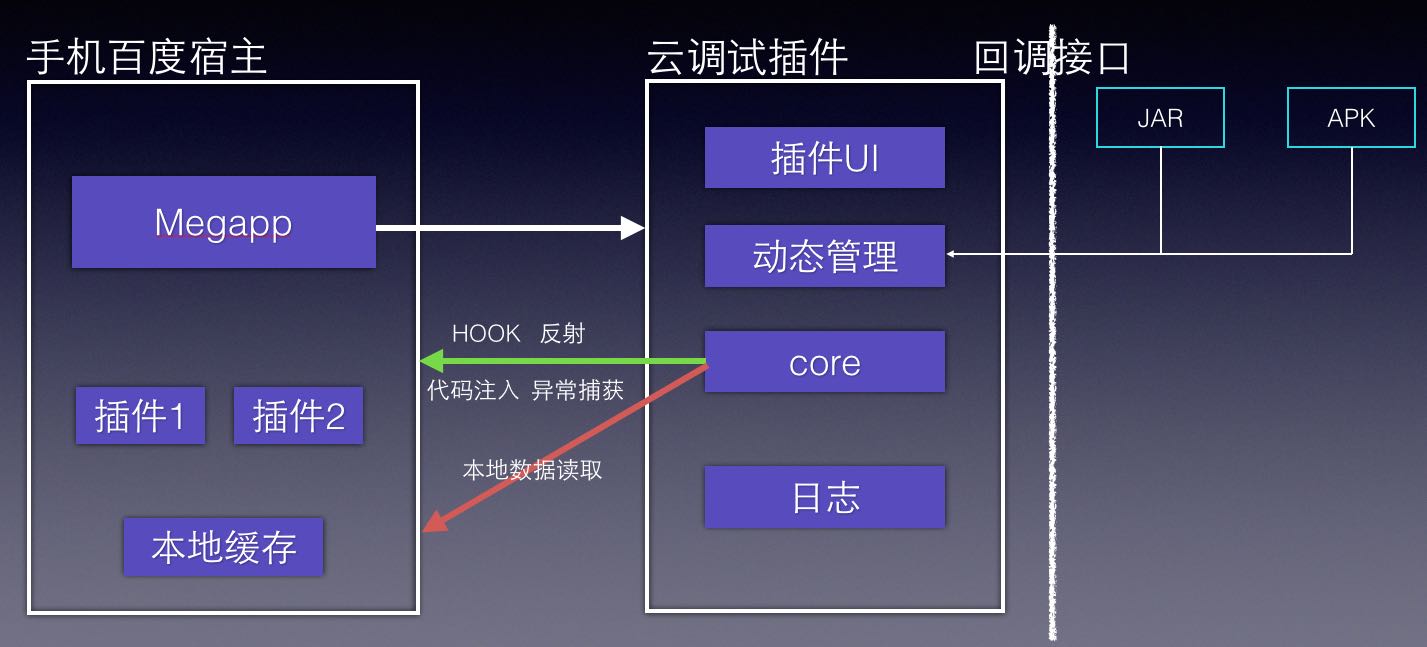 一種基於動態插件系統的移動測試黑科技
一種基於動態插件系統的移動測試黑科技百度MTC是業界領先的移動應用測試服務平台,為廣大開發者在移動應用測試中面臨的成本、技術和效率問題提供解決方案。同時分享行業領先的百度
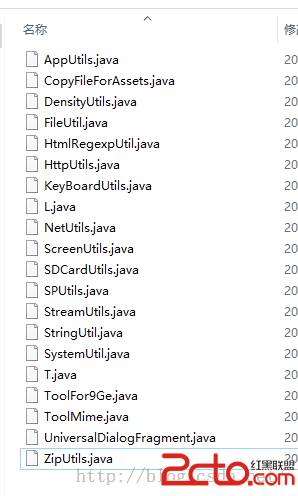 Android開發通用的工具類
Android開發通用的工具類 Android開發通用的工具類 在開發中有些代碼都是重復性的,如果能把這些代碼集中的分類提取出來(比如網絡連接、數據保存等),然後再以後寫
 Android 面試題及答案(2),android試題及答案
Android 面試題及答案(2),android試題及答案1.Activity相關。launchmode,OnSaveInstnceState,生命周期等。
 Android M Launcher3主流程源碼淺析
Android M Launcher3主流程源碼淺析 背景 關於Launcher是啥的問題我想這裡就沒必要再強調了。由於一些原因迫使最近開始需要研究一下Launcher3