編輯:關於android開發
前面寫過了使用ViewFlipper和ViewPager實現屏幕中視圖切換的效果(ViewPager未實現輪播)附鏈接:
Android中使用ViewFlipper實現屏幕切換
Android中使用ViewPager實現屏幕頁面切換和頁面切換效果
今天我們在換一種實現方式ImageViewSwitcher。
ImageSwitcher是Android中控制圖片展示效果的一個控件,如:幻燈片效果
ImageSwitcher粗略的理解就是ImageView的選擇器。
ImageSwitcher的原理:ImageSwitcher有兩個子View:ImageView,當左右滑動的時候,就在這兩個ImageView之間來回切換來顯示圖片。
既然有兩個子ImageView,那麼我們要創建兩個ImageView給ImageSwitcher。創建ImageViewSwitcher中的ImageView是通過ViewFactory工廠來實現的。
下面我們展示下本次實現效果(可以輪播哦):

好了,廢話不多說,開始撸代碼:
 1 <?xml version="1.0" encoding="utf-8"?>
 2 <FrameLayout xmlns:android="http://schemas.android.com/apk/res/android"
 3     xmlns:tools="http://schemas.android.com/tools"
 4     android:id="@+id/activity_main"
 5     android:layout_width="match_parent"
 6     android:layout_height="match_parent"
 7     tools:context="com.example.administrator.switcher.MainActivity">
 8     <ImageSwitcher
 9         android:layout_width="match_parent"
10         android:layout_height="match_parent"
11         android:id="@+id/is">
12     </ImageSwitcher>
13     <LinearLayout
14         android:id="@+id/point_layout"
15         android:layout_width="match_parent"
16         android:layout_height="wrap_content"
17         android:layout_gravity="bottom"
18         android:orientation="horizontal">
19         <ImageView
20             android:layout_width="wrap_content"
21             android:layout_height="wrap_content"
22             android:layout_weight="1"
23             android:src="@mipmap/default_holo"/>
24         <ImageView
25             android:layout_width="wrap_content"
26             android:layout_height="wrap_content"
27             android:layout_weight="1"
28             android:src="@mipmap/default_holo"/>
29         <ImageView
30             android:layout_width="wrap_content"
31             android:layout_height="wrap_content"
32             android:layout_weight="1"
33             android:src="@mipmap/default_holo"/>
34         <ImageView
35             android:layout_width="wrap_content"
36             android:layout_height="wrap_content"
37             android:layout_weight="1"
38             android:src="@mipmap/default_holo"/>
39     </LinearLayout>
40 </FrameLayout>
這裡大家也可以通過配置文件來布局下面的導航圓點,不必寫死在布局文件中。
 1 import android.support.v7.app.AppCompatActivity;
 2 import android.os.Bundle;
 3 import android.view.MotionEvent;
 4 import android.view.View;
 5 import android.widget.ImageSwitcher;
 6 import android.widget.ImageView;
 7 import android.widget.LinearLayout;
 8 import android.widget.ViewSwitcher;
 9 import java.util.ArrayList;
10 /**
11  * Created by panchengjia on 2016/12/04.
12  */
13 public class MainActivity extends AppCompatActivity implements ViewSwitcher.ViewFactory,View.OnTouchListener{
14     private ImageSwitcher is;//聲明ImageSwitcher布局
15     private LinearLayout point_layout;//聲明導航圓點的布局
16     //圖片id數組
17     int[] images={R.mipmap.a1,R.mipmap.a2,R.mipmap.a3,R.mipmap.a4};
18     //實例化存儲導航圓點的集合
19     ArrayList<ImageView> points = new ArrayList<>();
20     int index;//聲明index,記錄圖片id數組下標
21     float startX;//手指接觸屏幕時X的坐標(演示左右滑動)
22     float endX;//手指離開屏幕時的坐標(演示左右滑動)
23
24     @Override
25     protected void onCreate(Bundle savedInstanceState) {
26         super.onCreate(savedInstanceState);
27         setContentView(R.layout.activity_main);
28         is = (ImageSwitcher) findViewById(R.id.is);
29         is.setFactory(this);//通過工廠實現ImageSwitcher
30         initpoint();
31         is.setOnTouchListener(this);//設置觸摸事件
32     }
33     //初始化導航圓點的方法
34     private void initpoint() {
35         point_layout= (LinearLayout) findViewById(R.id.point_layout);
36         int count = point_layout.getChildCount();//獲取布局中圓點數量
37         for(int i =0;i<count;i++){
38             //將布局中的圓點加入到圓點集合中
39             points.add((ImageView) point_layout.getChildAt(i));
40         }
41         //設置第一張圖片(也就是圖片數組的0下標)的圓點狀態為觸摸實心狀態
42         points.get(0).setImageResource(R.mipmap.touched_holo);
43     }
44     //設選中圖片對應的導航原點的狀態
45     public void setImageBackground(int selectImage) {
46         for(int i=0;i<points.size();i++){
47             //如果選中圖片的下標等於圓點集合中下標的id,則改變圓點狀態
48             if(i==selectImage){
49                 points.get(i).setImageResource(R.mipmap.touched_holo);
50             }else{
51                 points.get(i).setImageResource(R.mipmap.default_holo);
52             }
53         }
54     }
55     //實現ViewFactory的方法實例化imageView(這裡未設置ImageView的屬性)
56     @Override
57     public View makeView() {
58         //實例化一個用於切換的ImageView視圖
59         ImageView iv = new ImageView(this);
60         //默認展示的第一個視圖為images[0]
61         iv.setImageResource(images[0]);
62         return iv;
63     }
64     @Override
65     public boolean onTouch(View v, MotionEvent event) {
66         //按下屏幕
67         if(event.getAction()==MotionEvent.ACTION_DOWN){
68             startX=event.getX();//獲取按下屏幕時X軸的坐標
69             //手指抬起
70         }else if (event.getAction()==MotionEvent.ACTION_UP){
71             endX=event.getX();
72             //判斷結束坐標大於起始坐標則為下一張(為避免誤操作,設置30的判斷區間)
73             if(startX-endX>30){
74                 //三目運算判斷當前圖片已經為最後一張,則從頭開始
75                 index = index+1<images.length?++index:0;
76                 //使用系統自帶的切換出入動畫效果(也可以向ViewFlipper中一樣自定義動畫效果)
77                 is.setInAnimation(this,android.R.anim.fade_in);
78                 is.setOutAnimation(this,android.R.anim.fade_out);
79
80                 //判斷結束坐標小於於起始坐標則為上一張(為避免誤操作,設置30的判斷區間)
81             }else if(endX-startX>30){
82                 //三目運算判斷當前圖片已經為第一張,則上一張為數組內最後一張圖片
83                 index = index-1>=0?--index:images.length-1;
84                 is.setInAnimation(this,android.R.anim.fade_in);
85                 is.setOutAnimation(this,android.R.anim.fade_out);
86             }
87             //設置ImageSwitcher的圖片資源
88             is.setImageResource(images[index]);
89             //調用方法設置圓點對應狀態
90             setImageBackground(index);
91         }
92         return true;
93     }
94 }
個人感覺,就圖片切換輪播來講,ImageViewSwitcher相對於ViewFlipper和ViewPager實現起來,還是簡單了很多。大家可以談談自己的看法,歡迎留言討論。
 android:如何在TextView實現圖文混排
android:如何在TextView實現圖文混排 我們通常在TextView文本中設置文字。可是如何設置圖文混排呢? 我就在這裡寫一個例子 。我們需要用到一點簡單的
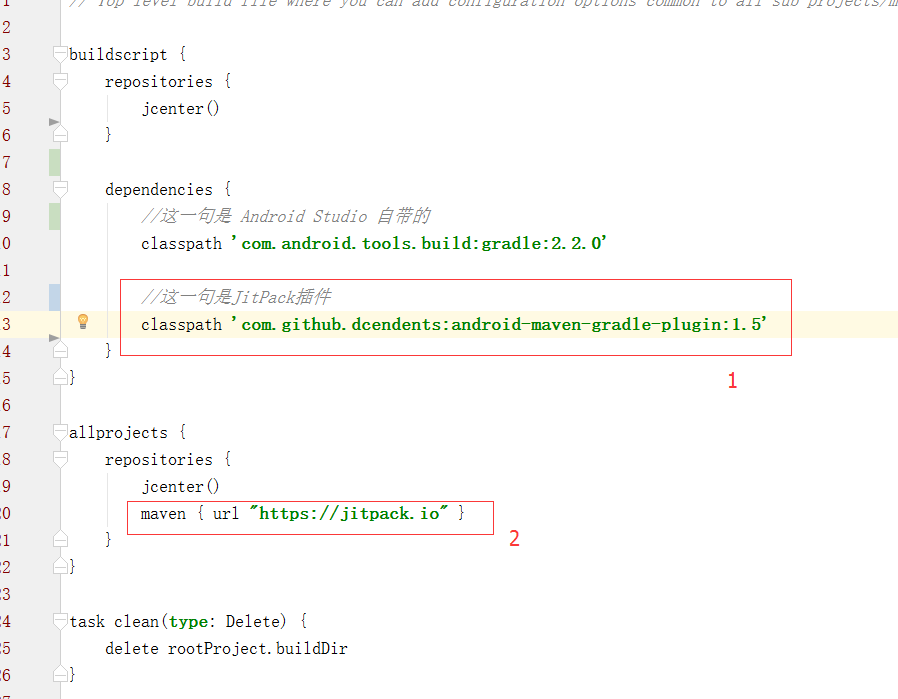 Android 急速發布項目到 JitPack,androidjitpack
Android 急速發布項目到 JitPack,androidjitpack 轉載請標明出處: http://www.cnblogs.com/zhaoyanjun/p/
 Linux內核系列—4.操作系統開發之LDT,linuxldt
Linux內核系列—4.操作系統開發之LDT,linuxldt一直以來,我們把所有的段描述符都放在GDT中,而不管它屬於內核還是用戶程序,為了有效地在任務之間實施隔離,處
 使用VideoView播放、暫停、快進視頻,videoview快進
使用VideoView播放、暫停、快進視頻,videoview快進 1 <FrameLayout xmlns:android=http://schemas.andr