編輯:關於android開發
在Android開發中,我們經常會需要在Android界面上彈出一些對話框,比如詢問用戶或者讓用戶選擇。這些功能我們叫它Android Dialog對話框,AlertDialog實現方法為建造者模式。下面我們模擬卸載應用程序時彈出的最為普通的警告對話框,如下圖:
layout布局界面代碼示例:
 1 <?xml version="1.0" encoding="utf-8"?>
 2 <LinearLayout xmlns:android="http://schemas.android.com/apk/res/android"
 3     android:orientation="vertical" android:layout_width="match_parent"
 4     android:layout_height="match_parent">
 5     <Button
 6         android:text="卸載"
 7         android:layout_width="match_parent"
 8         android:layout_height="wrap_content"
 9         android:onClick="show"
10         android:id="@+id/button" />
11 </LinearLayout>
Java實現代碼:
 1 import android.content.DialogInterface;
 2 import android.os.Bundle;
 3 import android.support.annotation.Nullable;
 4 import android.support.v7.app.AlertDialog;
 5 import android.support.v7.app.AppCompatActivity;
 6 import android.view.View;
 7 import android.widget.Toast;
 8 /**
 9  * Created by panchengjia on 2016/11/21.
10  */
11 public class AlertDialogDemo extends AppCompatActivity {
12     @Override
13     protected void onCreate(@Nullable Bundle savedInstanceState) {
14         super.onCreate(savedInstanceState);
15         setContentView(R.layout.alterdialog);
16     }
17     public void show(View v){
18         //實例化建造者
19         AlertDialog.Builder builder = new AlertDialog.Builder(this);
20         //設置警告對話框的標題
21         builder.setTitle("卸載");
22         //設置警告顯示的圖片
23 //        builder.setIcon(android.R.drawable.ic_dialog_alert);
24         //設置警告對話框的提示信息
25         builder.setMessage("確定卸載嗎");
26         //設置”正面”按鈕,及點擊事件
27         builder.setPositiveButton("確定", new DialogInterface.OnClickListener() {
28             @Override
29             public void onClick(DialogInterface dialog, int which) {
30                 Toast.makeText(AlertDialogDemo.this,"點擊了確定按鈕",Toast.LENGTH_SHORT).show();
31             }
32         });
33         //設置“反面”按鈕,及點擊事件
34         builder.setNegativeButton("取消", new DialogInterface.OnClickListener() {
35             @Override
36             public void onClick(DialogInterface dialog, int which) {
37                 Toast.makeText(AlertDialogDemo.this,"點擊了取消按鈕",Toast.LENGTH_SHORT).show();
38             }
39         });
40         //設置“中立”按鈕,及點擊事件
41         builder.setNeutralButton("等等看吧", new DialogInterface.OnClickListener() {
42             @Override
43             public void onClick(DialogInterface dialog, int which) {
44                 Toast.makeText(AlertDialogDemo.this,"點擊了中立按鈕",Toast.LENGTH_SHORT).show();
45             }
46         });
47         //顯示對話框
48         builder.show();
49     }
50 }
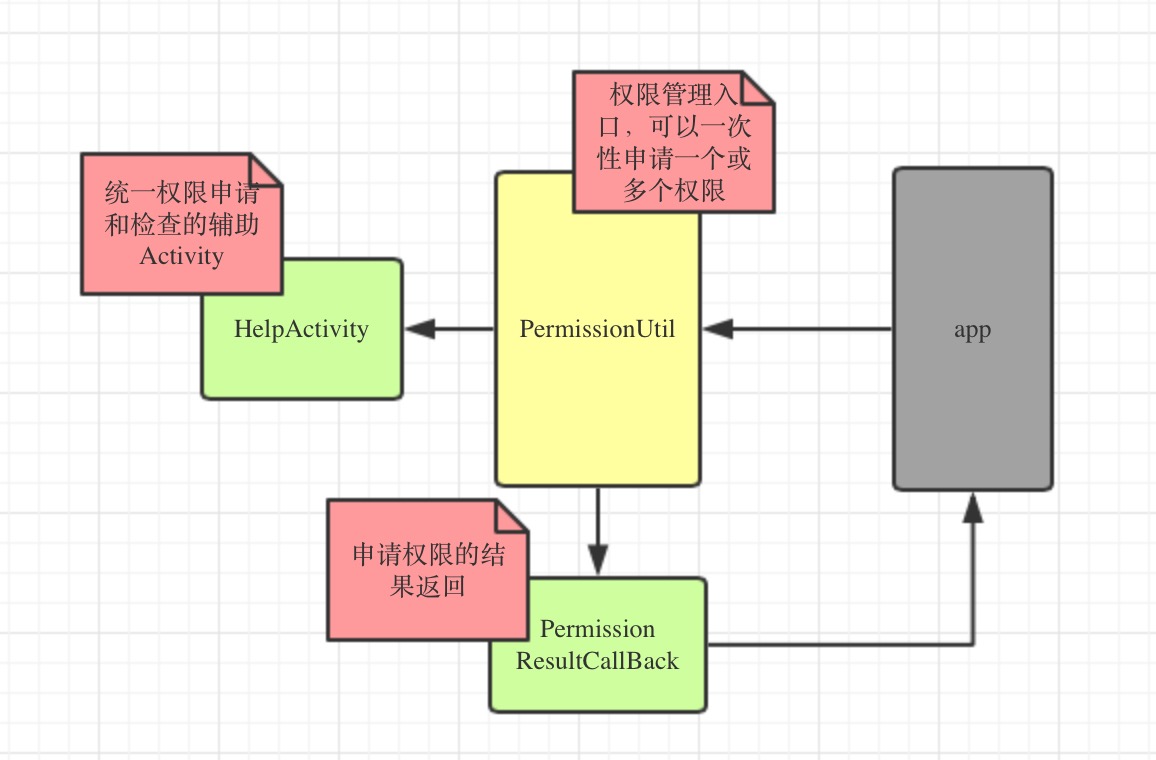 android6.0權限管理工具EasyPermissionUtil
android6.0權限管理工具EasyPermissionUtil 前言 android6.0開始,權限的申請發生了改變,申請變的動態化,也就是運行時權限,和iOS相仿
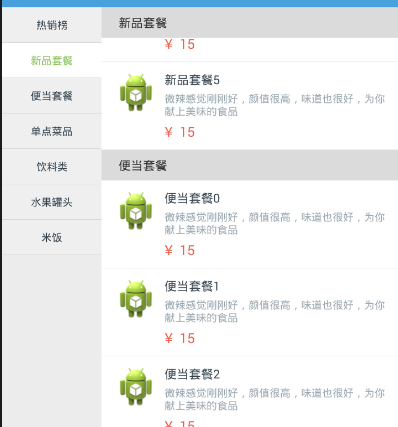 解析ListView聯動的實現--仿餓了麼點餐界面,listview聯動
解析ListView聯動的實現--仿餓了麼點餐界面,listview聯動一、博客的由來 大神王豐蛋哥 之前一篇博客仿餓了點餐界面2個ListView聯動(http://w
 安卓生成二維碼 ==。以及中文亂碼問題,安卓生成中文亂碼
安卓生成二維碼 ==。以及中文亂碼問題,安卓生成中文亂碼參考了http://blog.csdn.net/books1958/article/details/4634653
 Winform突然不響應KeyEvent了
Winform突然不響應KeyEvent了一開始WINFORM的KeyEvent是有效的。 當使用一些控件設置其MouseEvent後,Winform突然不響應KeyE