編輯:關於android開發
作為開發者我們需要經常站在用戶角度考慮問題,比如在應用商城下載軟件時,當用戶點擊下載按鈕,則會有下載進度提示頁面出現,現在我們通過線程休眠的方式模擬下載進度更新的演示,如圖(這裡為了截圖方便設置對話進度條位於屏幕上方):
layout界面代碼(僅部署一個按鈕):
 1 <?xml version="1.0" encoding="utf-8"?>
 2 <LinearLayout xmlns:android="http://schemas.android.com/apk/res/android"
 3     android:orientation="vertical" android:layout_width="match_parent"
 4     android:layout_height="match_parent">
 5     <Button
 6         android:layout_width="wrap_content"
 7         android:layout_height="wrap_content"
 8         android:text="下載"//真正項目時建議將文本資源統一定義配置在res下的strings.xml中
 9         android:onClick="begin"/>
10 </LinearLayout>
Java代碼實現(通過線程實現模擬下載進度更新):
 1 public class ProgressBarDemo extends AppCompatActivity {
 2     @Override
 3     protected void onCreate(@Nullable Bundle savedInstanceState) {
 4         super.onCreate(savedInstanceState);
 5         setContentView(R.layout.progressbar);
 6     }
 7     public void begin(View v) {
 8         //實例化進度條對話框(ProgressDialog)
 9         final ProgressDialog pd = new ProgressDialog(this);
10         pd.setTitle("請稍等");
11         //設置對話進度條樣式為水平
12         pd.setProgressStyle(ProgressDialog.STYLE_HORIZONTAL);
13         //設置提示信息
14         pd.setMessage("正在玩命下載中......");
15         //設置對話進度條顯示在屏幕頂部(方便截圖)
16         pd.getWindow().setGravity(Gravity.TOP);
17         pd.setMax(100);
18         pd.show();//調用show方法顯示進度條對話框
19         //使用匿名內部類實現線程並啟動
20         new Thread(new Runnable() {
21             int initial = 0;//初始下載進度
22             @Override
23             public void run() {
24                 while(initial<pd.getMax()){//設置循環條件
25                     pd.setProgress(initial+=40);//設置每次完成40
26                     try {
27                         Thread.sleep(1000);
28                     } catch (InterruptedException e) {
29                         e.printStackTrace();
30                     }
31                 }
32                 pd.dismiss();//進度完成時對話框消失
33             }
34         }).start();
35     }
36 }
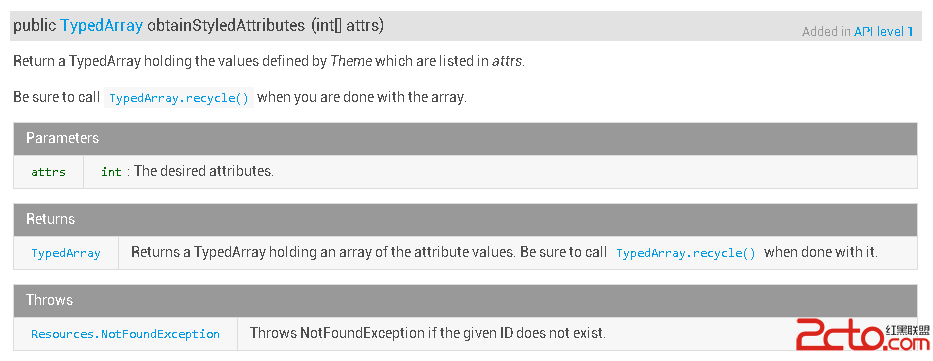 Android 自定義控件之第三講:obtainStyledAttributes 系列函數詳解
Android 自定義控件之第三講:obtainStyledAttributes 系列函數詳解 在項目中開發自定義控件時,或多或少都會用到 obtainStyledAtt
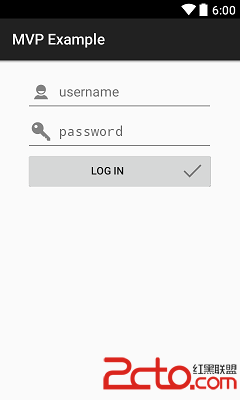 Android中MVP模式與MVC模式比較(含示例)
Android中MVP模式與MVC模式比較(含示例) MVP 介紹 MVP模式(Model-View-Presenter)是MVC模式的一個衍生。主要目的是為了解耦,使項
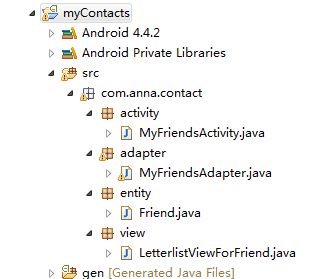 android通訊錄導航欄源碼(一),android導航欄
android通訊錄導航欄源碼(一),android導航欄 通訊錄導航欄源碼: 1.activity 1 package com.anna.contac
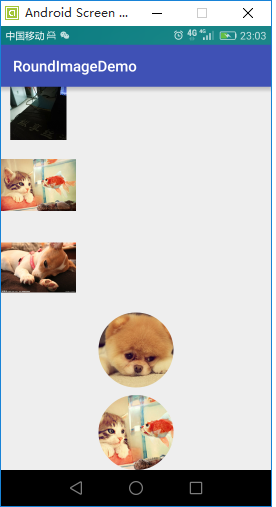 ImageView學習,imageview
ImageView學習,imageview package liu.roundimagedemo.view; import android.conten