編輯:關於android開發
1.SwipeRefreshLayout是Google在support v4 19.1版本的library更新的一個下拉刷新組件,實現刷新效果更方便。
弊端:只有下拉
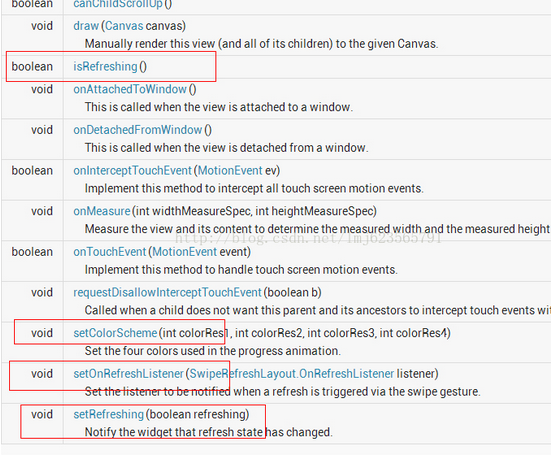
//設置刷新控件圈圈的顏色
swipe_refresh_layout.setColorSchemeResources(android.R.color.holo_blue_light, android.R.color.holo_orange_light, android.R.color.holo_red_light, android.R.color.holo_green_light);
//設置刷新控件背景色
swipe_refresh_layout.setProgressBackgroundColorSchemeColor(getResources().getColor(android.R.color.white));
//設置滑動距離
swipe_refresh_layout.setDistanceToTriggerSync(100);
//設置大小模式
swipe_refresh_layout.setSize(SwipeRefreshLayout.DEFAULT);
//設置下拉刷新控件狀態隱藏
swipe_refresh_layout.setRefreshing(false);
2.在xml文件中引用android.support.v4.widget.SwipeRefreshLayout控件,在裡面可以放置任何一個控件,例如ListView,gridview等。
<RelativeLayout xmlns:android="http://schemas.android.com/apk/res/android"
    android:layout_width="match_parent"
    android:layout_height="match_parent" >

    <android.support.v4.widget.SwipeRefreshLayout
        android:id="@+id/id_swipe_ly"
        android:layout_width="match_parent"
        android:layout_height="match_parent" >

        <ListView
            android:id="@+id/id_listview"
            android:layout_width="match_parent"
            android:layout_height="match_parent" >
        </ListView>
    </android.support.v4.widget.SwipeRefreshLayout>

</RelativeLayout>
3.Java代碼
public class MainActivity extends Activity implements SwipeRefreshLayout.OnRefreshListener {

	private SwipeRefreshLayout swipeLayout;
	private ListView listView;
	private ListViewAdapter adapter;
	private List<ItemInfo> infoList;

	@Override
	protected void onCreate(Bundle savedInstanceState) {
		super.onCreate(savedInstanceState);
		setContentView(R.layout.activity_main);

		swipeLayout = (SwipeRefreshLayout) this.findViewById(R.id.swipe_refresh);
		swipeLayout.setOnRefreshListener(this);

		// 頂部刷新的樣式
		swipeLayout.setColorScheme(android.R.color.holo_red_light, android.R.color.holo_green_light,
				android.R.color.holo_blue_bright, android.R.color.holo_orange_light);

		infoList = new ArrayList<ItemInfo>();
		ItemInfo info = new ItemInfo();
		info.setName("coin");
		infoList.add(info);
		listView = (ListView) this.findViewById(R.id.listview);
		adapter = new ListViewAdapter(this, infoList);
		listView.setAdapter(adapter);
	}

	public void onRefresh() {
		new Handler().postDelayed(new Runnable() {
			public void run() {
				swipeLayout.setRefreshing(false);
				ItemInfo info = new ItemInfo();
				info.setName("coin-refresh");
				infoList.add(info);
				adapter.notifyDataSetChanged();
			}
		}, 500);
	}
}
 手機安全衛士——高級工具-電話歸屬地查詢,安全衛士歸屬地查詢
手機安全衛士——高級工具-電話歸屬地查詢,安全衛士歸屬地查詢AToolsActivity.java //高級工具 public class AtoolsActivity
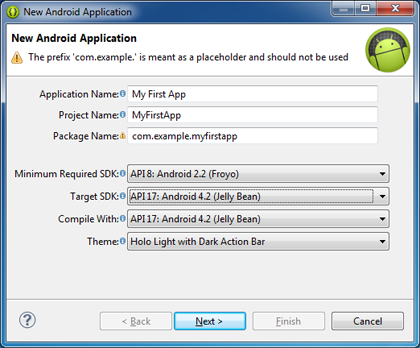 Android開發學習之——第一個Android程序(各種參數的意義),第一個android
Android開發學習之——第一個Android程序(各種參數的意義),第一個android下面我們建立第一個Android程序。 打開Eclipse,開始如下步驟: 1
 Greenplum(GPDB)開源啦!~
Greenplum(GPDB)開源啦!~ Greenplum 數據庫(GPDB)是一個無共享的大規模並行處理數據庫,主要用來處理大規模的數據分析任務,包括數據倉庫、商務
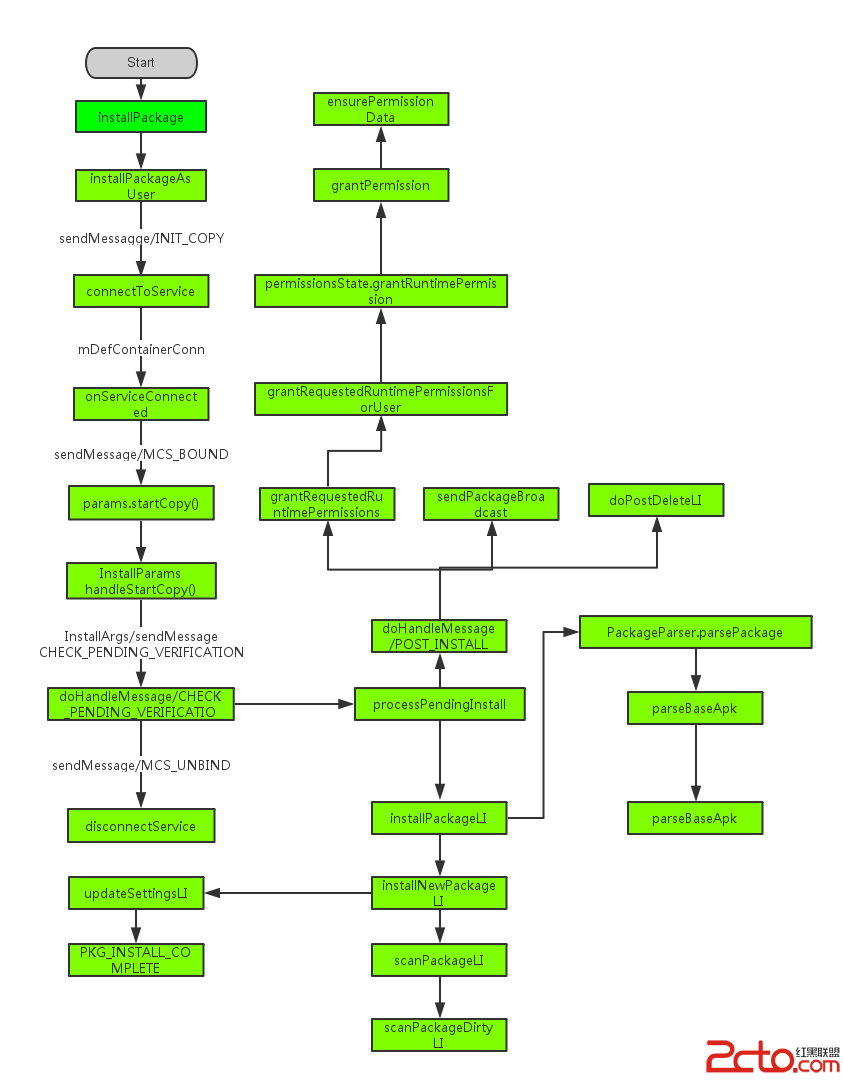 Android應用程序安裝過程淺析
Android應用程序安裝過程淺析 我們知道在android中,安裝應用是由PackageManager來管理的,但是我們發現PackageManager是一個抽象類