編輯:關於android開發
本文實現全自定義控件--自定義開關
本文地址:http://www.cnblogs.com/wuyudong/p/5922316.html,轉載請注明源地址。
自定義開關 (View),本文完成下面內容
1. 寫個類繼承View
2. 拷貝包含包名的全路徑到xml中
3. 界面中找到該控件, 設置初始信息
4. 根據需求繪制界面內容
Android 的界面繪制流程:
測量----------> 擺放 -------->繪制
measure ----->layout ---->draw
| | |
onMeasure--->OnLayout-->onDraw
新建類ToggleView,繼承自View
package com.wuyudong.toggleview.ui;

import android.content.Context;
import android.util.AttributeSet;
import android.view.View;

/**
 * 自定義開關
 *
 * @author wuyudong
 *
 */
public class ToggleView extends View {

    /**
     * 用於代碼創建控件
     *
     * @param context
     */
    public ToggleView(Context context) {
        super(context);
        // TODO Auto-generated constructor stub
    }

    /**
     * 用於在xml裡使用,可指定自定義屬性
     *
     * @param context
     * @param attrs
     */
    public ToggleView(Context context, AttributeSet attrs) {
        super(context, attrs);
        // TODO Auto-generated constructor stub
    }

    /**
     * 用於在xml裡使用,可指定自定義屬性,如果指定了樣式,則走此構造函數
     *
     * @param context
     * @param attrs
     * @param defStyle
     */
    public ToggleView(Context context, AttributeSet attrs, int defStyle) {
        super(context, attrs, defStyle);
        // TODO Auto-generated constructor stub
    }

    /**
     * 設置背景圖
     *
     * @param switchBackground
     */
    public void setSwitchBackgroundResource(int switchBackground) {

    }

    /**
     * 設置滑塊圖片資源
     *
     * @param slideButton
     */
    public void setSlideButtonResource(int slideButton) {

    }

    /**
     * 設置開關狀態
     *
     * @param b
     */
    public void setSwitchState(boolean b) {

    }

}
布局如下:
<RelativeLayout xmlns:android="http://schemas.android.com/apk/res/android"
    xmlns:tools="http://schemas.android.com/tools"
    android:layout_width="match_parent"
    android:layout_height="match_parent"
    tools:context=".MainActivity" >

    <com.wuyudong.toggleview.ui.ToggleView
        android:id="@+id/toggleView"
        android:layout_width="wrap_content"
        android:layout_height="wrap_content"
        android:layout_centerInParent="true" />

</RelativeLayout>
接著將畫布進行填充,設置開關狀態
package com.wuyudong.toggleview.ui;


import com.wuyudong.toggleview.R;

import android.content.Context;
import android.graphics.Bitmap;
import android.graphics.BitmapFactory;
import android.graphics.Canvas;
import android.graphics.Paint;
import android.util.AttributeSet;
import android.view.View;

/**
 * 自定義開關
 *
 * @author wuyudong
 *
 */
public class ToggleView extends View {

    private Bitmap switchBackgroundBitmap;
    private Bitmap slideButtonBitmap;
    private boolean mSwitchState = false; //開關狀態,默認關閉

    /**
     * 用於代碼創建控件
     *
     * @param context
     */
    public ToggleView(Context context) {
        super(context);
        // TODO Auto-generated constructor stub
    }

    /**
     * 用於在xml裡使用,可指定自定義屬性
     *
     * @param context
     * @param attrs
     */
    public ToggleView(Context context, AttributeSet attrs) {
        super(context, attrs);
        // TODO Auto-generated constructor stub
    }

    /**
     * 用於在xml裡使用,可指定自定義屬性,如果指定了樣式,則走此構造函數
     *
     * @param context
     * @param attrs
     * @param defStyle
     */
    public ToggleView(Context context, AttributeSet attrs, int defStyle) {
        super(context, attrs, defStyle);
    }

    @Override
    protected void onMeasure(int widthMeasureSpec, int heightMeasureSpec) {
        setMeasuredDimension(switchBackgroundBitmap.getWidth(),
                switchBackgroundBitmap.getHeight());
    }


    /**
     * Canvas: 畫布,畫板,在上面繪制的內容都會顯示在界面上
     */
    @Override
    protected void onDraw(Canvas canvas) {//1、繪制背景
        Paint paint = new Paint();
        canvas.drawBitmap(switchBackgroundBitmap, 0, 0, paint);
        //2、繪制滑塊
        //根據開關狀態,直接設置圖片位置
        if(mSwitchState) {
            int newLeft = switchBackgroundBitmap.getWidth() - slideButtonBitmap.getWidth();
            canvas.drawBitmap(slideButtonBitmap, newLeft, 0, paint);
        } else {
            canvas.drawBitmap(slideButtonBitmap, 0, 0, paint);
        }

    }

    /**
     * 設置背景圖
     *
     * @param switchBackground
     */
    public void setSwitchBackgroundResource(int switchBackground) {
        switchBackgroundBitmap = BitmapFactory.decodeResource(getResources(),
                switchBackground);

    }

    /**
     * 設置滑塊圖片資源
     *
     * @param slideButton
     */
    public void setSlideButtonResource(int slideButton) {
        slideButtonBitmap = BitmapFactory.decodeResource(getResources(),
                slideButton);

    }

    /**
     * 設置開關狀態
     *
     * @param b
     */
    public void setSwitchState(boolean mSwitchState) {
        this.mSwitchState = mSwitchState;

    }

}
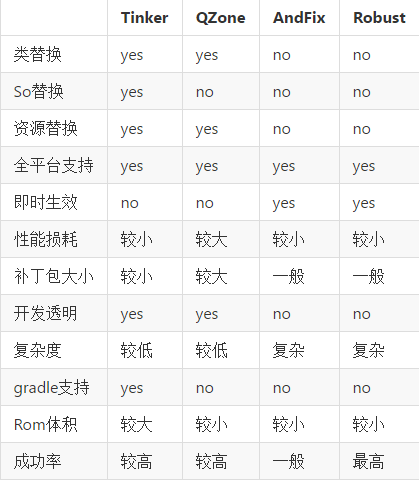 熱修復-Tinker,修復-tinker
熱修復-Tinker,修復-tinker 微信開源,真是喜出望外,必須要去看看啊,比起nuwa來微信好很多,而且github上也有專門的官方文檔說明,還有很多
 Android提權漏洞CVE-2014-7920&CVE-2014-7921分析
Android提權漏洞CVE-2014-7920&CVE-2014-7921分析 這是Android mediaserver的提權漏洞,利用CVE-2014-79
 修改Android系統關機動畫,android關機動畫
修改Android系統關機動畫,android關機動畫文件路徑:frameworks\base\services\core\java\com\android\server
 android源碼解析之(五)--)Log相關介紹
android源碼解析之(五)--)Log相關介紹 這裡面基本都是android framework層的源碼了。而且最近發現了一個比較不錯的github插件:OctoTr
 加載頁面遮擋耗時操作任務頁面--第三方開源--AndroidProgressLayout,androidview.layout
加載頁面遮擋耗時操作任務頁面--第三方開源--AndroidProgre