編輯:關於android開發
最近在維護代碼,發現一個自定義View(這個View是在一個AsyncTask的工作線程doInBackground中新建的,在UI線程onPostExecute中添加進window中的)經常會洩漏內存,導致其引用的Activity一直得不到釋放,每次退出再進去都會導致Activity的對象+1.
package com.xxx.launcher.view;

import android.content.Context;
import android.util.Log;
import android.view.View;

public class WeatherTextView extends SkinTextView {

    public WeatherTextView (Context context) {
        super(context);
        postDelayed(mShowCityRunnable, 200);//這一步有問題
    }

    @Override
    protected void onWindowVisibilityChanged(int visibility) {
        super.onWindowVisibilityChanged(visibility);
        if (visibility == View.VISIBLE) {
            post(mShowCityRunnable);
        }
    }

    @Override
    protected void onDetachedFromWindow() {
        super.onDetachedFromWindow();
        onCancel();
    };

    public void onCancel(){
        removeCallbacks(mShowCityRunnable);
    }
    private Runnable mShowCityRunnable = new Runnable() {

        @Override
        public void run() {
            Log.i("mShowCityRunnable-------TAG", "run"+mShowCityRunnable);
            setText(city);
        }
    };
}
public boolean post(Runnable action) {
Handler handler;
AttachInfo attachInfo = mAttachInfo;
if (attachInfo != null) {
handler = attachInfo.mHandler;
} else {
// Assume that post will succeed later
ViewRootImpl.getRunQueue().post(action);
return true;
}
return handler.post(action);
}
在post() 函數注釋中,明確寫著:This method can be invoked from outside of the UI thread only when this View is attached to a window.
當View還沒有attach到當前window時,mAttachInfo 值為 null,故而執行 else語句,再看一下getRunQueue()和其post() 方法:
static final ThreadLocal<RunQueue> sRunQueues = new ThreadLocal<RunQueue>();

static RunQueue getRunQueue() {
     RunQueue rq = sRunQueues.get();
     if (rq != null) {
         return rq;
     }
     rq = new RunQueue();
     sRunQueues.set(rq);
     return rq;
 }
 ……
 static final class RunQueue {
     private final ArrayList<HandlerAction> mActions = new ArrayList<HandlerAction>();

     void post(Runnable action) {
         postDelayed(action, 0);
     }

     void postDelayed(Runnable action, long delayMillis) {
         HandlerAction handlerAction = new HandlerAction();
         handlerAction.action = action;
         handlerAction.delay = delayMillis;

         synchronized (mActions) {
             mActions.add(handlerAction);
         }
     }

     void executeActions(Handler handler) {
         synchronized (mActions) {
             final ArrayList<handleraction> actions = mActions;
             final int count = actions.size();

             for (int i = 0; i < count; i++) {
                 final HandlerAction handlerAction = actions.get(i);
                 handler.postDelayed(handlerAction.action, handlerAction.delay);
             }

             actions.clear();
         }
     }
     ……
 }
這樣會把Runnable 插入到一個靜態的ThreadLocal的RunQueue隊列裡(在工作線程中post,就會插入工作線程的RunQueue隊列),針對本文開頭給出的例子,那麼插入的Runnable什麼時候得到執行呢?
調用RunQueue.executeActions()方法只有一處,即在ViewRootImpl類的如下非靜態方法中
private void performTraversals() {

        if (mLayoutRequested && !mStopped) {
            // Execute enqueued actions on every layout in case a view that was detached
            // enqueued an action after being detached
            getRunQueue().executeActions(attachInfo.mHandler);
        }
}
該方法是在UI線程執行的(見ViewRootImpl.handleMessage()), 故當UI線程執行到該performTraversals() 裡的 getRunQueue() 時,得到的是UI線程中的RunQueue,這樣AsyncTask 線程中的 RunQueue永遠不會被執行到, 並且AsyncTask的是用線程池實現的,AsyncTask啟動的線程會長期存在,造成如下引用關系:
AsyncTask線程 => 靜態的ThreadLocal的RunQueue => Runnable => View=> Activity;
如此即使activity finish 了,確始終存在一個靜態引用鏈引用這該activity,而 Activity一般又引用著很多資源,比如圖片等,最終造成嚴重資源洩漏。
最後我是寫改成
package com.xxx.launcher.view;

import android.content.Context;
import android.util.Log;
import android.view.View;

public class WeatherTextView  extends SkinTextView {

    public WeatherTextView (Context context) {
        super(context);
    }

    @Override
    protected void onAttachedToWindow() {
        super.onAttachedToWindow();
        postDelayed(mShowCityRunnable, 200); //在onAttachedToWindow方法中執行post方法
    }

    @Override
    protected void onWindowVisibilityChanged(int visibility) {
        super.onWindowVisibilityChanged(visibility);
        if (visibility == View.VISIBLE) {
            post(mShowCityRunnable);
        }
    }

    @Override
    protected void onDetachedFromWindow() {
        super.onDetachedFromWindow();
        onCancel();
    };

    public void onCancel(){
        removeCallbacks(mShowCityRunnable);
    }
    private Runnable mShowCityRunnable = new Runnable() {

        @Override
        public void run() {
            Log.i("mShowCityRunnable-------TAG", "run"+mShowCityRunnable);
            setText(city);
        }
    };
}
MainMenuActivity多少次,MainMenuActivity的對象就只會保存一份。
ps:至於為什麼在兩個Histogram(直方圖)的比較圖中還是顯示MainMenuActivity+1,則是因為這是類名,類被加載之後,在進程結束之前不會被回收
===============================================================================================================================
===============================================================================================================================

這種洩漏一般是因為mStorageManager 注冊了但是沒有取消注冊
mStorageManager = (StorageManager) mContext.getSystemService(Context.STORAGE_SERVICE);
mStorageManager.registerListener(mStoragelistener);
取消注冊就可以了
if (mStorageManager != null) {
    mStorageManager.unregisterListener(mStoragelistener);
}
 【Android測試】【隨筆】Android Studio環境搭建,androidstudio
【Android測試】【隨筆】Android Studio環境搭建,androidstudio◆版權聲明:本文出自胖喵~的博客,轉載必須注明出處。 &nbs
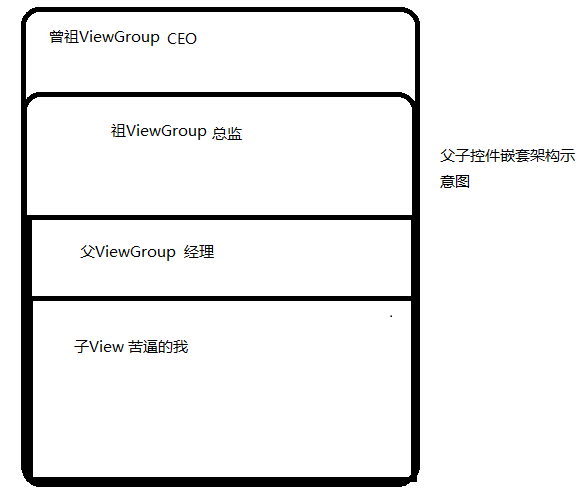 Android 時間攔截機制
Android 時間攔截機制 對於Android事件攔截機制,相信對於大多數Android初學者是一個抓耳撓腮難於理解的問題。其實理解這個問題並不困難。
 Android教材 | 第三章 Android界面事件處理(一)—— 傑瑞教育原創教材試讀,android試讀
Android教材 | 第三章 Android界面事件處理(一)—— 傑瑞教育原創教材試讀,android試讀 前 言 JRedu Andro
 活動的生命周期系列(一)返回棧,生命周期系列
活動的生命周期系列(一)返回棧,生命周期系列 生命周期對程序員很重要,特別當我們了解,就可以寫出更流暢的程序,更好的來