編輯:關於android開發
先上圖
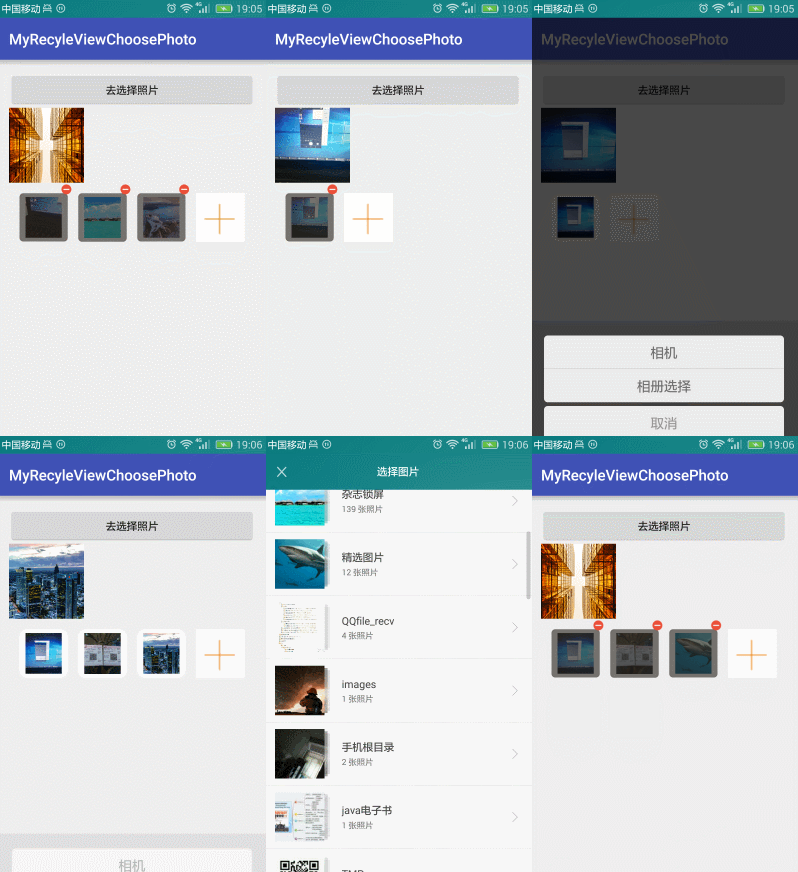
點擊+號就去選擇圖片
實際上這個添加本身就是一個ListView或者 RecyclerView
只是布局有些特殊
item
<?xml version="1.0" encoding="utf-8"?>
<liu.myrecyleviewchoosephoto.view.SquareRelativeLayout
    xmlns:android="http://schemas.android.com/apk/res/android"
    android:id="@+id/rootView"
    android:layout_width="wrap_content"
    android:layout_height="wrap_content">


    <RelativeLayout
        android:layout_width="wrap_content"
        android:layout_height="wrap_content"
        android:layout_marginLeft="7dp"
        android:layout_marginRight="7dp"
        android:layout_marginTop="14dp"
        android:background="@drawable/shape_white_bg_corner"
        >

        <ImageView
            android:id="@+id/ivDisPlayItemPhoto"
            android:layout_width="match_parent"
            android:layout_height="match_parent"
            android:contentDescription="@null"
            android:scaleType="centerCrop"
            android:layout_centerInParent="true"
            android:layout_marginRight="8dp"
            android:layout_marginLeft="8dp"
            android:layout_marginTop="5dp"
            android:layout_marginBottom="5dp"
            />

        <ImageView
            android:id="@+id/ivAddPhoto"
            android:layout_width="match_parent"
            android:layout_height="match_parent"
            android:layout_centerInParent="true"
            android:background="@color/white"
            android:scaleType="centerCrop"
            android:src="@mipmap/add_photo_refund"
            android:visibility="visible"/>

        <ImageView
            android:id="@+id/ivUploadingBg"
            android:layout_width="match_parent"
            android:layout_height="match_parent"
            android:src="@drawable/shape_grey_bg_corner"
            android:visibility="gone"/>

        <ImageView
            android:id="@+id/ivError"
            android:layout_width="wrap_content"
            android:layout_height="wrap_content"
            android:layout_centerInParent="true"
            android:src="@mipmap/icon_prompt"
            android:visibility="gone"/>

        <TextView
            android:id="@+id/tvProgress"
            android:layout_width="wrap_content"
            android:layout_height="wrap_content"
            android:layout_centerInParent="true"
            android:text="0%"
            android:textColor="@color/white"
            android:textSize="16sp"
            android:visibility="gone"/>

    </RelativeLayout>

    <ImageView
        android:id="@+id/ivDelete"
        android:layout_width="wrap_content"
        android:layout_height="wrap_content"
        android:layout_alignParentRight="true"
        android:src="@mipmap/delete_photo"
        android:visibility="gone"/>


</liu.myrecyleviewchoosephoto.view.SquareRelativeLayout>
在Adpater中判斷一個數據是不是為0和是不是最後一個添加的圖片就可以了。
 @Override
    public int getItemCount() {
        if (mDatas == null || mDatas.size() == 0) {
            return 1;
        } else if (mDatas.size() < mMaxNum) {
            return mDatas.size() + 1;
        } else {
            return mDatas.size();
        }
    }
這裡用到了一個正方形的,容器
package liu.myrecyleviewchoosephoto.view;


import android.content.Context;
import android.util.AttributeSet;
import android.widget.RelativeLayout;

/**
 * 正方形的RelativeLayout
 * Created by 劉楠 on 2016/8/13 0013.16:07
 */
public class SquareRelativeLayout extends RelativeLayout {
    public SquareRelativeLayout(Context context) {
        super(context);
    }

    public SquareRelativeLayout(Context context, AttributeSet attrs) {
        super(context, attrs);
    }

    public SquareRelativeLayout(Context context, AttributeSet attrs, int defStyleAttr) {
        super(context, attrs, defStyleAttr);
    }

    @Override
    protected void onMeasure(int widthMeasureSpec, int heightMeasureSpec) {


        //設置自己測量結果
        setMeasuredDimension(getDefaultSize(0,widthMeasureSpec),getDefaultSize(0,heightMeasureSpec));


        /**
         * 測量子View的
         */
        int childWidthSize=getMeasuredWidth();
        //高度與寬度一樣
        widthMeasureSpec =MeasureSpec.makeMeasureSpec(childWidthSize,MeasureSpec.EXACTLY);
        heightMeasureSpec =widthMeasureSpec;

        super.onMeasure(widthMeasureSpec, heightMeasureSpec);
    }
}
這裡沒有寫圖片選擇器
有興趣可以看這裡
圖片選擇器:
https://github.com/ln0491/PhotoView
源碼:
https://github.com/ln0491/MyRecyleViewChoosePhoto
 QQ空間實現(一)—— 展示說說中的評論內容並有相應點擊事件,評論內容事件
QQ空間實現(一)—— 展示說說中的評論內容並有相應點擊事件,評論內容事件大家都玩QQ空間客戶端,對於每一個說說,我們都可以評論,那麼,對於某一條評論: 白雪公主 回復
 Android實戰技巧之四十六:用patch更新Android Studio
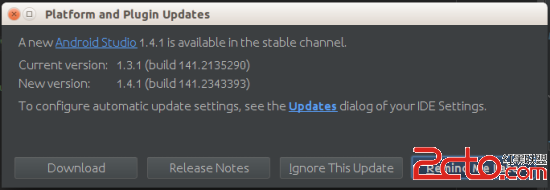
Android實戰技巧之四十六:用patch更新Android Studio 公司機器上的Android Studio很時髦,每次都會准時接收到官方穩定版的推送。目前最新
 MSM8909+Android5.1.1 SPI驅動開發(PSAM部分)
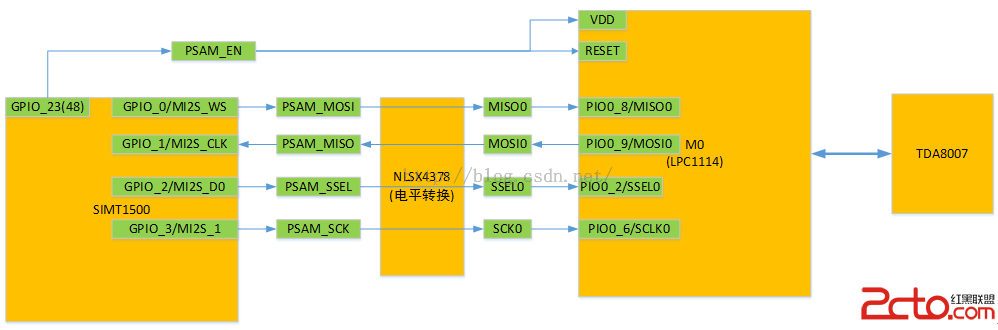
MSM8909+Android5.1.1 SPI驅動開發(PSAM部分) MSM8909+Android5.1.1SPI驅動開發(PSAM部分) 1.
 我的android學習經歷9,android學習經歷9
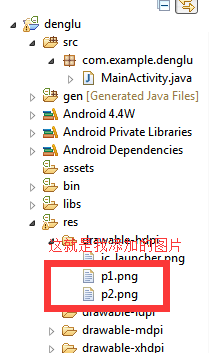
我的android學習經歷9,android學習經歷9給android的activity添加背景圖片 1.你可以在網上下載android的圖片,也可以制作自己的圖片,圖片