編輯:關於android開發
大家都玩QQ空間客戶端,對於每一個說說,我們都可以評論,那麼,對於某一條評論:
白雪公主 回復 小矮人 : 你們好啊~
我們來分析一下:
1、QQ空間允許我們 點擊 回復人和被回復人的名字就可以進入對於用戶的個人主頁(即點擊文字“白雪公主”/“小矮人”,就可以進入到這倆用戶相應個人主頁)
2、點擊 回復的文字,就可以對回復人進行回復(即點擊評論中回復的內容“你們好啊~”,便對彈出一個編輯框對回復人“白雪公主”進行回復)
3、回復人 和 被回復人 的名字是有顏色的
效果圖:

作為一個android開發者,我們要實現對一個TextView :
1、點擊不同的文字部分(文字個數還不確定)有相應的響應操作(進入個人主頁等等)

2、一個TextView中某些文字有不同的顏色
下面學習如何實現-->
----------------------------------------------------------------------------------
首先介紹下QQ空間說說列表這一個界面(fragment來實現)的整體框架:
1、使用RecyclerView來展示說說列表 why?
1、RecyclerView 自帶實現復用機制,對於工作1--2年左右的,不建議使用自己寫的復用ListView
2、RecyclerView 方便對於某一個item 項的增刪改操作 (大優勢),比如控件刪除該說說的功能的實現 RecyclerView實現更好
2、每一個item 內部 ,評論文字部分 用不可以滑動的ListView(RecyclerView理論上更棒,反正不可以滑動就行了)來展示 (博主一開始想的是用LinearLayout 內部 動態添加TextView來展示,經測試,太麻煩且易出錯)
不可滑動的ListView 代碼 --> 自定義不可滑動的ListView和GridView
-----------------------------------------------------------------------------------
下面用一個Demo來學習如何實現說說評論的效果:
首先布局文件,就一個不可滑動的ListView,我們Demo只展示評論列表
<RelativeLayout xmlns:android="http://schemas.android.com/apk/res/android"
    xmlns:tools="http://schemas.android.com/tools"
    android:layout_width="match_parent"
    android:layout_height="match_parent"
    tools:context=".MainActivity">

  <!-- 注意listview要去除分割線 -->
    <com.xqx.com.qqhome.NoScrollListView
        android:id="@+id/listview"
        android:layout_width="match_parent"
        android:layout_height="match_parent"
        android:divider="@null" >
    </com.xqx.com.qqhome.NoScrollListView>

</RelativeLayout>
然後是Item項的布局文件(評論文字):
<?xml version="1.0" encoding="utf-8"?>
<LinearLayout xmlns:android="http://schemas.android.com/apk/res/android"
    android:orientation="vertical" android:layout_width="match_parent"
    android:layout_height="match_parent">
    <TextView
        android:id="@+id/txt_comment"
        android:layout_width="wrap_content"
        android:layout_height="wrap_content"
        android:padding="2dp"
        />
</LinearLayout>
-----------------------------------------------------------------------------------
看java文件部分:
MainActivity.java
很簡單,自己創建了5條評論,添加到自己寫的適配器中
注意:評論有的是沒有被回復人的!
public class MainActivity extends Activity {

    private NoScrollListView noScrollListView;

    /* --------- 數據源----------- */
    //記錄回復說說用戶的集合
    private ArrayList<String> name;
    //記錄被回復說說用戶的集合
    private ArrayList<String> toName;
    //記錄評論內容的集合
    private ArrayList<String> content;

    /* --------- 適配器------------*/
    private CommentAdapter adapter;
    @Override
    protected void onCreate(Bundle savedInstanceState) {
        super.onCreate(savedInstanceState);
        setContentView(R.layout.activity_main);

        noScrollListView = (NoScrollListView) findViewById(R.id.listview);

        name = new ArrayList<>();
        toName = new ArrayList<>();
        content = new ArrayList<>();

        //添加數據 ,Demo只添加5條評論
        name.add("白雪公主");
        toName.add("小矮人");
        content.add("你們好啊~");

        name.add("小矮人");
        toName.add("白雪公主");
        content.add("白雪公主,早上好啊~");

        name.add("王子");
        toName.add("");
        content.add("這條說說很有道理的樣子啊~");

        name.add("國王");
        toName.add("");
        content.add("我很喜歡這條說說~");

        name.add("白雪公主");
        toName.add("王子");
        content.add("你也是XX的朋友啊?");

        adapter = new CommentAdapter(name,toName,content,this);
        noScrollListView.setAdapter(adapter);

    }

}
-----------------------------------------------------------------------------------
布局文件有了,MainActivity有了,剩下最主要的適配器了
看下自定義適配器所需要的屬性 和 寫個必要方法:
public class CommentAdapter extends BaseAdapter {

    /* --------- 數據源----------- */
    //記錄回復說說用戶的集合
    private ArrayList<String> name;
    //記錄被回復說說用戶的集合
    private ArrayList<String> toName;
    //記錄評論內容的集合
    private ArrayList<String> content;

    private Context context;

    public CommentAdapter(ArrayList<String> name, ArrayList<String> toName, ArrayList<String> content, Context context) {
        this.name = name;
        this.toName = toName;
        this.content = content;
        this.context = context;
    }

    @Override
    public int getCount() {
        int ret = 0;
        if (name != null&&name.size()!=0)
            ret = name.size();
        return ret;
    }

    @Override
    public Object getItem(int position) {
        return position;
    }

    @Override
    public long getItemId(int position) {
        return position;
    }
  class ViewHolder{
      TextView txt_comment;
  }
重點來了 getView() ~~
首先 建議大家要看下這幾篇文章
(轉) SpannableString與SpannableStringBuilder
TextView顯示html樣式的文字
淺談ClickableSpan , 實現TextView文本某一部分文字的點擊響應
然後~~
注釋都在代碼中:
@Override
    public View getView(int position, View convertView, ViewGroup parent) {
        //其實評論一般都是文字,高級點的帶有圖片評論,光文字的話復用不復用就沒什麼大區別了
        View view = null;
        if(convertView!=null)
        {
            view = convertView;
        }
        else
        {
            view = LayoutInflater.from(context).inflate(R.layout.item_comment, parent,false);
        }
        ViewHolder holder = (ViewHolder) view.getTag();
        if(holder==null)
        {
            holder = new ViewHolder();
            holder.txt_comment = (TextView) view.findViewById(R.id.txt_comment);

            view.setTag(holder);
        }
        //給相應位置的文字賦內容
        if (name != null && name.size()!=0) {
            StringBuilder actionText = new StringBuilder();

            //誰回復
            actionText.append("<a style=\"text-decoration:none;\" href='name' ><font color='#1468a3'>"
                    + name.get(position)  + "</font> </a>");

            // 回復誰,被回復的人可能不存在。
            if(toName.get(position)!=null&&toName.get(position).length()>0) {
                actionText.append("回復");
                actionText.append("<font color='#1468a3'><a style=\"text-decoration:none;\" href='toName'>"
                         + toName.get(position) + " " + " </a></font>");
            }
            // 內容
            actionText.append("<font color='#484848'><a style=\"text-decoration:none;\" href='content'>"
                    + ":" + content.get(position) + " " + " </a></font>");

            holder.txt_comment.setText(Html.fromHtml(actionText.toString()));
            holder.txt_comment.setMovementMethod(LinkMovementMethod
                    .getInstance());
            CharSequence text = holder.txt_comment.getText();
            int ends = text.length();
            Spannable spannable = (Spannable) holder.txt_comment.getText();
            URLSpan[] urlspan = spannable.getSpans(0, ends, URLSpan.class);
            SpannableStringBuilder stylesBuilder = new SpannableStringBuilder(text);
            stylesBuilder.clearSpans();

            for (URLSpan url : urlspan) {
                FeedTextViewURLSpan myURLSpan = new FeedTextViewURLSpan(url.getURL(),
                        context,name.get(position),toName.get(position),content.get(position));
                stylesBuilder.setSpan(myURLSpan, spannable.getSpanStart(url),
                        spannable.getSpanEnd(url), spannable.SPAN_EXCLUSIVE_EXCLUSIVE);
            }
            holder.txt_comment.setText(stylesBuilder);
            holder.txt_comment.setFocusable(false);
            holder.txt_comment.setClickable(false);
            holder.txt_comment.setLongClickable(false);

        }

        return view;
    }

    static class FeedTextViewURLSpan extends ClickableSpan {
        private String clickString;
        private Context context;
        // 回復人的名字
        private String name;
        // 被回復人的名字
        private String toName;
        // 評論內容
        private String content;

        public FeedTextViewURLSpan(String clickString, Context context, String name, String toName, String content) {
            this.clickString = clickString;
            this.context = context;
            this.name = name;
            this.toName = toName;
            this.content = content;
        }

        @Override
        public void updateDrawState(TextPaint ds) {
            ds.setUnderlineText(false);
            //給標記的部分 的文字 添加顏色
            if(clickString.equals("toName")){
                ds.setColor(context.getResources().getColor(R.color.blue));
            }else if(clickString.equals("name")){
                ds.setColor(context.getResources().getColor(R.color.blue));
            }
        }

        @Override
        public void onClick(View widget) {
            // 根據文字的標記 來進行相應的 響應事件
            if (clickString.equals("toName")) {
                //可以再次進行跳轉activity的操作
                Toast.makeText(context,"點擊了"+toName,Toast.LENGTH_SHORT).show();
            } else if (clickString.equals("name")) {
                //可以再次進行跳轉activity的操作
                Toast.makeText(context,"點擊了"+name,Toast.LENGTH_SHORT).show();
            } else if(clickString.equals("content")){
                //可以再次進去回復評論的操作
                Toast.makeText(context,"點擊了"+content,Toast.LENGTH_SHORT).show();
            }
        }
    }
適配器完整代碼:

-----------------------------------------------------------------------------------
如何實現QQ空間說說列表評論的展示介紹完了~~
那麼如何 回復評論呢?
如何將新評論的評論及時的顯示在當前列表呢?
之後的博客繼續討論~~~
相關知識:
QQ空間實現(二)—— 分享功能 / 彈出PopupWindow
博主現在從事社交類社區類APP開發,有同領域的朋友歡迎關注交流~~~
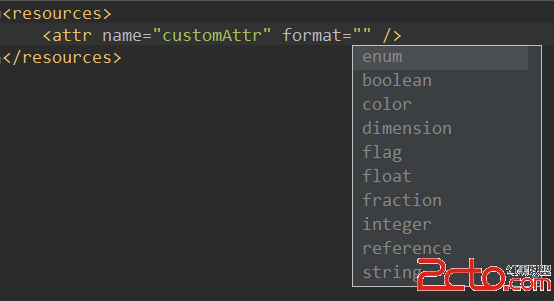 Android中View自定義XML屬性詳解以及R.attr與R.styleable的區別
Android中View自定義XML屬性詳解以及R.attr與R.styleable的區別 為View添加自定義XML屬性 Android中的各種Widget都提供了
 Access中使用sql查詢
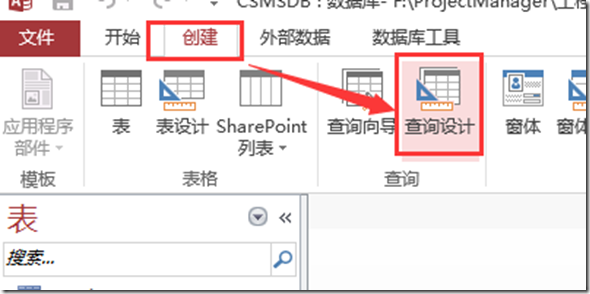
Access中使用sql查詢在ACCESS中使用SQL查詢語句檢查SQL語法時非常有用。 操作步驟如下: 【查詢設計】 直接關閉彈出的【顯示表】 找到【SQL視圖】:
 Android逆向之旅---解析編譯之後的Resource.arsc文件格式
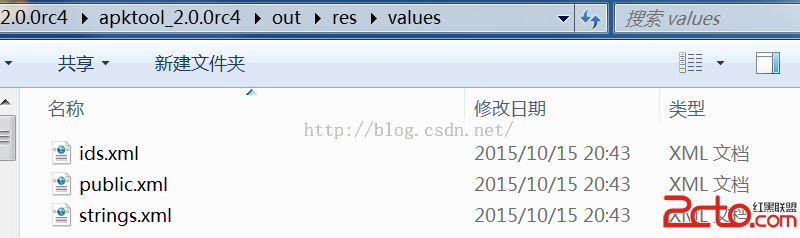
Android逆向之旅---解析編譯之後的Resource.arsc文件格式 一、前言 快過年了,先提前祝賀大家新年快樂,這篇文章也是今年最後一篇了。今天我們繼續來看
 arcgis andriod開發程序實例,有圖有真相,arcgisandriod
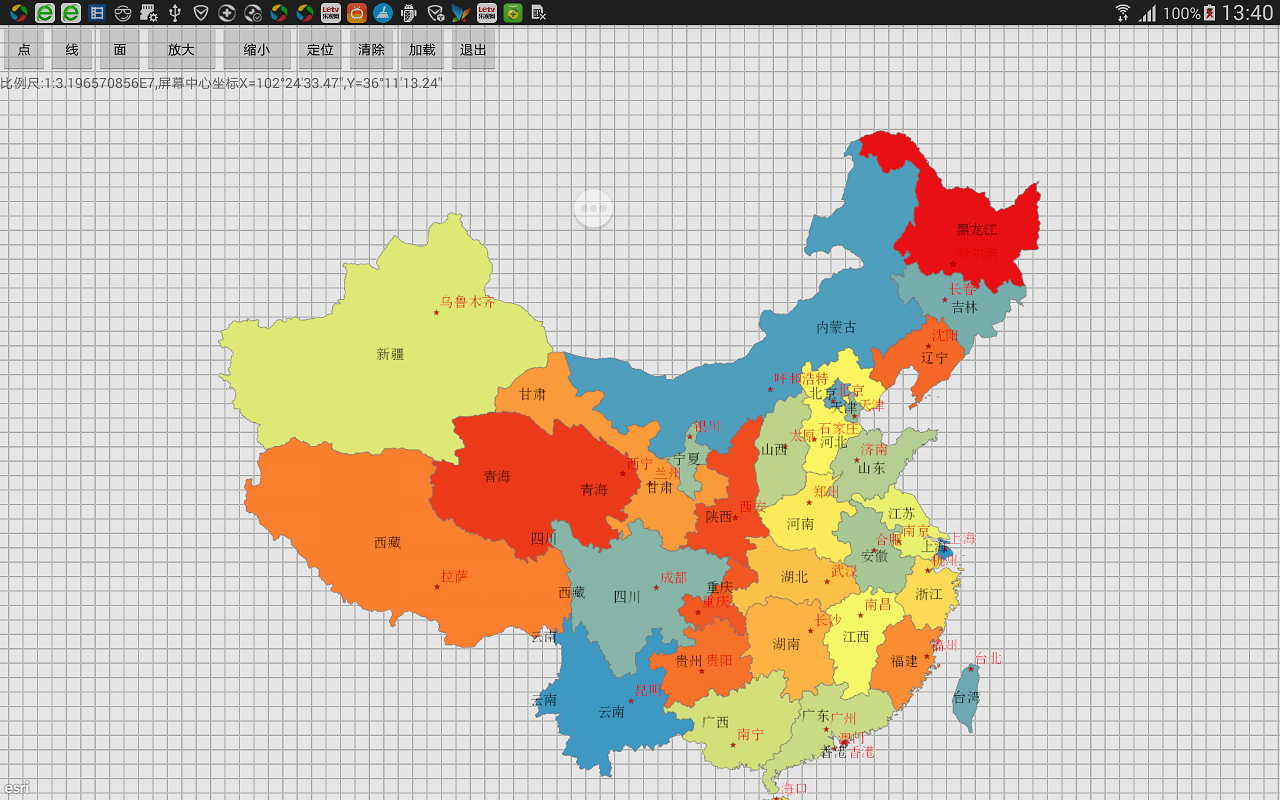
arcgis andriod開發程序實例,有圖有真相,arcgisandriod本程序使用Google公司最新開發工具andriod studio開發,實現了地圖的加載,