編輯:關於android開發
當我們自定義View的時候,在給View賦值一些長度寬度的時候,一般都是在layout布局文件中進行的。,比如android:layout_height="wrap_content",除此之外,我們也可以自己定義屬性,這樣在使用的時候我們就可以使用形如 myapp:myTextSize="20sp"的方式了。
首先要創建變量,創建了個values/attrs.xml文件,或文件名任意,但是要在values目錄下:
<?xml version="1.0" encoding="utf-8"?>
<resources>
    <declare-styleable name="MyView">
        <attr name="textSize" format="dimension" />
    </declare-styleable>
</resources>
其中resource是跟標簽,可以在裡面定義若干個declare-styleable,<declare-styleable name="MyView">中name定義了變量的名稱,下面可以再自定義多個屬性,針對<attr name="textSize" format="dimension"/>來說,其屬性的名稱為"textSize",format指定了該屬性類型為dimension,只能表示字體的大小。

<LinearLayout xmlns:android="http://schemas.android.com/apk/res/android"
    xmlns:myapp="http://schemas.android.com/apk/res/com.eyu.attrtextdemo"
    xmlns:tools="http://schemas.android.com/tools"
    android:layout_width="match_parent"
    android:layout_height="match_parent"
    android:orientation="vertical"
    tools:context=".MainActivity" >

    <us.yydcdut.MyView
        android:layout_height="wrap_content"
        android:layout_width="wrap_content"
        myapp:textSize="20sp"
        myapp:myColor="#324243"/>

</LinearLayout>
可以看到多了xmlns:myapp="http://schemas.android.com/apk/res/com.eyu.attrtextdemo" ,以及在自定義View中 myapp:textSize="20sp" ,myapp:myColor="#324243"
context通過調用obtainStyledAttributes方法來獲取一個TypeArray,然後由該TypeArray來對屬性進行設置
obtainStyledAttributes方法有三個,我們最常用的是有一個參數的obtainStyledAttributes(int[] attrs),其參數直接styleable中獲得
TypedArray a = context.obtainStyledAttributes(attrs,R.styleable.MyView);
調用結束後務必調用recycle()方法,否則這次的設定會對下次的使用造成影響
public class MyView extends View{
    public Paint paint;

    public MyView(Context context, AttributeSet attrs) {
        super(context, attrs);
        paint = new Paint();

        TypedArray a = context.obtainStyledAttributes(attrs,R.styleable.MyView);
        int textColor = a.getColor(R.styleable.MyView_myColor, 003344);
        float textSize = a.getDimension(R.styleable.MyView_myTextSize, 33);
        paint.setTextSize(textSize);
        paint.setColor(textColor);
        a.recycle();
    }

    public MyView(Context context) {
        super(context);
    }

    @Override
    protected void onDraw(Canvas canvas) {
        super.onDraw(canvas);
        paint.setStyle(Style.FILL);
        canvas.drawText("aaaaaaa", 10, 50, paint);
    }

}
 linux性能測試與監控 sar 命令
linux性能測試與監控 sar 命令sar(System Activity Reporter系統活動情況報告)是目前Linux上最為全面的系統性能分析工具之一,可以從多
 Android學習指南之二十六:Android GPS服務的應用
LBS(Location Based Services),又稱位置服
 Android提高21篇之十三:探秘藍牙隱藏API
上次講解Android的藍牙基本用法,這次講得深入些,探討下藍牙方面的隱藏API。用過Androi
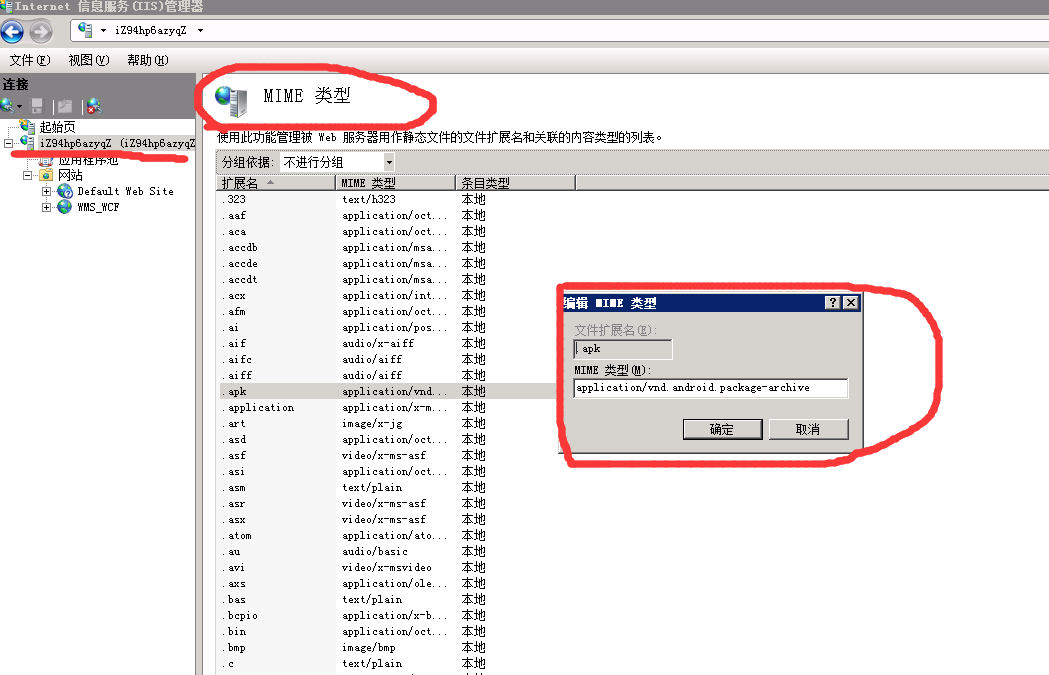 讓服務器iis支持.apk文件下載的設置方法,iis.apk
讓服務器iis支持.apk文件下載的設置方法,iis.apk隨著智能手機的普及,越來越多的人使用手機上網,很多網站也應手機上網的需要推出了網站客戶端,.apk文件就是安卓