編輯:關於android開發
1.統一界面管理
1.1利用一個activity去管理應用的所有的界面
1.1.1 理解Activity,Window和View之間的關系
1.1.2 避免Activity過多導致的問題,
例如:徹底退出應用,頻繁改動清單文件等
統一界面風格,降低用戶的學習成本
2.界面劃分
2.1展示效果圖,將界面進行初步劃分
2.2界面管理實現
2.2.1抽取標題管理
2.2.2抽取底部導航管理
2.2.3抽取中間內容部分管理,建立內容部分切換機制
2.2.4完善用戶提示機制
2.3 准備工作
2.3.1 導入圖片和文字等資源文件
可以把項目作為一個libirary庫
2.3.2 命名規則說明
防止名稱沖突
2.4 為Activity設置布局文件
2.4.1 創建三種標題部分布局,兩種導航部分布局
2.4.2 主布局文件中使用<include/>包含布局文件
<?xml version="1.0" encoding="utf-8"?>
<RelativeLayout xmlns:android="http://schemas.android.com/apk/res/android"
    android:layout_width="match_parent"
    android:layout_height="match_parent" >

    <!-- 標題部分 -->

    <include
        android:id="@+id/il_title"
        android:layout_width="match_parent"
        android:layout_height="20dp"
        android:layout_alignParentTop="true"
        layout="@layout/il_title" />
    <!-- 導航部分 -->
    <include
        android:id="@+id/il_bottom"
        android:layout_width="match_parent"
        android:layout_height="20dp"
        android:layout_alignParentBottom="true"
        layout="@layout/il_bottom" />
    <!-- 主體部分 -->
    <RelativeLayout
        android:layout_below="@id/il_title"
        android:layout_above="@id/il_bottom"></RelativeLayout>

</RelativeLayout>
2.5 屏幕適配
2.5.1 寬度適配
2.5.2 高度適配
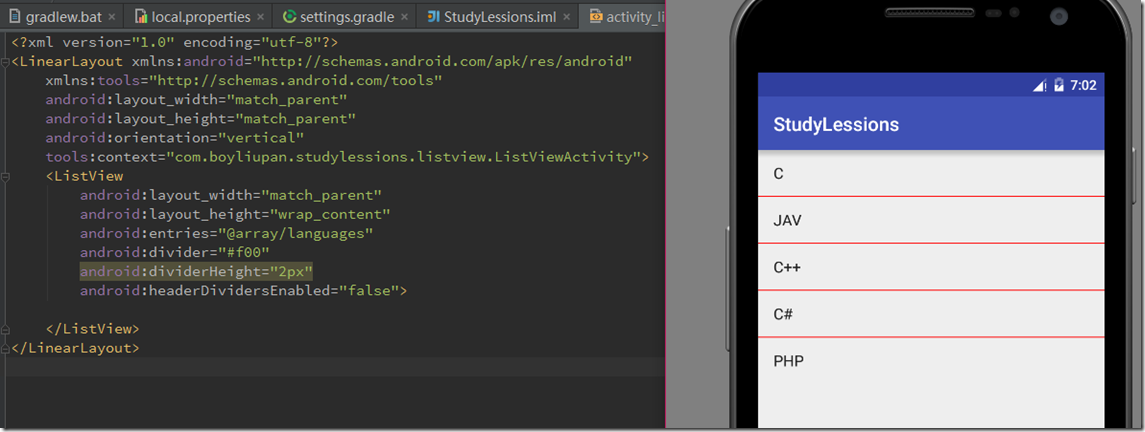 Android開發自學筆記(Android Studio)—4.4 AdapterView及其子類,androidadapterview
Android開發自學筆記(Android Studio)—4.4 AdapterView及其子類,androidadapterview一、引言
 (轉)漢字轉拼音HanziToPinyin,拼音hanzitopinyin
(轉)漢字轉拼音HanziToPinyin,拼音hanzitopinyin本文轉載於:http://blog.csdn.net/zhangphil/article/det
 Android Log,androidlog
Android Log,androidlog1、Android Log簡介; 在程序中輸出日志,使用 android.util.Log 類。該類提供了若干靜態方法:
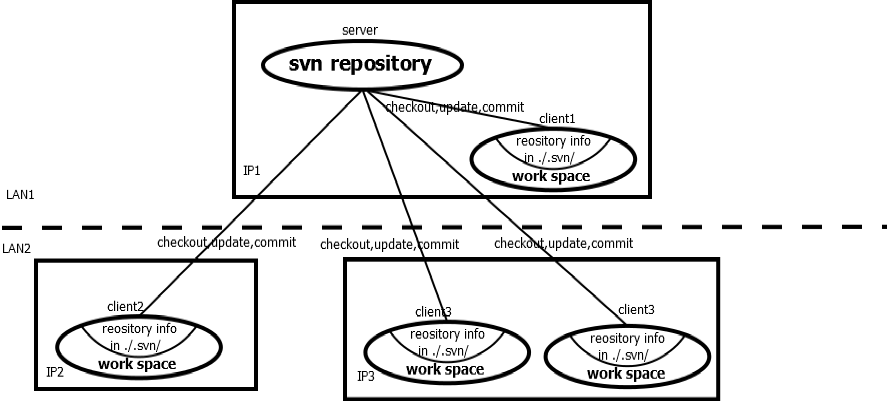 SVN與Git
SVN與Git許久未上CU了,也許自從用上orgmode和git之後,有了更好的方式組織內容。但是總是對這裡情有獨鐘。這裡是我最早發布內容的地方,以後找到更好的方式,希望
 Android開發4: Notification編程基礎、Broadcast的使用及其靜態注冊、動態注冊方式,靜態庫與動態庫編程
Android開發4: Notification編程基礎、Broadca