編輯:關於android開發
<?xml version="1.0" encoding="utf-8"?>
<RelativeLayout xmlns:android="http://schemas.android.com/apk/res/android"
    xmlns:tools="http://schemas.android.com/tools"
    android:layout_width="match_parent"
    android:layout_height="match_parent"
    android:paddingBottom="@dimen/activity_vertical_margin"
    android:paddingLeft="@dimen/activity_horizontal_margin"
    android:paddingRight="@dimen/activity_horizontal_margin"
    android:paddingTop="@dimen/activity_vertical_margin"
    tools:context="app.com.myapplication.LocalVideoActivity">

    <RelativeLayout
        android:layout_width="match_parent"
        android:layout_height="200dp">

        <VideoView
            android:id="@+id/videoView"
            android:layout_width="match_parent"
            android:layout_height="match_parent"
            />

    </RelativeLayout>


</RelativeLayout>
package app.com.myapplication;

import android.media.MediaPlayer;
import android.net.Uri;
import android.os.Bundle;
import android.os.Environment;
import android.support.v7.app.AppCompatActivity;
import android.widget.MediaController;
import android.widget.Toast;
import android.widget.VideoView;

public class LocalVideoActivity extends AppCompatActivity {

    private VideoView videoView ;

    @Override
    protected void onCreate(Bundle savedInstanceState) {
        super.onCreate(savedInstanceState);
        setContentView(R.layout.activity_local_video);

        //本地的視頻  需要在手機SD卡根目錄添加一個 fl1234.mp4 視頻
        String videoUrl1 = Environment.getExternalStorageDirectory().getPath()+"/fl1234.mp4" ;

        //網絡視頻
        String videoUrl2 = Utils.videoUrl ;

        Uri uri = Uri.parse( videoUrl2 );

        videoView = (VideoView)this.findViewById(R.id.videoView );

        //設置視頻控制器
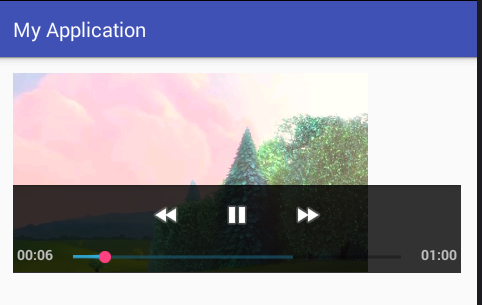
        videoView.setMediaController(new MediaController(this));

        //播放完成回調
        videoView.setOnCompletionListener( new MyPlayerOnCompletionListener());

        //設置視頻路徑
        videoView.setVideoURI(uri);

        //開始播放視頻
        videoView.start();
    }

    class MyPlayerOnCompletionListener implements MediaPlayer.OnCompletionListener {

        @Override
        public void onCompletion(MediaPlayer mp) {
            Toast.makeText( LocalVideoActivity.this, "播放完成了", Toast.LENGTH_SHORT).show();
        }
    }
}
package app.com.myapplication;

/**
 * Created by ${zyj} on 2016/4/19.
 */
public class Utils {

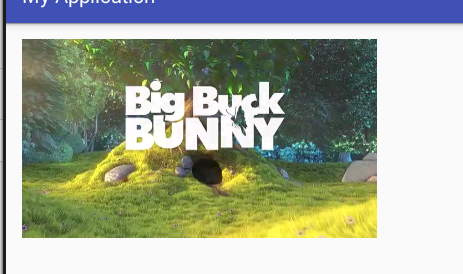
    public static final String videoUrl = "http://clips.vorwaerts-gmbh.de/big_buck_bunny.mp4" ;

}
 android listview多視圖嵌套多視圖,androidlistview
android listview多視圖嵌套多視圖,androidlistview筆記,listview視圖總結 1 public class HomeEduMoreA
 android 集成系統分享和第三方分享案例
android 集成系統分享和第三方分享案例 現在很多的應用基本都會集成分享這個功能,該功能包括系統分享(比如郵件,短信)和第三方分享(比如QQ和微信)。其中有些公司
 《Android源碼設計模式解析與實戰》讀書筆記(二十二)
《Android源碼設計模式解析與實戰》讀書筆記(二十二) 第二十二章、享元模式 享元模式是結構型設計模式之一,是對對象池的一種實現。就像它的名字一樣,共享對象,避免重
 【React Native開發】React Native For Android環境配置以及第一個實例
【React Native開發】React Native For Android環境配置以及第一個實例 (一)前言 FaceBook早期開源發布了React Nati