編輯:關於android開發
生成XML文件備份短信,其格式為:
<?xml version="1.0" encoding="UTF-8" standalone="true"?>
<message>
  <sms>
    <body>第0條短信</body>
    <date>1465041254178</date>
    <address>000</address>
    <type>1</type>
  </sms>
  <sms>
    <body>第1條短信</body>
    <date>1465041254179</date>
    <address>111</address>
    <type>1</type>
  </sms>
  <sms>
    <body>第2條短信</body>
    <date>1465041254179</date>
    <address>222</address>
    <type>1</type>
  </sms>
</message>
建立Sms類
package com.wuyudong.createxml.domain;

public class Sms {

    private String body;
    private String date;
    private String type;
    private String address;

    public Sms(String body, String date, String type, String address) {
        super();
        this.body = body;
        this.date = date;
        this.type = type;
        this.address = address;
    }

    public String getBody() {
        return body;
    }

    public void setBody(String body) {
        this.body = body;
    }

    public String getDate() {
        return date;
    }

    public void setDate(String date) {
        this.date = date;
    }

    public String getType() {
        return type;
    }

    public void setType(String type) {
        this.type = type;
    }

    public String getAddress() {
        return address;
    }

    public void setAddress(String address) {
        this.address = address;
    }

}
整幾個虛擬的短信對象,存在list中,備份數據通常都是備份至sd卡
使用StringBuffer拼接字符串,* 把整個xml文件所有節點append到sb對象裡
sb.append("<?xml version='1.0' encoding='utf-8' standalone='yes' ?>");
//添加smss的開始節點
sb.append("<smss>");
.......
* 把sb寫到輸出流中
fos.write(sb.toString().getBytes());
完整代碼如下:
package com.wuyudong.createxml;

import java.io.File;
import java.io.FileOutputStream;
import java.util.ArrayList;
import java.util.List;

import com.wuyudong.createxml.domain.Sms;

import android.os.Bundle;
import android.os.Environment;
import android.app.Activity;
import android.view.Menu;
import android.view.View;

public class MainActivity extends Activity {

    List<Sms> message;

    @Override
    protected void onCreate(Bundle savedInstanceState) {
        super.onCreate(savedInstanceState);
        setContentView(R.layout.activity_main);
        // 創建10條虛擬短信
        message = new ArrayList<Sms>();
        for (int i = 0; i < 10; i++) {
            Sms sms = new Sms("第" + i + "條短信", System.currentTimeMillis() + "",
                    "1", "" + i + i + i);
            message.add(sms);
        }
    }

    public void click(View v) {
        File file = new File(Environment.getExternalStorageDirectory(),
                "backup.xml");
        try {
            FileOutputStream fos = new FileOutputStream(file);
            StringBuffer sb = new StringBuffer();
            // 添加xml頭
            sb.append("<?xml version='1.0' encoding='utf-8' standalone='yes' ?>");
            // 添加根節點
            sb.append("<message>");
            // 每一條短信添加一個sms節點
            for (Sms sms : message) {
                sb.append("<sms>");
                sb.append("<body>");
                sb.append(sms.getBody());
                sb.append("</body>");
                sb.append("<date>");
                sb.append(sms.getDate());
                sb.append("</date>");
                sb.append("<address>");
                sb.append(sms.getAddress());
                sb.append("</address>");
                sb.append("<type>");
                sb.append(sms.getType());
                sb.append("</type>");
                sb.append("</sms>");
            }
            sb.append("</message>");
            fos.write(sb.toString().getBytes());
            fos.close();
        } catch (Exception e) {
            // TODO Auto-generated catch block
            e.printStackTrace();
        }
    }

}
 用原生VideoView進行全屏播放時的問題,videoview全屏播放
用原生VideoView進行全屏播放時的問題,videoview全屏播放之前參加了一個課程,裡面有一節講到了用視頻作為啟動界面。講師用的是自定義VideoView,重寫o
 android FrameLayout詳解,androidframelayout
android FrameLayout詳解,androidframelayout首先看演示: FrameLayou
 【首發】AndroidStudio配置JavaCV環境
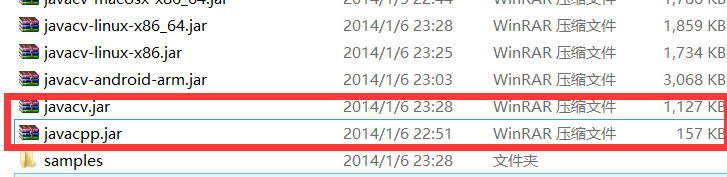
【首發】AndroidStudio配置JavaCV環境 由於最近參加一個比賽需要用到人臉識別,但賽方限制使用第三方服務商提供的API雲服務調用,因此想到了
 Android 手機衛士--簽名文件說明&包名說明,android衛士
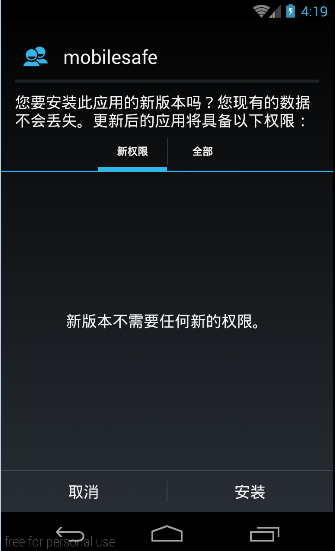
Android 手機衛士--簽名文件說明&包名說明,android衛士在《Android 手機衛士--打包生成apk維護到服務器》一文中,實現了新版本的apk到服