編輯:關於android開發
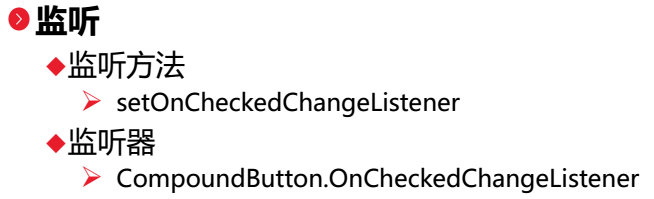
今天我們介紹的是Checkbox多選框:
1.Activity
//復選框,[基礎控件]---狀態切換控件CompoundButton及其子類CheckBox、RadioButton、ToggleButton、switch事件監聽與場景使用
public class CheckBoxActivity extends Activity implements CompoundButton.OnCheckedChangeListener{

    private Context context;
    private CheckBox sleepCheckBox;
    private CheckBox dadoudouCheckBox;
    private CheckBox gameCheckBox;
    private CheckBox shoppingCheckBox;
    private CheckBox filmCheckBox;
    private CheckBox sportCheckBox;
    private Button submitButton;

    @Override
    protected void onCreate(Bundle savedInstanceState) {
        super.onCreate(savedInstanceState);
        setContentView(R.layout.check_box);

        init();
        addAction();

    }

    private void init(){
        context = this;
        sleepCheckBox = (CheckBox)findViewById(R.id.sleepCheckBoxId);
        dadoudouCheckBox = (CheckBox)findViewById(R.id.dadoudouCheckBoxId);
        gameCheckBox = (CheckBox)findViewById(R.id.gameCheckBoxId);
        shoppingCheckBox = (CheckBox)findViewById(R.id.shoppingCheckBoxId);
        filmCheckBox = (CheckBox)findViewById(R.id.filmCheckBoxId);
        sportCheckBox = (CheckBox)findViewById(R.id.sportCheckBoxId);
        submitButton = (Button)findViewById(R.id.submitButtonId);
    }

    private void addAction(){
        sleepCheckBox.setOnCheckedChangeListener(this);
        dadoudouCheckBox.setOnCheckedChangeListener(this);
        gameCheckBox.setOnCheckedChangeListener(this);
        shoppingCheckBox.setOnCheckedChangeListener(this);
        filmCheckBox.setOnCheckedChangeListener(this);
        sportCheckBox.setOnCheckedChangeListener(this);
        submitButton.setOnClickListener(new View.OnClickListener() {
            public void onClick(View v) {
                //String 字符串常量
                //StringBuffer 字符串變量(線程安全)
                //StringBuilder 字符串變量(非線程安全)
                StringBuilder sb = new StringBuilder("您的興趣是:");
                //MyStringBuilder.Insert(6,"Beautiful ");
                //MyStringBuilder.Remove(5,7);
                //MyStringBuilder.Replace('!', '?');
                //代碼示例指定可以將 MyStringBuilder對象擴充到最大 25個空白。
                //StringBuilderMyStringBuilder = new StringBuilder("Hello World!", 25);
                if(sleepCheckBox.isChecked()){
                    sb.append("睡覺 ");
                }
                if(dadoudouCheckBox.isChecked()){
                    sb.append("打豆豆 ");
                }
                if(gameCheckBox.isChecked()){
                    sb.append("游戲 ");
                }
                if(shoppingCheckBox.isChecked()){
                    sb.append("購物 ");
                }
                if(filmCheckBox.isChecked()){
                    sb.append("電影 ");
                }
                if(sportCheckBox.isChecked()){
                    sb.append("運動");
                }

                Toast.makeText(context, sb.toString(), Toast.LENGTH_LONG).show();
            }
        });
    }

    @Override
    public void onCheckedChanged(CompoundButton buttonView, boolean isChecked) {
        int id = buttonView.getId();
        switch(id){
        case R.id.sleepCheckBoxId:
            if(isChecked){
                Toast.makeText(context, "你選擇了\"睡覺\"", Toast.LENGTH_SHORT).show();
            }else{
                Toast.makeText(context, "你取消選擇了\"睡覺\"", Toast.LENGTH_SHORT).show();
            }
            break;
        case R.id.dadoudouCheckBoxId:
            if(isChecked){
                Toast.makeText(context, "你選擇了\"打豆豆\"", Toast.LENGTH_SHORT).show();
            }else{
                Toast.makeText(context, "你取消選擇了\"打豆豆\"", Toast.LENGTH_SHORT).show();
            }
            break;
        case R.id.gameCheckBoxId:
            if(isChecked){
                Toast.makeText(context, "你選擇了\"游戲\"", Toast.LENGTH_SHORT).show();
            }else{
                Toast.makeText(context, "你取消選擇了\"游戲\"", Toast.LENGTH_SHORT).show();
            }
            break;
        case R.id.shoppingCheckBoxId:
            if(isChecked){
                Toast.makeText(context, "你選擇了\"購物\"", Toast.LENGTH_SHORT).show();
            }else{
                Toast.makeText(context, "你取消選擇了\"購物\"", Toast.LENGTH_SHORT).show();
            }
            break;
        case R.id.filmCheckBoxId:
            if(isChecked){
                Toast.makeText(context, "你選擇了\"電影\"", Toast.LENGTH_SHORT).show();
            }else{
                Toast.makeText(context, "你取消選擇了\"電影\"", Toast.LENGTH_SHORT).show();
            }
            break;
        case R.id.sportCheckBoxId:
            if(isChecked){
                Toast.makeText(context, "你選擇了\"運動\"", Toast.LENGTH_SHORT).show();
            }else{
                Toast.makeText(context, "你取消選擇了\"運動\"", Toast.LENGTH_SHORT).show();
            }
            break;
        }
    }

}
2.xml文件如下:
<?xml version="1.0" encoding="utf-8"?>
<!-- 復選框頁面 -->
<LinearLayout xmlns:android="http://schemas.android.com/apk/res/android"
    android:layout_width="match_parent"
    android:layout_height="match_parent"
    android:orientation="vertical"
    android:padding="5dp" >

    <TextView
        android:layout_width="match_parent"
        android:layout_height="wrap_content"
        android:text="興趣:"
        android:textSize="20sp" />

    <LinearLayout
        android:layout_width="match_parent"
        android:layout_height="wrap_content"
        android:orientation="horizontal" >

        <CheckBox
            android:id="@+id/sleepCheckBoxId"
            android:layout_width="wrap_content"
            android:layout_height="wrap_content"
            android:text="睡覺" />

        <CheckBox
            android:id="@+id/dadoudouCheckBoxId"
            android:layout_width="85dp"
            android:layout_height="wrap_content"
            android:text="打豆豆" />

        <CheckBox
            android:id="@+id/gameCheckBoxId"
            android:layout_width="wrap_content"
            android:layout_height="wrap_content"
            android:text="游戲" />
    </LinearLayout>

    <LinearLayout
        android:layout_width="match_parent"
        android:layout_height="wrap_content"
        android:orientation="horizontal" >

        <CheckBox
            android:id="@+id/shoppingCheckBoxId"
            android:layout_width="wrap_content"
            android:layout_height="wrap_content"
            android:text="購物" />

        <CheckBox
            android:id="@+id/filmCheckBoxId"
            android:layout_width="85dp"
            android:layout_height="wrap_content"
            android:text="電影" />

        <CheckBox
            android:id="@+id/sportCheckBoxId"
            android:layout_width="wrap_content"
            android:layout_height="wrap_content"
            android:text="運動" />
    </LinearLayout>

    <Button
        android:id="@+id/submitButtonId"
        android:layout_width="wrap_content"
        android:layout_height="wrap_content"
        android:layout_gravity="right"
        android:text="確定"
        android:textSize="20sp" />

</LinearLayout>
3.效果圖如下:
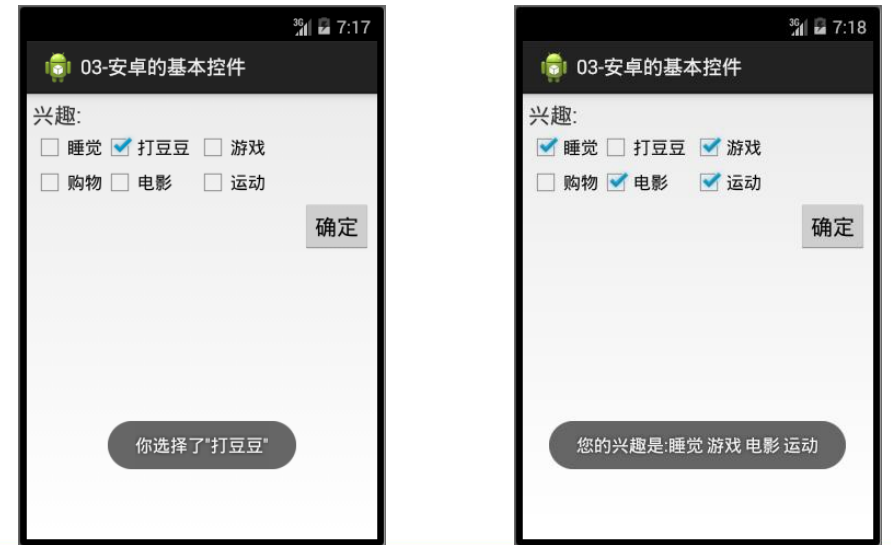
 android編譯系統學習,android編譯學習
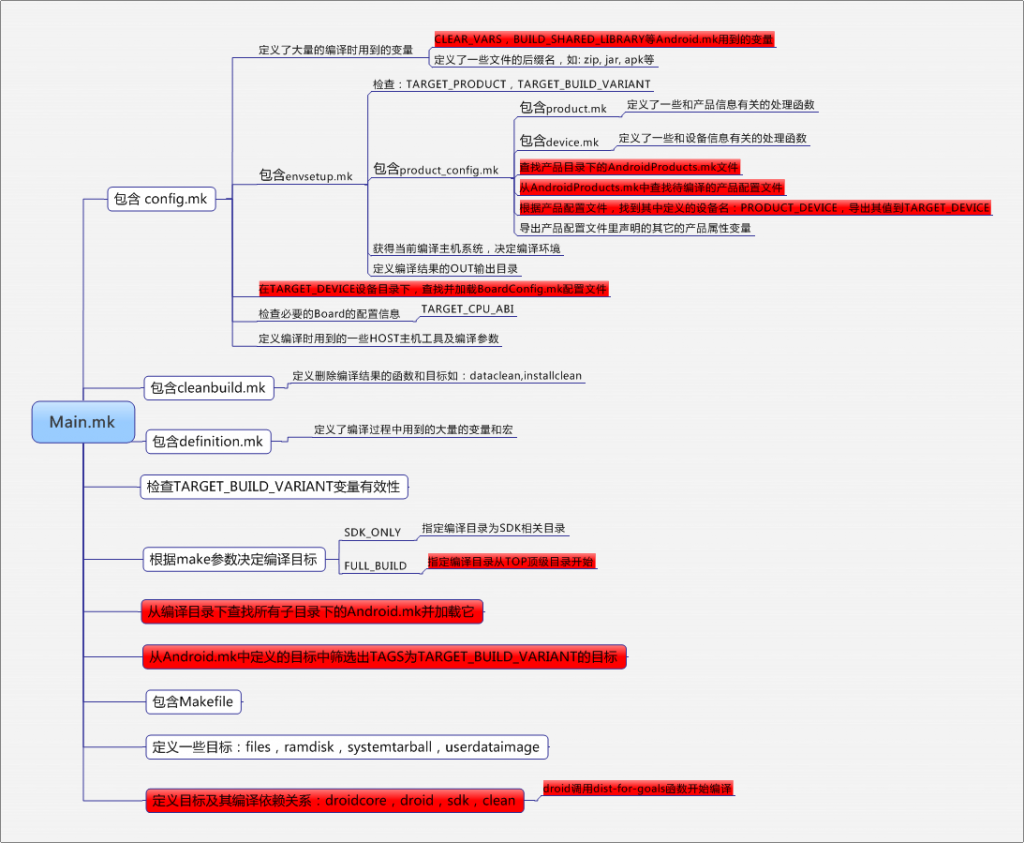
android編譯系統學習,android編譯學習近日接手了後續android新平台項目搭建的任務。 本文內容基於sprd公司提供的android5.1源碼。 一、一般的
 Android端通過HttpURLConnection上傳文件到服務器
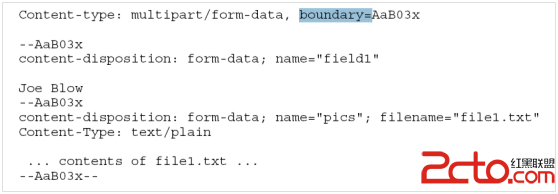
Android端通過HttpURLConnection上傳文件到服務器 Android端通過HttpURLConnection上傳文件到服務器 一:實現原理 最近在做An
 Android IPC 之 AIDL(一)
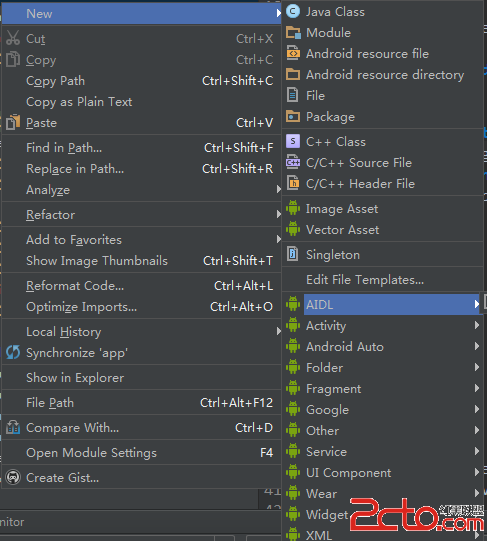
Android IPC 之 AIDL(一) IPC是Inter-Process Communication的縮寫,即跨進程通信。Android中跨進程通信有多種方式,如文
 界面優化處理技術之(三)登錄框表格組件優化處理,表格組件
界面優化處理技術之(三)登錄框表格組件優化處理,表格組件 在res下drawable下創建xml文件 代碼: 1 <?xml version=1.0 encodi