編輯:關於android開發
首先看看兩種傳遞方法示例:(一個簡單姻緣計算器)
主Activity
import android.os.Bundle;
import android.app.Activity;
import android.content.Intent;
import android.view.Menu;
import android.view.View;

public class MainActivity extends Activity {

    @Override
    protected void onCreate(Bundle savedInstanceState) {
        super.onCreate(savedInstanceState);
        setContentView(R.layout.activity_main);
    }


    public void click(View v){
    	Intent intent = new Intent(this, SecondActivity.class);
    	//把數據封裝至intent對象中
//    	intent.putExtra("malename", "張三");
//    	intent.putExtra("femalename", "芙蓉姐姐");

    	//把數據封裝至bundle對象中
    	Bundle bundle = new Bundle();
    	bundle.putString("malename", "張三");
    	bundle.putString("femalename", "芙蓉姐姐");

    	//把bundle對象封裝至intent對象中
    	intent.putExtras(bundle);
    	startActivity(intent);
    }

}
import java.util.Random;

import android.app.Activity;
import android.content.Intent;
import android.os.Bundle;
import android.widget.TextView;

public class SecondActivity extends Activity {

	@Override
	protected void onCreate(Bundle savedInstanceState) {
		// TODO Auto-generated method stub
		super.onCreate(savedInstanceState);
		setContentView(R.layout.activity_second);

		Intent intent = getIntent();
		//從intent對象中把封裝好的數據取出來
//		String maleName = intent.getStringExtra("malename");
//		String feMaleName = intent.getStringExtra("femalename");

		Bundle bundle = intent.getExtras();
		String maleName = bundle.getString("malename");
		String feMaleName = bundle.getString("femalename");

		Random rd = new Random();
		int yinyuan = rd.nextInt(100);

		TextView tv = (TextView) findViewById(R.id.tv);
		tv.setText(maleName + "和" + feMaleName + "的姻緣值為" + yinyuan);
	}
}
<linearlayout xmlns:android="http://schemas.android.com/apk/res/android" xmlns:tools="http://schemas.android.com/tools" android:layout_width="match_parent" android:layout_height="match_parent" android:paddingbottom="@dimen/activity_vertical_margin" android:paddingleft="@dimen/activity_horizontal_margin" android:paddingright="@dimen/activity_horizontal_margin" android:paddingtop="@dimen/activity_vertical_margin" tools:context=".MainActivity" android:orientation="vertical">

    <textview android:layout_width="wrap_content" android:layout_height="wrap_content" android:text="這是姻緣計算器,很准的喲">

    <edittext android:id="@+id/et_malename" android:layout_width="match_parent" android:layout_height="wrap_content" android:text="張三">
    <edittext android:id="@+id/et_femalename" android:layout_width="match_parent" android:layout_height="wrap_content" android:text="芙蓉姐姐"><button android:layout_width="wrap_content" android:layout_height="wrap_content" android:text="計算" android:onclick="click"></button></edittext></edittext></textview></linearlayout>
activity_second.xml:
<relativelayout xmlns:android="http://schemas.android.com/apk/res/android" xmlns:tools="http://schemas.android.com/tools" android:layout_width="match_parent" android:layout_height="match_parent" android:paddingbottom="@dimen/activity_vertical_margin" android:paddingleft="@dimen/activity_horizontal_margin" android:paddingright="@dimen/activity_horizontal_margin" android:paddingtop="@dimen/activity_vertical_margin" tools:context=".MainActivity">

    <textview android:id="@+id/tv" android:layout_width="wrap_content" android:layout_height="wrap_content" android:text="這是第二個Activity">

</textview></relativelayout>
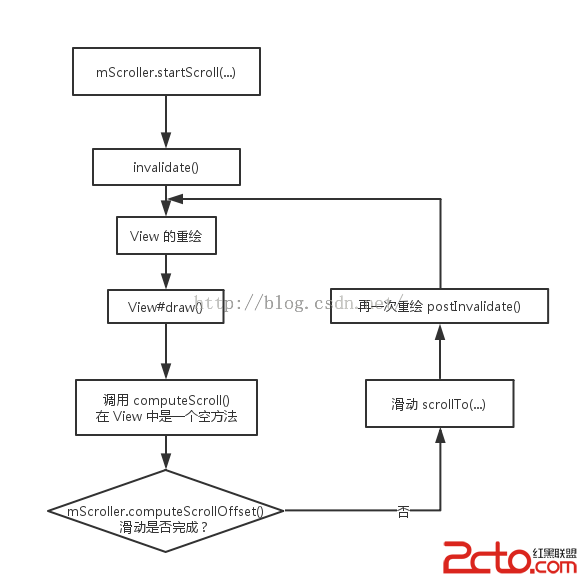 【讀書筆記】【Android 開發藝術探索】第3章 View 的事件體系
【讀書筆記】【Android 開發藝術探索】第3章 View 的事件體系 一、 View 的基礎知識 View 是 Android 中所有空間的基類。 1、 View 的
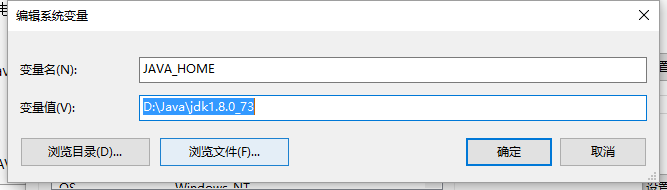 Android環境搭建和編寫helloworld,androidhelloworld
Android環境搭建和編寫helloworld,androidhelloworld一、配置jdk環境(學過java的請無視) 1.安裝jdk jdk下
 100多個Styles快速開發布局XML,一行搞定View屬性,一鍵統一配置UI...,stylesui..
100多個Styles快速開發布局XML,一行搞定View屬性,一鍵統一配置UI...,stylesui.. Android開發中大量使用XML代碼作為界面的
 Android提高21篇之十六:使用NDK把彩圖轉換為灰度圖
在Android上使用JAVA實現彩圖轉換為灰度圖,跟J2ME上的實現類似,不過遇到頻繁地轉換或者