編輯:關於android開發
文件處理:
常用操作:
    獲得文件或文件夾的絕對路徑和相對路徑。
    String path = File.getPath();//相對路徑
    String path = File.getAbsoultePath();//絕對路徑

    獲得文件或文件夾的父目錄
    String parentPath = File.getParent();

    獲得文件或文件夾的名稱
    String Name = File.getName();

    建立文件或文件夾
    File.mkDir(); //建立文件夾
    File.createNewFile();//建立文件

    判斷是文件或文件夾
    File.isDirectory()

    列出文件夾下的所有文件和文件夾名
    File[] files = File.listFiles();

    修改文件夾和文件名
    File.renameTo(dest);

    刪除文件夾或文件
    File.delete();
增加:
//增加
    //............................................分界線...............................................
    /**
     * 判斷指定文件是否存在
     * @param filePath
     * @return
     */
    public static boolean isFileExist(String filePath) {
        File file = new File(filePath);
        return file.exists();
    }

    /**
     * 創建一個文件,創建成功返回true
     * @param filePath
     * @return
     */
    public static boolean createFile(String filePath) {
        try {
            File file = new File(filePath);
            if (!file.exists()) {
                if (!file.getParentFile().exists()) {
                    //建立文件夾
                    file.getParentFile().mkdirs();
                }
                //創建一個空的文件
                return file.createNewFile();
            }
        } catch (IOException e) {
            e.printStackTrace();
        }
        return true;
    }

    /**
     * 從一個輸入流裡寫到一個指定的文件
     * @param FilePath 要創建的文件的路徑
     * @param in
     * @return
     */
    public static boolean writeFile(String FilePath, InputStream in) {
        try {
            //創建文件成功則繼續,否則返回false
            if (!createFile(FilePath)) {
                return false;
            }
            FileOutputStream fos = new FileOutputStream(FilePath);
            int readCount = 0;
            int len = 1024;
            byte[] buffer = new byte[len];
            while ((readCount = in.read(buffer)) != -1) {
                fos.write(buffer, 0, readCount);
            }
            fos.flush();
            if (null != fos) {
                fos.close();
                fos = null;
            }
            if (null != in) {
                in.close();
                in = null;
            }
            return true;
        } catch (IOException e) {
            e.printStackTrace();
        }

        return false;
    }

    /**
     * 將bitmap寫入到指定路徑的文件裡
     * @param bitmap    Bitmap對象
     * @param destPath    指定的路徑
     * @param quality    壓縮率,例如quality=30時,表示壓縮70%; quality=100表示不壓縮
     */
    public static void writeImage(Bitmap bitmap, String destPath, int quality) {
        try {
            FileAECS.deleteFile(destPath);
            if (FileAECS.createFile(destPath)) {
                FileOutputStream out = new FileOutputStream(destPath);
                if (bitmap.compress(Bitmap.CompressFormat.JPEG, quality, out)) {
                    out.flush();
                    out.close();
                    out = null;
                }
            }
        } catch (IOException e) {
            e.printStackTrace();
        }
    }

    /**
     * 將數據寫入一個文件
     *
     * @param destFilePath 要創建的文件的路徑
     * @param data         待寫入的文件數據
     * @param startPos     起始偏移量
     * @param length       要寫入的數據長度
     * @return 成功寫入文件返回true, 失敗返回false
     */
    public static boolean writeFile(String destFilePath, byte[] data, int startPos, int length) {
        try {
            if (!createFile(destFilePath)) {
                return false;
            }
            FileOutputStream fos = new FileOutputStream(destFilePath);
            fos.write(data, startPos, length);
            fos.flush();
            if (null != fos) {
                fos.close();
                fos = null;
            }
            return true;

        } catch (FileNotFoundException e) {
            e.printStackTrace();
        } catch (IOException e) {
            e.printStackTrace();
        }
        return false;
    }
刪除:
//刪除
    //............................................分界線...............................................

    /**
     * 刪除指定文件夾路徑下所有文件,包括文件夾本身
     * @param filePath 文件夾路徑
     */
    public static void deleteAll(String filePath){
        File file = new File(filePath);
        deleteFiles(file);
    }

    /**
     * 刪除指定文件夾下所有文件,包括文件夾本身
     * @param file File實例
     */
    public static void deleteFiles(File file) {
        if (file.isDirectory()) {
            File[] listFiles = file.listFiles();
            for (int i = 0; i < listFiles.length; i++) {
                deleteFiles(listFiles[i]);
            }
        }
        file.delete();
    }

    /**
     * 刪除一個指定文件或文件夾
     * @param filePath 需要被刪除的文件或文件夾的路徑
     * @return
     */
    public static boolean deleteFile(String filePath) {
        try {
            File file = new File(filePath);
            if (file.exists()) {
                return file.delete();
            }
        } catch (Exception e) {
            e.printStackTrace();
        }
        return false;
    }
修改:
//修改
    //............................................分界線..............................................
    /**
     * 批量更改指定文件夾下所有文件後綴
     * @param file
     * @param oldSuffix
     * @param newSuffix
     */
    public static void ReFileNameSuffix(File file, String oldSuffix, String newSuffix) {
        if (file.isDirectory()) {
            File[] listFiles = file.listFiles();
            for (int i = 0; i < listFiles.length; i++) {
                ReFileNameSuffix(listFiles[i], oldSuffix, newSuffix);
            }
        } else {
            file.renameTo(new File(file.getPath().replace(oldSuffix, newSuffix)));
        }
    }

    /**
     * 將一個文件拷貝到另外一個地方
     * @param sourceFile    源文件地址
     * @param destFile      目的地址
     * @param shouldOverlay 是否覆蓋
     * @return
     */
    public static boolean copyFiles(String sourceFile, String destFile, boolean shouldOverlay) {
        try {
            if (shouldOverlay) {
                deleteFile(destFile);
            }
            FileInputStream fi = new FileInputStream(sourceFile);
            writeFile(destFile, fi);
            return true;
        } catch (FileNotFoundException e) {
            e.printStackTrace();
        }
        return false;
    }
讀取:
//讀取
    //............................................分界線...............................................
    /**
     * 讀取指定文件,返回以byte數組形式的數據
     *
     * @param filePath 要讀取的文件路徑名
     * @return byte數組形式的數據
     */
    public static byte[] readFile(String filePath) {
        try {
            if (isFileExist(filePath)) {
                FileInputStream fi = new FileInputStream(filePath);
                return readInputStream(fi);
            }
        } catch (FileNotFoundException e) {
            e.printStackTrace();
        }
        return null;
    }

    /**
     * 從一個數量流裡讀取數據,返回以byte數組形式的數據。
     * 需要注意的是,如果這個方法用在從本地文件讀取數據時,一般不會遇到問題,但如果是用於網絡操作,就經常會遇到一些麻煩(網絡的不穩定性,available()方法的問題)。所以如果是網絡流不應該使用這個方法。
     *
     * @param in 要讀取的輸入流
     * @return
     * @throws java.io.IOException
     */
    public static byte[] readInputStream(InputStream in) {
        try {
            ByteArrayOutputStream os = new ByteArrayOutputStream();
            byte[] b = new byte[in.available()];
            int length = 0;

            while ((length = in.read(b)) != -1) {
                os.write(b, 0, length);
            }
            b = os.toByteArray();
            in.close();
            in = null;
            os.close();
            os = null;
            return b;
        } catch (IOException e) {
            e.printStackTrace();
        }
        return null;
    }

    /**
     * 讀取網絡流
     *
     * @param in
     * @return
     */
    public static byte[] readNetWorkInputStream(InputStream in) {
        ByteArrayOutputStream os = null;
        try {
            os = new ByteArrayOutputStream();

            int readCount = 0;
            int len = 1024;
            byte[] buffer = new byte[len];
            while ((readCount = in.read(buffer)) != -1) {
                os.write(buffer, 0, readCount);
            }

            in.close();
            in = null;

            return os.toByteArray();

        } catch (IOException e) {
            e.printStackTrace();
        } finally {
            if (null != os) {
                try {
                    os.close();
                } catch (IOException e) {
                    e.printStackTrace();
                }
                os = null;
            }
        }
        return null;
    }

    /**
     * 從resource的raw中讀取文件數據,只能讀取,不能寫入
     * @param Context
     * @param test        例如R.raw.test
     * @param Charset    編碼格式 ,例如GBK、UTF-8、Unicode
     * @return            String
     */
    public static String getRawTest(Context Context,int test,String Charset){
        String String = null;
        try{
            //得到資源中的Raw數據流
            InputStream in = Context.getResources().openRawResource(test);
            //得到數據的大小
            int length = in.available();
            //緩存大小
            byte [] buffer = new byte[length];
            //讀取數據
            in.read(buffer);
            //依test.txt的編碼類型選擇合適的編碼,如果不調整會亂碼
            String = EncodingUtils.getString(buffer, Charset);
            //關閉
            in.close();
           }catch(Exception e){
              e.printStackTrace();
           }
        return String;
    }

    /**
     * 從resource的asset中讀取文件數據,只能讀取,不能寫入
     * @param Context
     * @param fileName        文件名
     * @param Charset        編碼格式,例如GBK、UTF-8、Unicode
     * @return                String
     */
    public static String getAssetTest(Context Context,String fileName,String Charset){
        String String = null;
        try{
           //得到資源中的asset數據流
           InputStream in = Context.getResources().getAssets().open(fileName);
           //得到數據的大小
           int length = in.available();
           //緩存大小
           byte [] buffer = new byte[length];
           //讀取數據
           in.read(buffer);
           //依test.txt的編碼類型選擇合適的編碼,如果不調整會亂碼
           String = EncodingUtils.getString(buffer, Charset);
        }catch(Exception e){
            e.printStackTrace();
        }
        return String;
    }
sd卡處理相關:
//sd卡相關
    //............................................分界線.........................................
    /**
     * 判斷SD卡是否正常掛載
     * @return true正常掛載
     */
    public static boolean hasSDCard() {
        if (Environment.getExternalStorageState().equals(Environment.MEDIA_MOUNTED)) {
            return true;
        } else {
            return false;
        }
    }

    /**
     * 獲得sd卡根目錄即 /sdcard
     * @return    File
     */
    public static File getSDCardRoot(){
        if(hasSDCard()){
            return Environment.getExternalStorageDirectory();
        }
        return null;
    }
獲取:
//獲取
    //............................................分界線.........................................
    /**
     * 獲取文件夾大小
     * @param file File實例
     * @return long 單位為M
     * @throws Exception
     */
    public static long getFolderSize(File file) throws Exception {
        long size = 0;
        File[] fileList = file.listFiles();
        for (int i = 0; i < fileList.length; i++) {
            if (fileList[i].isDirectory()) {
                size = size + getFolderSize(fileList[i]);
            } else {
                size = size + fileList[i].length();
            }
        }
        return size / (1024*1023);
    }

    /**
     * 獲得文件或文件夾的相對路徑
     * @param    file
     * @return    String
     */
    public static String getFilePath(File file){
        String str = file.getPath();
        return str;

    }

    /**
     * 獲得文件或文件夾的絕對路徑
     * @param    file
     * @return    String
     */
    public static String getFileAbsoultePath(File file){
        String str = file.getAbsolutePath();
        return str;
    }
 Android 手機衛士--9patch圖,
Android 手機衛士--9patch圖,本文主要介紹9patch圖 *.9.png:android手機上,可以按需求自動拉伸的圖片 本文地址:http:/
 【android】仿360手機衛士的簡易設計思路及源碼
【android】仿360手機衛士的簡易設計思路及源碼 筆者最近一直忙於滿廣州的跑,實習好難找好難找,博客也是有點久沒去更新。仿360手機衛士的實現的目的更多的是出於對常
 實現Discuz論壇客戶端應用源碼,discuz源碼
實現Discuz論壇客戶端應用源碼,discuz源碼通過使用該源碼,開發者可以迅速地將Discuz論壇遷移到Android客戶端中。不需要任何的開發工作即可擁有屬於自己論
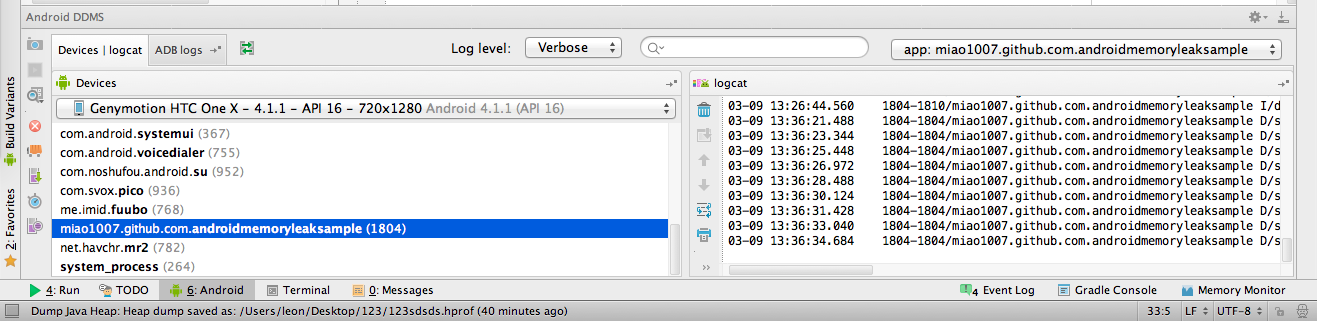 使用Android studio分析內存洩露
使用Android studio分析內存洩露 使用Android studio分析內存洩露 This post is a permitted tra