編輯:關於android開發
VSYNC(Vertical Synchronization)是一個相當古老的概念,對於游戲玩家,它有一個更加大名鼎鼎的中文名字—-垂直同步。
“垂直同步(vsync)”指的是顯卡的輸出幀數和屏幕的垂直刷新率相同,這完全是一個CRT顯示器上的概念。其實無論是VSYNC還是垂直同步這個名字,
因為LCD根本就沒有垂直掃描的這種東西,因此這個名字本身已經沒有意義。但是基於歷史的原因,這個名稱在圖形圖像領域被沿襲下來。
在當下,垂直同步的含義我們可以理解為,使得顯卡生成幀的速度和屏幕刷新的速度的保持一致。舉例來說,如果屏幕的刷新率為60Hz,那麼生成幀
的速度就應該被固定在1/60 s。
VSync信號的產生在android_frameworks_native\services\surfaceflinger\DisplayHardware\HWComposer.cpp裡面定義:

bool needVSyncThread = true;
是否需要模擬產生VSync信號,默認是開啟的。
  // Note: some devices may insist that the FB HAL be opened before HWC.
    int fberr = loadFbHalModule();
    loadHwcModule();
打開fb & hwc設備的HAL模塊。
        if (mHwc->registerProcs) {
            mCBContext->hwc = this;
            mCBContext->procs.invalidate = &hook_invalidate;
            mCBContext->procs.vsync = &hook_vsync;
            if (hwcHasApiVersion(mHwc, HWC_DEVICE_API_VERSION_1_1))
                mCBContext->procs.hotplug = &hook_hotplug;
            else
                mCBContext->procs.hotplug = NULL;
            memset(mCBContext->procs.zero, 0, sizeof(mCBContext->procs.zero));
            mHwc->registerProcs(mHwc, &mCBContext->procs);
        }

        // don't need a vsync thread if we have a hardware composer
        needVSyncThread = false;
硬件VSync信號啟動,不需要軟件模擬。
    if (needVSyncThread) {
        // we don't have VSYNC support, we need to fake it
        mVSyncThread = new VSyncThread(*this);
    }
如果需要,啟動VSyncThread線程來開啟軟件模擬。
mHwc->registerProcs(mHwc, &mCBContext->procs);
hwc會產生回調:procs.vsync & procs.invalidate 信號。
void HWComposer::vsync(int disp, int64_t timestamp) {
    if (uint32_t(disp) < HWC_NUM_PHYSICAL_DISPLAY_TYPES) {
        {
            Mutex::Autolock _l(mLock);

            // There have been reports of HWCs that signal several vsync events
            // with the same timestamp when turning the display off and on. This
            // is a bug in the HWC implementation, but filter the extra events
            // out here so they don't cause havoc downstream.
            if (timestamp == mLastHwVSync[disp]) {
                ALOGW("Ignoring duplicate VSYNC event from HWC (t=%" PRId64 ")",
                        timestamp);
                return;
            }

            mLastHwVSync[disp] = timestamp;
        }

        char tag[16];
        snprintf(tag, sizeof(tag), "HW_VSYNC_%1u", disp);
        ATRACE_INT(tag, ++mVSyncCounts[disp] & 1);

        mEventHandler.onVSyncReceived(disp, timestamp);
    }
}
最終會通知mEventHandler的消息,這個handler從那裡來的呢?
void SurfaceFlinger::init(){

 mHwc = new HWComposer(this,
            *static_cast<HWComposer::EventHandler *>(this));
}
Yes,handler就是SurfaceFlinger,對嘛。SurfaceFlinger就是Surface合成的總管,所以這個信號一定會被它接收。
class SurfaceFlinger : public BnSurfaceComposer,
                       private IBinder::DeathRecipient,
                       private HWComposer::EventHandler
bool HWComposer::VSyncThread::threadLoop() {
    { // scope for lock
        Mutex::Autolock _l(mLock);
        while (!mEnabled) {
            mCondition.wait(mLock);
        }
    }

    const nsecs_t period = mRefreshPeriod;
    const nsecs_t now = systemTime(CLOCK_MONOTONIC);
    nsecs_t next_vsync = mNextFakeVSync;
    nsecs_t sleep = next_vsync - now;
    if (sleep < 0) {
        // we missed, find where the next vsync should be
        sleep = (period - ((now - next_vsync) % period));
        next_vsync = now + sleep;
    }
    mNextFakeVSync = next_vsync + period;

    struct timespec spec;
    spec.tv_sec  = next_vsync / 1000000000;
    spec.tv_nsec = next_vsync % 1000000000;

    int err;
    do {
        err = clock_nanosleep(CLOCK_MONOTONIC, TIMER_ABSTIME, &spec, NULL);
    } while (err<0 && errno == EINTR);

    if (err == 0) {
        mHwc.mEventHandler.onVSyncReceived(0, next_vsync);
    }

    return true;
}
判斷系統Vsync信號開關。然後計算下一次刷新的時間點。
const nsecs_t period = mRefreshPeriod;
刷新間隔,CLOCK_MONOTONIC是從系統開機後的時間間隔(tick累加)
得到需要等待的時間sleep,和下一次vsync信號的時間點。
然後一個do while的操作,來等待信號時間點的到來。
最後,發出這個信號。
這裡還有個情況,就是一開始的地方,mEnable變量,系統可以設置enable來控制vsync信號的產生。
void HWComposer::VSyncThread::setEnabled(bool enabled)
在4.4以前,Vsync的處理通過EventThread就可以了。但是KK再次對這段邏輯進行細化和復雜化。Google真是費勁心思為了提升性能。
先來直接看下Surfaceflinger的onVSyncReceived函數:
void SurfaceFlinger::onVSyncReceived(int type, nsecs_t timestamp) {
    bool needsHwVsync = false;

    { // Scope for the lock
        Mutex::Autolock _l(mHWVsyncLock);
        if (type == 0 && mPrimaryHWVsyncEnabled) {
            needsHwVsync = mPrimaryDispSync.addResyncSample(timestamp);//mPromaryDisplays是什麼?
        }
    }

    if (needsHwVsync) {
        enableHardwareVsync();//做了什麼
    } else {
        disableHardwareVsync(false);//做了什麼
  }

}
雖然很短,但是乍一看還是一頭霧水
mPrimaryHWVsyncEnabled是什麼時候被賦值的?
mPrimaryDispSync是什麼,addResyncSample又做了什麼?
enableHardwareVsync &disableHardwareVsync在干什麼?
要解答這些問題,就從SurfaceFlinger::init開始看
有2個幾乎一樣的DispSyncSource,它的目的是提供了Vsync的虛擬化。關於這塊的分析,可以參考Android 4.4(KitKat)中VSync信號的虛擬化
在三緩沖的框架下,對於一幀內容,先等APP UI畫完了,SurfaceFlinger再出場整合到FrameBuffer
而現在google就是讓它們一起跑起來。
然後搞了2個延時,這樣就不會有問題。對應vsyncSrc(繪圖延時) & sfVsyncSrc(合成延時)
bool EventThread::threadLoop() {
    DisplayEventReceiver::Event event;
    Vector< sp<EventThread::Connection> > signalConnections;
    signalConnections = waitForEvent(&event);

    // dispatch events to listeners...
    const size_t count = signalConnections.size();
    for (size_t i=0 ; i<count ; i++) {
        const sp<Connection>& conn(signalConnections[i]);
        // now see if we still need to report this event
        status_t err = conn->postEvent(event);
        if (err == -EAGAIN || err == -EWOULDBLOCK) {
            // The destination doesn't accept events anymore, it's probably
            // full. For now, we just drop the events on the floor.
            // FIXME: Note that some events cannot be dropped and would have
            // to be re-sent later.
            // Right-now we don't have the ability to do this.
            ALOGW("EventThread: dropping event (%08x) for connection %p",
                    event.header.type, conn.get());
        } else if (err < 0) {
            // handle any other error on the pipe as fatal. the only
            // reasonable thing to do is to clean-up this connection.
            // The most common error we'll get here is -EPIPE.
            removeDisplayEventConnection(signalConnections[i]);
        }
    }
    return true;
}
EventThread會發送消息到surfaceflinger裡面的MessageQueue。
MessageQueue處理消息:
int MessageQueue::eventReceiver(int /*fd*/, int /*events*/) {
    ssize_t n;
    DisplayEventReceiver::Event buffer[8];
    while ((n = DisplayEventReceiver::getEvents(mEventTube, buffer, 8)) > 0) {
        for (int i=0 ; i<n ; i++) {
            if (buffer[i].header.type == DisplayEventReceiver::DISPLAY_EVENT_VSYNC) {
#if INVALIDATE_ON_VSYNC
                mHandler->dispatchInvalidate();
#else
                mHandler->dispatchRefresh();
#endif
                break;
            }
        }
    }
    return 1;
}
如果Event的類型是
DisplayEventReceiver::DISPLAY_EVENT_VSYNC
正是我們需要的類型,所以,就有2中處理方式:
UI進程需要先准備好數據(invalidate),然後Vsync信號來了以後,就開始刷新屏幕。
SurfaceFlinger是在Vsync來臨之際准備數據然後刷新,還是平常就准備當VSync來臨是再刷新。
先來看dispatchInvalidate,最後處理的地方就是這裡。
        case MessageQueue::INVALIDATE: {
            bool refreshNeeded = handleMessageTransaction();
            refreshNeeded |= handleMessageInvalidate();
            refreshNeeded |= mRepaintEverything;
            if (refreshNeeded) {
                // Signal a refresh if a transaction modified the window state,
                // a new buffer was latched, or if HWC has requested a full
                // repaint
                signalRefresh();
            }
            break;
        }
我們來看下handleMessageRefresh:
void SurfaceFlinger::handleMessageRefresh() {
    ATRACE_CALL();
    preComposition();  //合成前的准備
    rebuildLayerStacks();//重新建立layer堆棧
    setUpHWComposer();//HWComposer的設定
#ifdef QCOM_BSP
    setUpTiledDr();
#endif
    doDebugFlashRegions();
    doComposition();  //正式合成工作
    postComposition(); //合成的後期工作
}
handleMessageTransaction在簡單判斷後直接調用handlerTransaction。
可以看到裡面的handleTransactionLocked才是代碼真正處理的地方。
這裡處理3中情況,過程類似,我們只看eTraversalNeeded這種情況。
uint32_t trFlags = layer->getTransactionFlags(eTransactionNeeded);
獲取各個layer的標志位,然後做const uint32_t flags = layer->doTransaction(0);的操作
各layer計算各自的可見區域,mVisibleRegionsDirty記錄可見區域變化。
以下代碼:
mCurrentState.layersSortedByZ
surfaceFlinger有2個記錄layer變化的全局變量
State mDrawingState;
State mCurrentState;
一個記錄上一次的狀態,後者記錄當前的狀態,這樣就可以判斷layer的變化狀態。layersSortedByZ 可見,layer是通過Z-order排列的。
這個變量記錄了所有的layer。
我們來看下
uint32_t Layer::doTransaction(uint32_t flags) {
    ATRACE_CALL();

    const Layer::State& s(getDrawingState());
    const Layer::State& c(getCurrentState());

    const bool sizeChanged = (c.requested.w != s.requested.w) ||
                             (c.requested.h != s.requested.h);

    if (sizeChanged) {
        // the size changed, we need to ask our client to request a new buffer
        ALOGD_IF(DEBUG_RESIZE,
                "doTransaction: geometry (layer=%p '%s'), tr=%02x, scalingMode=%d\n"
                "  current={ active   ={ wh={%4u,%4u} crop={%4d,%4d,%4d,%4d} (%4d,%4d) }\n"
                "            requested={ wh={%4u,%4u} crop={%4d,%4d,%4d,%4d} (%4d,%4d) }}\n"
                "  drawing={ active   ={ wh={%4u,%4u} crop={%4d,%4d,%4d,%4d} (%4d,%4d) }\n"
                "            requested={ wh={%4u,%4u} crop={%4d,%4d,%4d,%4d} (%4d,%4d) }}\n",
                this, getName().string(), mCurrentTransform, mCurrentScalingMode,
                c.active.w, c.active.h,
                c.active.crop.left,
                c.active.crop.top,
                c.active.crop.right,
                c.active.crop.bottom,
                c.active.crop.getWidth(),
                c.active.crop.getHeight(),
                c.requested.w, c.requested.h,
                c.requested.crop.left,
                c.requested.crop.top,
                c.requested.crop.right,
                c.requested.crop.bottom,
                c.requested.crop.getWidth(),
                c.requested.crop.getHeight(),
                s.active.w, s.active.h,
                s.active.crop.left,
                s.active.crop.top,
                s.active.crop.right,
                s.active.crop.bottom,
                s.active.crop.getWidth(),
                s.active.crop.getHeight(),
                s.requested.w, s.requested.h,
                s.requested.crop.left,
                s.requested.crop.top,
                s.requested.crop.right,
                s.requested.crop.bottom,
                s.requested.crop.getWidth(),
                s.requested.crop.getHeight());

        // record the new size, form this point on, when the client request
        // a buffer, it'll get the new size.
        mSurfaceFlingerConsumer->setDefaultBufferSize(
                c.requested.w, c.requested.h);
    }

    if (!isFixedSize()) {

        const bool resizePending = (c.requested.w != c.active.w) ||
                                   (c.requested.h != c.active.h);

        if (resizePending) {
            // don't let Layer::doTransaction update the drawing state
            // if we have a pending resize, unless we are in fixed-size mode.
            // the drawing state will be updated only once we receive a buffer
            // with the correct size.
            //
            // in particular, we want to make sure the clip (which is part
            // of the geometry state) is latched together with the size but is
            // latched immediately when no resizing is involved.

            flags |= eDontUpdateGeometryState;
        }
    }

    // always set active to requested, unless we're asked not to
    // this is used by Layer, which special cases resizes.
    if (flags & eDontUpdateGeometryState)  {
    } else {
        Layer::State& editCurrentState(getCurrentState());
        editCurrentState.active = c.requested;
    }

    if (s.active != c.active) {
        // invalidate and recompute the visible regions if needed
        flags |= Layer::eVisibleRegion;
    }

    if (c.sequence != s.sequence) {
        // invalidate and recompute the visible regions if needed
        flags |= eVisibleRegion;
        this->contentDirty = true;

        // we may use linear filtering, if the matrix scales us
        const uint8_t type = c.transform.getType();
        mNeedsFiltering = (!c.transform.preserveRects() ||
                (type >= Transform::SCALE));
    }

    // Commit the transaction
    commitTransaction();
    return flags;
}
首先判斷size是否有修改,然後
mSurfaceFlingerConsumer->setDefaultBufferSize
重新獲取大小。
if (c.sequence != s.sequence) {
        // invalidate and recompute the visible regions if needed
        flags |= eVisibleRegion;
Sequence是個什麼東西?
當Layer的position,Zorder,alpha,matrix,transparent region,flags,crops.等發生變化的時候,sequence就會自增。
也就是,當這些屬性發生變化是,頁面在Vsync信號觸發的時候,根據sequence來判斷是否需要屬性頁面。
新增layer,
對比2個state中的layer隊列,就可以知道新增的layer。
移除layer,
也是比較2個layer隊列,就可以找到移除的layer。
提交transaction,主要就是同步2個state。然後currentstate繼續跟蹤layer變化,如此往復。
Vsync 是SurfaceFlinger模塊最核心的概念,所以這塊將會分多次講解。
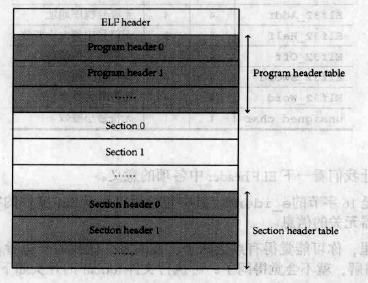 Linux內核系列—11.操作系統開發之ELF格式,linuxelf
Linux內核系列—11.操作系統開發之ELF格式,linuxelfELF文件的結構如下圖所示: ELF文件由4部分組成,分別是ELF頭(ELF header)、程序頭
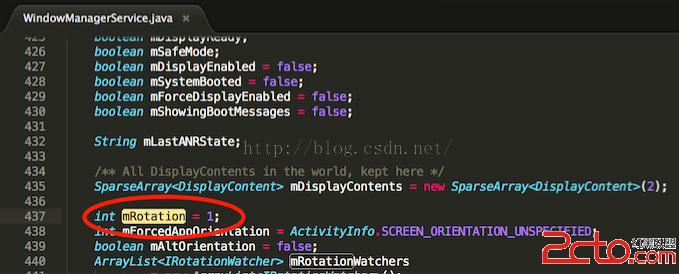 Android4.4.2KK豎屏強制更改為橫屏的初步簡略方案
Android4.4.2KK豎屏強制更改為橫屏的初步簡略方案 解決方案: 當前是根據當前問題場景即豎屏強制更改為橫屏的需求而做的改動,基本是hardcode定義的狀態,總
 android自定義控件實現刮刮樂效果,android刮刮樂
android自定義控件實現刮刮樂效果,android刮刮樂 只是簡單的實現了效果,界面沒怎麼做優化,不過那都是次要的啦!! 其中主要的彩票視圖類和橡皮擦類都是通過代碼
 android 集成系統分享和第三方分享案例
android 集成系統分享和第三方分享案例 現在很多的應用基本都會集成分享這個功能,該功能包括系統分享(比如郵件,短信)和第三方分享(比如QQ和微信)。其中有些公司