編輯:關於android開發
fromXType  水平播放的類型
fromXValue 從哪開始,0表示現在的位置
toXType,   到什麼位置的類型
toXValue 到什麼坐標
fromYType 垂直播放的類型
fromYValue 從哪開始,0表示現在的位置
toYType 到什麼位置的類型
toYValue 到什麼坐標
TranslateAnimation translate = new TranslateAnimation(
Animation.RELATIVE_TO_SELF, -2,
Animation.RELATIVE_TO_SELF, 2,
Animation.RELATIVE_TO_SELF, 0,
Animation.RELATIVE_TO_SELF, 1);
//設置顯示時間
translate.setDuration(3000);
//播放資源為無限循環
translate.setRepeatCount(Animation.INFINITE);
//播放模式,反轉播放,先順著播完,就反著播放
translate.setRepeatMode(Animation.REVERSE);
//哪個組件在播放,設置
imageView.setAnimation(translate);
//開始播放
translate.start();
/*
     * fromDegrees, 從什麼角度開始 0 從現在的 toDegrees, 270度 pivotXType, X中心點類型
     * Animation.RELATIVE_TO_SELF自身 pivotXValue, 中心點值 0.5表示這個圖片的一半置
     * pivotYType, Y中心點類型Animation.RELATIVE_TO_SELF自身
     *  pivotYValue 0.5f
     */
    RotateAnimation rotate = new RotateAnimation(0, 360,
            Animation.RELATIVE_TO_SELF, 0.5f, Animation.RELATIVE_TO_SELF,
            3);
    //播放顯示時間
    rotate.setDuration(5000);
    rotate.setRepeatCount(Animation.INFINITE);
    rotate.setRepeatMode(Animation.RESTART);

    imageView.setAnimation(rotate);
    rotate.start();
    /*
     * fromX, toX, 從坐標什麼地址開始到什麼坐標,0,表示當前 fromY, toY,
     * pivotXType,  旋轉的中心點
     * pivotXValue, 類型, pivotYType, pivotYValue
     */
    ScaleAnimation scale = new ScaleAnimation(1, 2, 1, -2,
            Animation.RELATIVE_TO_SELF, -2, Animation.RELATIVE_TO_SELF, 3);

    // 播放顯示時間
    scale.setDuration(5000);
    scale.setRepeatCount(Animation.INFINITE);
    scale.setRepeatMode(Animation.RESTART);

    imageView.setAnimation(scale);
    scale.start();
    /*
     * fromAlpha,  從什麼透明度開始
     * toAlpha 到什麼透明度結束
     */
    AlphaAnimation alpha = new AlphaAnimation(1, 0);

    // 播放顯示時間
    alpha.setDuration(2000);
    alpha.setRepeatCount(Animation.INFINITE);
    alpha.setRepeatMode(Animation.REVERSE);

            imageView.setAnimation(alpha);
            alpha.start();
}
就是建立一個
AnimationSet set = new AnimationSet();
set.addAnimation(scale);
    set.addAnimation(rotate);
    set.addAnimation(translate);
    set.start();
就可以播放多個動畫
在res/目錄下建立anim文件目錄 <!--
如果平移的數值是數字,那麼表示的是絕對值
如果是百分比,那麼表明是自己的寬高的倍數
如果是百分比加上 p,那麼表明是自己的父元素的寬高的倍數
-->
<?xml version="1.0" encoding="utf-8"?>
<set xmlns:android="http://schemas.android.com/apk/res/android" >
<translate
android:fromXDelta="200%"
android:toXDelta="200%"
android:fromYDelta="-100%"
android:toYDelta="200%"
android:duration="4000"
android:repeatCount="infinite"
android:repeatMode="reverse"/>
<rotate
android:fromDegrees="0"
android:toDegrees="360"
android:toYScale="0.0"
android:pivotX="50%"
android:pivotY="50%"
android:duration="4000"
android:repeatCount="infinite"
android:repeatMode="reverse"/>
</set>
加載使用AnimationUtils.load方法加載
Animation animation = AnimationUtils.loadAnimation(this, R.anim.animation_set);

    imageView.startAnimation(animation);
一般都用代碼控制
/**
 * 水平
 *
 * @param v
 */
public void translate(View v) {
    /**
     * 參數一: 誰去播放這個動畫 參數二: 屬性名字 想要改變x方向的移動 參數三:動畫執行的數值
     */
    ObjectAnimator objectAnimatrX = ObjectAnimator.ofFloat(imageView,
            "translationX", -50, 50);
    ObjectAnimator objectAnimatrY = ObjectAnimator.ofFloat(imageView,
            "translationY", 0, 60);

    objectAnimatrX.setDuration(2000);

    objectAnimatrX.setRepeatCount(ObjectAnimator.INFINITE);

    objectAnimatrX.setRepeatMode(ObjectAnimator.REVERSE);

    objectAnimatrX.start();


}

/**
 * 轉換
 *
 * @param v
 */
public void rotate(View v) {
    ObjectAnimator rotateX = ObjectAnimator.ofFloat(imageView, "rotationX", 0,360);
    ObjectAnimator rotateY = ObjectAnimator.ofFloat(imageView, "rotationY", 0,360);
    rotateX.setDuration(3000);
    rotateX.setRepeatMode(Animation.REVERSE);
    //rotateX.setRepeatCount(Animation.INFINITE);
    rotateY.setDuration(3000);
    rotateY.setRepeatMode(Animation.REVERSE);
    //rotateY.setRepeatCount(Animation.INFINITE);

    AnimatorSet set  = new AnimatorSet();
    set.playSequentially(rotateX,rotateY);
    set.start();
}

/**
 * 綻放
 *
 * @param v
 */
public void scale(View v) {
    ObjectAnimator scaleX = ObjectAnimator.ofFloat(imageView, "scaleX", 2.0f,5f);
    ObjectAnimator scaleY = ObjectAnimator.ofFloat(imageView, "scaleY", 2.0f,5f);
    scaleX.setDuration(3000);
    scaleX.setRepeatMode(Animation.REVERSE);
    scaleX.setRepeatCount(Animation.INFINITE);
    scaleY.setDuration(3000);
    scaleY.setRepeatMode(Animation.REVERSE);
    scaleY.setRepeatCount(Animation.INFINITE);

    AnimatorSet set = new AnimatorSet();
    set.playTogether(scaleX,scaleY);
    set.start();


}

/**
 * 透明
 *
 * @param v
 */
public void alpha(View v) {

    ObjectAnimator alpha = ObjectAnimator.ofFloat(imageView, "alpha", 1.0f,0f);
    alpha.setDuration(3000);
    alpha.setRepeatMode(Animation.REVERSE);
    alpha.setRepeatCount(Animation.INFINITE);

    alpha.start();
}

/**
 * 集合
 *
 * @param v
 */
public void set(View v) {
    /**
     * 參數一: 誰去播放這個動畫 參數二: 屬性名字 想要改變x方向的移動 參數三:動畫執行的數值
     */
    ObjectAnimator objectAnimatrX = ObjectAnimator.ofFloat(imageView,
            "translationX", -50, 100);
    ObjectAnimator objectAnimatrY = ObjectAnimator.ofFloat(imageView,
            "translationY", -70, 100);

    objectAnimatrX.setDuration(2000);

    //objectAnimatrX.setRepeatCount(ObjectAnimator.INFINITE);

    objectAnimatrX.setRepeatMode(ObjectAnimator.REVERSE);
    objectAnimatrY.setDuration(2000);

    //objectAnimatrY.setRepeatCount(ObjectAnimator.INFINITE);
    objectAnimatrY.setRepeatMode(ObjectAnimator.REVERSE);

    AnimatorSet set = new AnimatorSet();

    //set.playTogether(objectAnimatrX,objectAnimatrY);
    set.playSequentially(objectAnimatrX,objectAnimatrY);
    set.start();


}
如果需要 用XML控制可以在res\下建立 animator,即可, 在這個目錄建立XML文件如果 下方法導入
AnimatorSet set = (AnimatorSet) AnimatorInflater.loadAnimator(myContext,
R.anim.property_animator);
set.setTarget(myObject);
set.start();
 你的應用是如何被替換的,App劫持病毒剖析,app劫持
你的應用是如何被替換的,App劫持病毒剖析,app劫持一.App劫持病毒介紹 App劫持是指執行流程被重定向,又可分為Activity劫持、安裝劫持、流量劫持、函數執行劫
 Android Actitity的生命周期,androidactitity
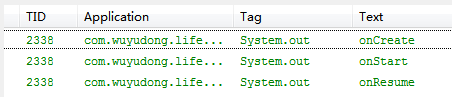
Android Actitity的生命周期,androidactitity新建項目,MainActivity代碼如下: package com.wuyudong.lif
 Android 自定義分層級篩選控件
Android 自定義分層級篩選控件 今天下午寫了一個分層級篩選控件,效果如下 該控件由兩部分組成: 1.上面一排的篩選標題按鈕(就是四個toggleButton,根據
 懸浮對話框的實現,懸浮對話框實現
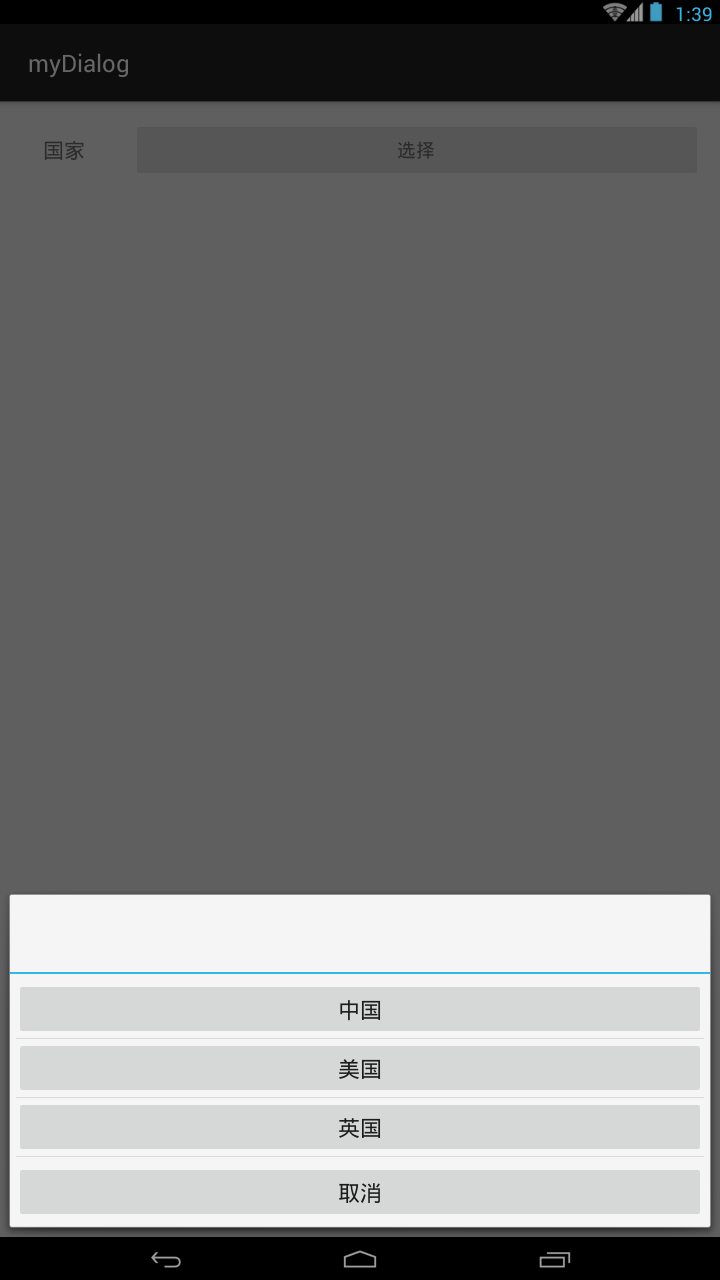
懸浮對話框的實現,懸浮對話框實現直接上代碼: private void setDialog(){ View view = getLayoutIn