編輯:關於android開發
//獲得屏幕相關的輔助類
public class ScreenUtils
{
    private ScreenUtils()
    {
        /* cannot be instantiated */
        throw new UnsupportedOperationException("cannot be instantiated");
    }

    /**
     * 獲得屏幕寬度
     *
     * @param context
     * @return
     */
    public static int getScreenWidth(Context context)
    {
        WindowManager wm = (WindowManager) context
                .getSystemService(Context.WINDOW_SERVICE);
        DisplayMetrics outMetrics = new DisplayMetrics();
        wm.getDefaultDisplay().getMetrics(outMetrics);
        return outMetrics.widthPixels;
    }

    /**
     * 獲得屏幕高度
     *
     * @param context
     * @return
     */
    public static int getScreenHeight(Context context)
    {
        WindowManager wm = (WindowManager) context
                .getSystemService(Context.WINDOW_SERVICE);
        DisplayMetrics outMetrics = new DisplayMetrics();
        wm.getDefaultDisplay().getMetrics(outMetrics);
        return outMetrics.heightPixels;
    }

    /**
     * 獲得狀態欄的高度
     *
     * @param context
     * @return
     */
    public static int getStatusHeight(Context context)
    {

        int statusHeight = -1;
        try
        {
            Class<?> clazz = Class.forName("com.android.internal.R$dimen.xml");
            Object object = clazz.newInstance();
            int height = Integer.parseInt(clazz.getField("status_bar_height")
                    .get(object).toString());
            statusHeight = context.getResources().getDimensionPixelSize(height);
        } catch (Exception e)
        {
            e.printStackTrace();
        }
        return statusHeight;
    }

    /**
     * 獲取當前屏幕截圖,包含狀態欄
     *
     * @param activity
     * @return
     */
    public static Bitmap snapShotWithStatusBar(Activity activity)
    {
        View view = activity.getWindow().getDecorView();
        view.setDrawingCacheEnabled(true);
        view.buildDrawingCache();
        Bitmap bmp = view.getDrawingCache();
        int width = getScreenWidth(activity);
        int height = getScreenHeight(activity);
        Bitmap bp = null;
        bp = Bitmap.createBitmap(bmp, 0, 0, width, height);
        view.destroyDrawingCache();
        return bp;

    }

    /**
     * 獲取當前屏幕截圖,不包含狀態欄
     *
     * @param activity
     * @return
     */
    public static Bitmap snapShotWithoutStatusBar(Activity activity)
    {
        View view = activity.getWindow().getDecorView();
        view.setDrawingCacheEnabled(true);
        view.buildDrawingCache();
        Bitmap bmp = view.getDrawingCache();
        Rect frame = new Rect();
        activity.getWindow().getDecorView().getWindowVisibleDisplayFrame(frame);
        int statusBarHeight = frame.top;

        int width = getScreenWidth(activity);
        int height = getScreenHeight(activity);
        Bitmap bp = null;
        bp = Bitmap.createBitmap(bmp, 0, statusBarHeight, width, height
                - statusBarHeight);
        view.destroyDrawingCache();
        return bp;

    }

}
 【React Native開發】React Native移植原生Android項目
【React Native開發】React Native移植原生Android項目 (一)前言 前三節課程我們已經對於React Native For Android的環
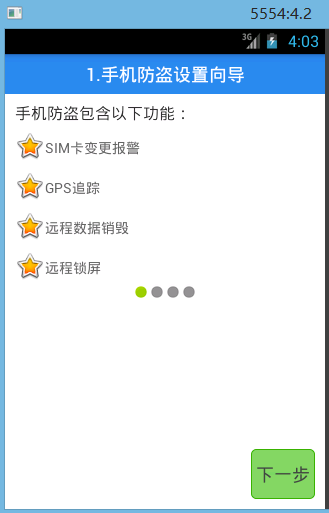 [android] 手機衛士設置向導頁面,android向導
[android] 手機衛士設置向導頁面,android向導設置向導頁面,通過SharedPreferences來判斷是否已經設置過了,跳轉到不同的頁面 自
 Android JNI簡介,androidjni簡介
Android JNI簡介,androidjni簡介JNI簡介 JNI (Java Native Interface),Java的本地接口 &nb
 android兩種基本聯網方式與一種第三方開源項目的使用,android開源項目
android兩種基本聯網方式與一種第三方開源項目的使用,android開源項目安卓請求網絡的三種方式 在請求網絡的時候一般常用的提交方式是post或者get請求,pos