編輯:關於android開發
*Fragment是3.0引入的API,主要為了解決平板,大屏幕手機顯示問題
*Fragment代表了Activity的子模塊,因此可以把fragment理解成Activity的片段
*Fragment必須被嵌入Activity中使用
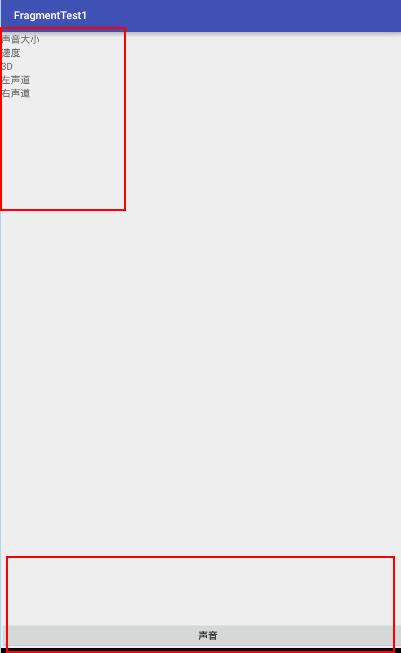
*創建一個布局用來填充fragment
<?xml version="1.0" encoding="utf-8"?>
<LinearLayout xmlns:android="http://schemas.android.com/apk/res/android"
          android:layout_width="match_parent"
          android:layout_height="match_parent"
          android:orientation="vertical">
<TextView
    android:layout_width="match_parent"
    android:layout_height="wrap_content"
    android:text="聲音大小"/>
<TextView
    android:layout_width="match_parent"
    android:layout_height="wrap_content"
    android:text="速度"/>
<TextView
    android:layout_width="match_parent"
    android:layout_height="wrap_content"
    android:text="3D"/>
<TextView
    android:layout_width="match_parent"
    android:layout_height="wrap_content"
    android:text="左聲道"/>
<TextView
    android:layout_width="match_parent"
    android:layout_height="wrap_content"
    android:text="右聲道"/>
</LinearLayout>
*創建一個fragement public class SoundFragment extends Fragment {
@Nullable
@Override
public View onCreateView(LayoutInflater inflater, ViewGroup container, Bundle savedInstanceState) {

    View view=inflater.inflate(R.layout.sound_item,null) ;

    return view;
}
*主界面布局
<?xml version="1.0" encoding="utf-8"?> <LinearLayout xmlns:android="http://schemas.android.com/apk/res/android" android:layoutwidth="matchparent" android:layoutheight="matchparent" android:orientation="vertical">

<!--容器-->
<FrameLayout
android:id="@+id/fl_container"
android:layout_width="match_parent"
android:layout_height="0dp"
android:layout_weight="3">

</FrameLayout>

<LinearLayout
    android:layout_width="match_parent"
    android:layout_height="wrap_content">

    <Button
        android:onClick="sound"
        android:layout_width="0dp"
        android:layout_weight="1"
        android:layout_height="wrap_content"
        android:text="聲音"/>
</LinearLayout>

</LinearLayout>
*Activity
      /**
     * 點擊聲音按鍵顯示fragment
        * @param v
        */
     public void sound(View v){
    //聲明Fragment
    SoundFragment soundFragment = new SoundFragment();
    //獲取Fragment管理器
    FragmentManager manager = getFragmentManager();
    //開啟事務
    FragmentTransaction transaction = manager.beginTransaction();
    //替換掉當前布局中的幀布局容器
    transaction.replace(R.id.fl_container,soundFragment);
    //提交事務
    transaction.commit();
}
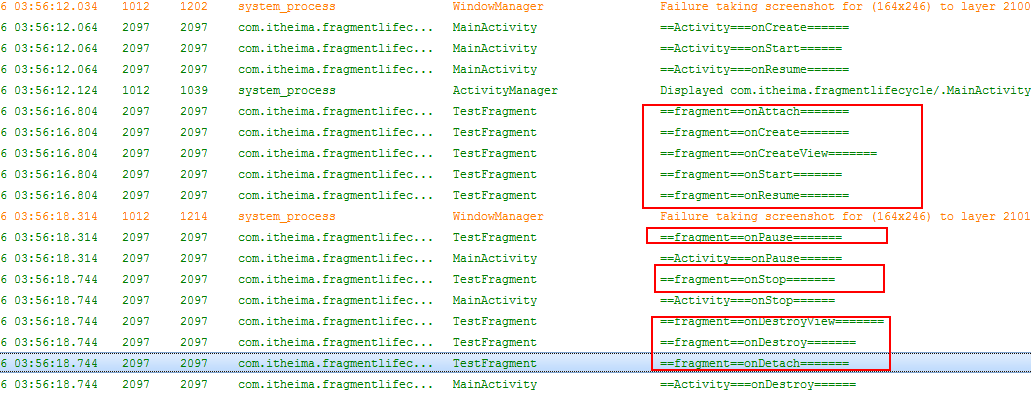
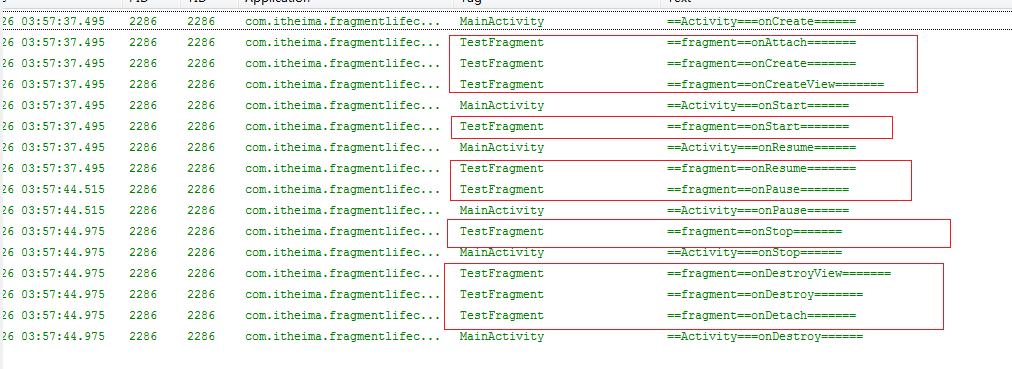
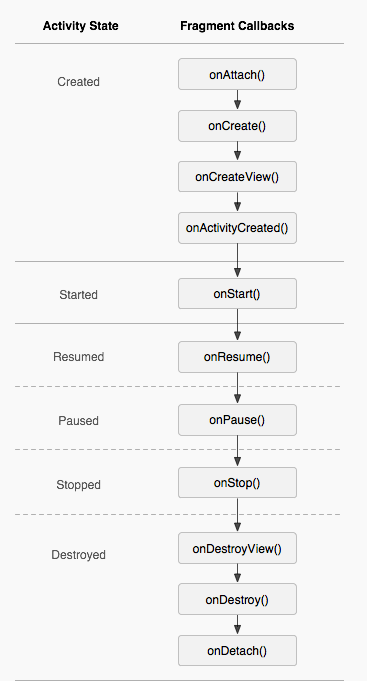
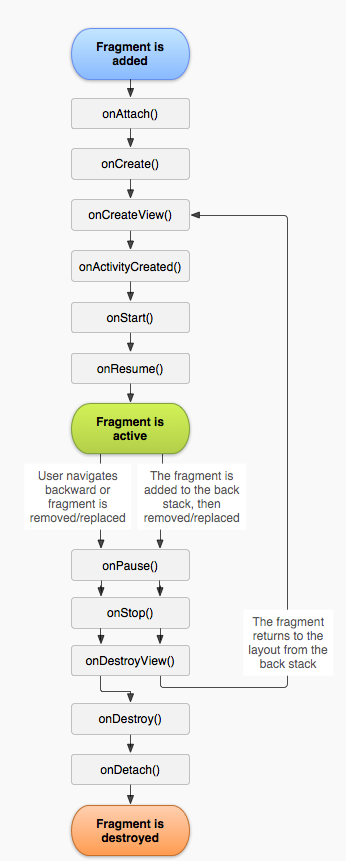
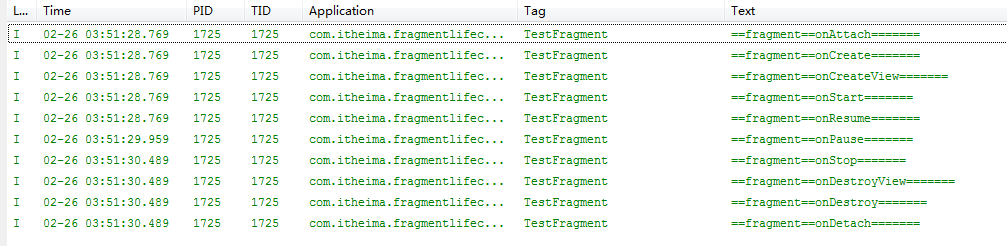
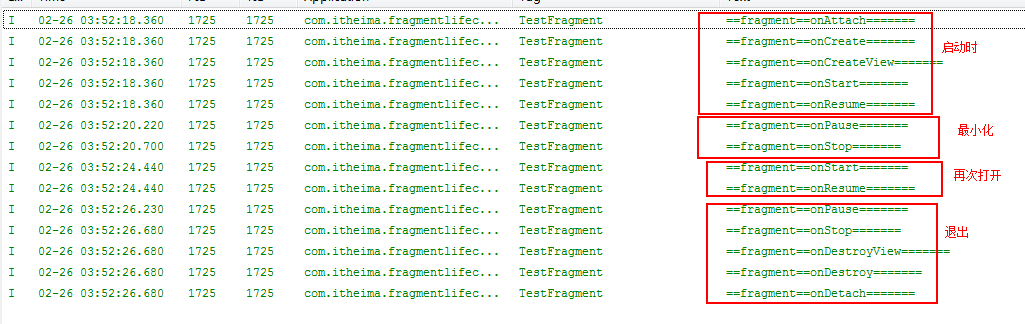
Activity--------------------Fragment
                            onAttach()
                            onCreate()
                            onCreateView()
onCreate()                  onActivityCreated


onStart()                   onStart()

onResume()                 onResume()

onPause()                  onPause()

onStop()                   onStop()

                           onDestoryView()
                           onDestory()
onDestory()                onDetach()
 achartengine/MPAndroidChart——圖表實現之Java
achartengine/MPAndroidChart——圖表實現之Java 關於android的圖表,這裡就換作chart吧,如果要自己實現的話,那工
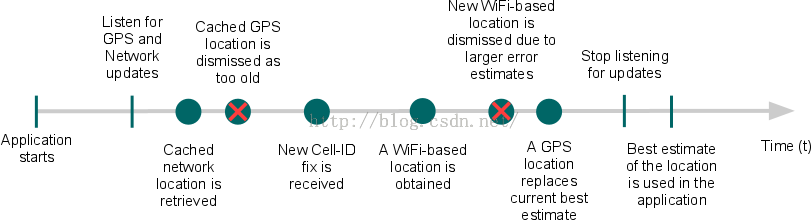 Android API Guides---Location Strategies
Android API Guides---Location Strategies Location Strategies 注:本指南中描述的策略適用於平台定位API中
 android之sharedpreference的兩種使用方法,sharedpreference
android之sharedpreference的兩種使用方法,sharedpreferencesharedPreferences的介紹: 1.sharedPrefere
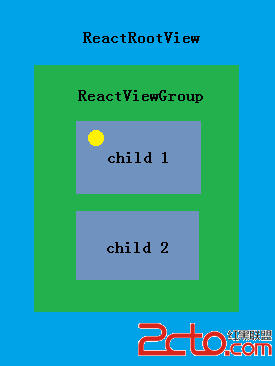 React-Native系列Android——Touch事件原理及狀態效果
React-Native系列Android——Touch事件原理及狀態效果 Native原生相比於Hybrid或H5最大優點是具有流暢和復雜的交互效果,觸摸事件便是其
 【React Native開發】React Native控件之DrawerLayoutAndroid抽屜導航切換組件講解(13)
【React Native開發】React Native控件之Drawe