編輯:關於android開發
AndroidManifest.xml中
加入:
   <!-- 在SDCard中創建與刪除文件權限 -->

    <uses-permission android:name="android.permission.MOUNT_UNMOUNT_FILESYSTEMS"/>

    <!-- 往SDCard寫入數據權限 -->

    <uses-permission android:name="android.permission.WRITE_EXTERNAL_STORAGE"/>
package com.example.yanlei.wifi;

import android.app.AlertDialog;
import android.content.DialogInterface;
import android.os.Bundle;
import android.os.Environment;
import android.support.v7.app.AppCompatActivity;
import android.text.method.ScrollingMovementMethod;
import android.view.Menu;
import android.widget.TextView;

import java.io.BufferedReader;
import java.io.File;
import java.io.FileInputStream;
import java.io.InputStream;
import java.io.InputStreamReader;
import java.util.ArrayList;
import java.util.List;

import jxl.Cell;
import jxl.Sheet;
import jxl.Workbook;

public class MainActivity extends AppCompatActivity {

    TextView txt = null;

    @Override
    protected void onCreate(Bundle savedInstanceState) {
        super.onCreate(savedInstanceState);
        setContentView(R.layout.activity_main);
        txt = (TextView)findViewById(R.id.txt_show);

        txt.setMovementMethod(ScrollingMovementMethod.getInstance());
        ShowMessage("ok2");
        //readtxt();
        readExcel();
        ShowMessage("ok3");
    }

    @Override
    public boolean onCreateOptionsMenu(Menu menu) {
        // Inflate the menu; this adds items to the action bar if it is present.
        //getMenuInflater().inflate(R.menu.main, menu);
        return true;
    }
    /**
     * 獲取內置SD卡路徑
     *
     * @return
     */
    public String getInnerSDCardPath() {
        File sdDir = null;
        boolean sdCardExist = Environment.getExternalStorageState()
                .equals(android.os.Environment.MEDIA_MOUNTED);   //判斷sd卡是否存在
        if (sdCardExist) {
            sdDir = Environment.getExternalStorageDirectory();//獲取跟目錄
        }
        String Path = sdDir.toString();

        return Path;
    }

    public String getSDPath() {
        List<String> lResult = new ArrayList<String>();
        try {
            Runtime rt = Runtime.getRuntime();
            Process proc = rt.exec("mount");
            InputStream is = proc.getInputStream();
            InputStreamReader isr = new InputStreamReader(is);
            BufferedReader br = new BufferedReader(isr);
            String line;
            while ((line = br.readLine()) != null) {
                if (line.contains("extSdCard")) {
                    String[] arr = line.split(" ");
                    String path = arr[1];
                    File file = new File(path);
                    if (file.isDirectory()) {
                        lResult.add(path);
                    }
                }
            }
            isr.close();
        } catch (Exception e) {
        }
        int num=lResult.size();
        //ShowMessage("外盤的個數:"+num);
        if (num>0) {
            return lResult.get(0).toString();
        }
        else
        {
            return "";
        }
    }
    /* @param path 文件夾路徑
       */
    public static boolean isExist(String path) {
        File file = new File(path);
        //判斷文件夾是否存在,如果不存在則創建文件夾
        if (!file.exists()) {
            //file.mkdir();
            return false;
        }
        return true;
    }

    //判斷文件是否存在
    public boolean fileIsExists(String strFile) {
        try {
            File f = new File(strFile);
            if (!f.exists()) {
                return false;
            }

        } catch (Exception e) {
            return false;
        }

        return true;
    }
    public void ShowMessage(String str) { //
        new AlertDialog.Builder(this)
                .setMessage(str)
                .setPositiveButton("確定",
                        new DialogInterface.OnClickListener() {
                            public void onClick(DialogInterface dialoginterface, int i) {
                                //按鈕事件
                            }
                        })
                .show();
    }
    public String getFilePath() {
        String path = getSDPath();

        if (path!="") {
            if (isExist(path + "/qqq.txt")) {
                return path;

            }
        }
        path = getInnerSDCardPath();
        if (isExist(path + "/qqq.txt")) {
            return path;

        }

        return path;
    }


    public static String readFile(String filePathAndName) {
        String fileContent = "";
        try {
            File f = new File(filePathAndName);
            if(f.isFile()&&f.exists()){
                InputStreamReader read = new InputStreamReader(new FileInputStream(f),"gbk");
                BufferedReader reader=new BufferedReader(read);
                String line;
                while ((line = reader.readLine()) != null) {
                    fileContent += line;
                }
                read.close();
            }
        } catch (Exception e) {
            System.out.println("讀取文件內容操作出錯");
            e.printStackTrace();
        }
        return fileContent;
    }


    public void readtxt() {
        {

            String path=getFilePath();
            ShowMessage("路徑:"+path);
            if (path=="")
            {
                ShowMessage("文件:"+path+"/qqq.txt"+"不存在");
                return;
            }
            ShowMessage("11111111111111111111" );
            ShowMessage(readFile(path + "/qqq.txt"));
            ShowMessage("222222222" );

        }


    }

}
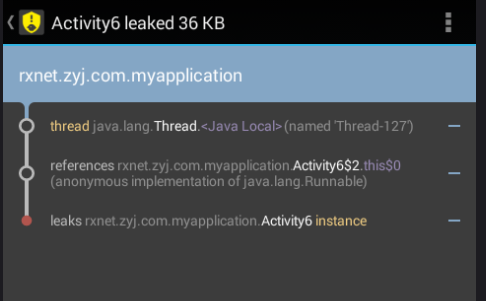 Android 如何有效的解決內存洩漏的問題,android洩漏
Android 如何有效的解決內存洩漏的問題,android洩漏前言:最近在研究Handler的知識,其中涉及到一個問題,如何避免Handler帶來的內存溢出問題。在網上
 Android與HTML+JS交互入門
Android與HTML+JS交互入門 在Android開發中,越來越多的商業項目使用了Android原生控件與WebView進行混合開發,當然不僅僅就是顯示一個We
 Android自定義控件系列案例【四】
Android自定義控件系列案例【四】 案例效果: 模擬器上運行有些鋸齒,真機上和預期一樣好 案例分析: 看效果,第一直覺肯定是Android原生態控件中沒有這樣的控
 Android之Fragment靜態加載
Android之Fragment靜態加載 1、Fragment知識概要 Android3.0引入了Fragment,主要目的是用在大屏幕設備上,支持更加動態和靈活的UI設