編輯:關於android開發
ScrollView(滾動條)的講解:
一、對於ScrollView滾動條還是很好理解的,共有兩種水平和垂直,ScrollView和HorizontalScrollview,這個裡面不知道該總結寫什麼,說說幾個方法吧
scrollView.fullScroll(ScrollView.FOCUS.DOWN):回到低部
scrollView.fullScroll(ScrollView.FOCUS.UP):回到頂部
scrollView.setVerticalSrcollBarEnabled(false):隱藏滑塊(好像設置了沒什麼用)
android:scrollbarThumbVertical:設置垂直滾動的圖片(好像設置了沒什麼用)
android:scrollbarThumbHorizontal:設置水平滾動的圖片(好像設置了沒什麼用)
android:srollbars = "none"隱藏滑塊(好像設置了沒什麼用)
如果我們要控制滑塊的滑動速度我們需要繼承ScrollView復寫public void fling (int velocityY)的方法,這個個人覺得單獨總結ScrollView沒什麼說的,先就這些吧
二.簡單使用
<?xml version="1.0" encoding="utf-8"?>
<LinearLayout
    xmlns:android="http://schemas.android.com/apk/res/android"
    android:layout_width="match_parent"
    android:layout_height="match_parent"
    android:orientation="vertical">
    <Button
        android:id="@+id/btn1"
        android:layout_width="match_parent"
        android:layout_height="wrap_content"
        android:text="回到頂部"/>
    <Button
        android:id="@+id/btn2"
        android:layout_width="match_parent"
        android:layout_height="wrap_content"
        android:layout_marginTop="10dp"
        android:text="回到底部"/>
   <ScrollView
       android:id="@+id/sv"
       android:layout_width="match_parent"
       android:layout_height="wrap_content">
       <TextView
           android:id="@+id/tv1"
           android:layout_width="match_parent"
           android:layout_height="wrap_content"
           android:scrollbarThumbVertical="@mipmap/ic_launcher"
           android:text="哈哈"/>
   </ScrollView>
</LinearLayout>
Java代碼
package com.example.test3;

import android.app.Activity;
import android.os.Bundle;
import android.view.View;
import android.widget.Button;
import android.widget.ScrollView;
import android.widget.TextView;

public class MainActivity extends Activity implements View.OnClickListener{
    private  TextView textView;
    private ScrollView scrollView;
    private Button btn1;
    private Button btn2;
    @Override
    protected void onCreate(Bundle savedInstanceState) {
        super.onCreate(savedInstanceState);
        setContentView(R.layout.activity_main);
        textView = (TextView) findViewById(R.id.tv1);
        scrollView = (ScrollView) findViewById(R.id.sv);
        btn1 = (Button) findViewById(R.id.btn1);
        btn2 = (Button) findViewById(R.id.btn2);
        btn1.setOnClickListener(this);
        btn2.setOnClickListener(this);
        StringBuffer sb = new StringBuffer();
        for(int i = 0;i < 100;i++){
            sb.append("呵呵" + i + "\n");
        }
        textView.setText(sb.toString());
    }

    @Override
    public void onClick(View view) {
        switch (view.getId()){
            case  R.id.btn1:{
                scrollView.fullScroll(ScrollView.FOCUS_UP);
                break;
            }
            case R.id.btn2:{
                scrollView.fullScroll(ScrollView.FOCUS_DOWN);
                break;
            }
        }
    }
}
效果圖:
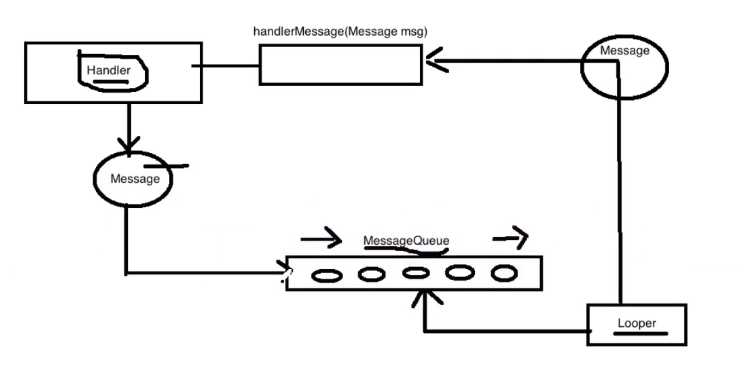 Android handler 詳解(面試百分之100問到),androidhandler
Android handler 詳解(面試百分之100問到),androidhandlerhandler在Android中被稱為“消息處理者”,在
 Android特效專輯(十)——點擊水波紋效果實現,邏輯清晰實現簡單
Android特效專輯(十)——點擊水波紋效果實現,邏輯清晰實現簡單 Android特效專輯(十)——點擊水波紋效果實現,邏輯清晰實現簡單
 使用android.support.design.widget.TabLayout出現java.lang.reflect.InvocationTargetException,androidtablayout
使用android.support.design.widget.TabLayout出現java.lang.reflect.InvocationTargetExceptio
 eclipse安裝Genymotion模擬器遇到的問題及解決方法,eclipsegenymotion
eclipse安裝Genymotion模擬器遇到的問題及解決方法,eclipsegenymotion 由於Android ADT裡邊的原生模擬器so慢,所以