編輯:Android編程入門
Animations
一、Animations介紹
Animations是一個實現android UI界面動畫效果的API,Animations提供了一系列的動畫效果,可以進行旋轉、縮放、淡入淡出等,這些效果可以應用在絕大多數的控件中。
二、Animations的分類
Animations從總體上可以分為兩大類:
1.Tweened Animations:該類Animations提供了旋轉、移動、伸展和淡出等效果。Alpha——淡入淡出,Scale——縮放效果,Rotate——旋轉,Translate——移動效果。
2.Frame-by-frame Animations:這一類Animations可以創建一個Drawable序列,這些Drawable可以按照指定的時間間歇一個一個的顯示。
三、Animations的使用方法(代碼中使用)
Animations extends Object implements Cloneable
使用TweenedAnimations的步驟:
1.創建一個AnimationSet對象(Animation子類);
2.增加需要創建相應的Animation對象;
3.更加項目的需求,為Animation對象設置相應的數據;
4.將Animatin對象添加到AnimationSet對象當中;
5.使用控件對象開始執行AnimationSet。
Tweened Animations的分類
1、Alpha:淡入淡出效果
2、Scale:縮放效果
3、Rotate:旋轉效果
4、Translate:移動效果
Animation的四個子類:
AlphaAnimation、TranslateAnimation、ScaleAnimation、RotateAnimation
1、setDuration(long durationMills)
設置動畫持續時間(單位:毫秒)
2、setFillAfter(Boolean fillAfter)
如果fillAfter的值為true,則動畫執行後,控件將停留在執行結束的狀態
3、setFillBefore(Boolean fillBefore)
如果fillBefore的值為true,則動畫執行後,控件將回到動畫執行之前的狀態
4、setStartOffSet(long startOffSet)
設置動畫執行之前的等待時間
5、setRepeatCount(int repeatCount)
設置動畫重復執行的次數
1.AnimationSet是Animation的子類;
2.一個AnimationSet包含了一系列的Animation;
3.針對AnimationSet設置一些Animation的常見屬性(如startOffset,duration等),可以被包含在AnimationSet當中的Animation集成;
Interpolator的具體使用方法
Interpolator定義了動畫變化的速率,在Animations框架當中定義了一下幾種Interpolator
AccelerateDecelerateInterpolator:在動畫開始與結束的地方速率改變比較慢,在中間的時候速率快。
AccelerateInterpolator:在動畫開始的地方速率改變比較慢,然後開始加速
CycleInterpolator:動畫循環播放特定的次數,速率改變沿著正弦曲線
DecelerateInterpolator:在動畫開始的地方速率改變比較慢,然後開始減速
LinearInterpolator:動畫以均勻的速率改變
分為以下幾種情況:
1、在set標簽中
<set xmlns:android="http://schemas.android.com/apk/res/android"
android:interpolator="@android:anim/accelerate_interpolator"/>
2、如果在一個set標簽中包含多個動畫效果,如果想讓這些動畫效果共享一個Interpolator。
android:shareInterpolator="true"
3、如果不想共享一個interpolator,則設置android:shareInterpolator="true",並且需要在每一個動畫效果處添加interpolator。
<alpha
android:interpolator="@android:anim/accelerate_decelerate_interpolator"
android:fromAlpha="1.0"
android:toAlpha="0.0"
android:startOffset="500"
android:duration="500"/>
4、如果是在代碼上設置共享一個interpolator,則可以在AnimationSet設置interpolator。
AnimationSet animationSet = newAnimationSet(true);
animationSet.setInterpolator(new AccelerateInterpolator());
5、如果不設置共享一個interpolator則可以在每一個Animation對象上面設置interpolator。
AnimationSet animationSet = newAnimationSet(false);
alphaAnimation.setInterpolator(new AccelerateInterpolator());
rotateAnimation.setInterpolator(new DecelerateInterpolator());
相關實現代碼
package com.example.thestudyanimationview;

import android.app.Activity;
import android.os.Bundle;
import android.view.Menu;
import android.view.MenuItem;
import android.view.View;
import android.view.View.OnClickListener;
import android.view.animation.AlphaAnimation;
import android.view.animation.Animation;
import android.view.animation.AnimationSet;
import android.view.animation.RotateAnimation;
import android.view.animation.ScaleAnimation;
import android.view.animation.TranslateAnimation;
import android.view.animation.Animation.AnimationListener;
import android.widget.Button;
import android.widget.ImageView;

public class MainActivity extends Activity implements OnClickListener{
    private Button rotateButton = null;
    private Button scaleButton = null;
    private Button alphaButton = null;
    private Button translateButton = null;
    private ImageView iv_rotateanimation = null;
    private ImageView iv_scaleanimation = null;
    private ImageView iv_alphaanimation = null;
    private ImageView iv_translateanimation = null;

    @Override
    protected void onCreate(Bundle savedInstanceState) {
        super.onCreate(savedInstanceState);
        setContentView(R.layout.activity_main);
        rotateButton = (Button) findViewById(R.id.rotateButton);
        scaleButton = (Button) findViewById(R.id.scaleButton);
        alphaButton = (Button) findViewById(R.id.alphaButton);
        translateButton = (Button) findViewById(R.id.translateButton);

        iv_rotateanimation = (ImageView) findViewById(R.id.iv_rotateanimation);
        iv_scaleanimation = (ImageView) findViewById(R.id.iv_scaleanimation);
        iv_alphaanimation = (ImageView) findViewById(R.id.iv_alphaanimation);
        iv_translateanimation = (ImageView) findViewById(R.id.iv_translateanimation);

        rotateButton.setOnClickListener(this);
        scaleButton.setOnClickListener(this);
        alphaButton.setOnClickListener(this);
        translateButton.setOnClickListener(this);
    }

    public void onClick(View v) {
        switch (v.getId()) {
        case R.id.rotateButton:
            rotateAnimation();
            break;
        case R.id.scaleButton:
            scaleAnimation();
            break;
        case R.id.alphaButton:
            alphaAnimation();
            break;
        case R.id.translateButton:
            translateAnimation();
            break;
        }
    }
    public void rotateAnimation(){
        AnimationSet animationSet = new AnimationSet(true);
        // 參數1:從哪個旋轉角度開始
        // 參數2:轉到什麼角度
        // 後4個參數用於設置圍繞著旋轉的圓的圓心在哪裡
        // 參數3:確定x軸坐標的類型,有ABSOLUT絕對坐標、RELATIVE_TO_SELF相對於自身坐標、RELATIVE_TO_PARENT相對於父控件的坐標
        // 參數4:x軸的值,0.5f表明是以自身這個控件的一半長度為x軸
        // 參數5:確定y軸坐標的類型
        // 參數6:y軸的值,0.5f表明是以自身這個控件的一半長度為x軸
        RotateAnimation rotateAnimation = new RotateAnimation(0, 360, Animation.RELATIVE_TO_SELF, 0.5f, Animation.RELATIVE_TO_SELF, 0.5f);
        rotateAnimation.setDuration(1000);
        animationSet.addAnimation(rotateAnimation);
        iv_rotateanimation.startAnimation(animationSet);
        rotateAnimation.setAnimationListener(new AnimationListener() {
            @Override
            public void onAnimationStart(Animation arg0) {
            }

            @Override
            public void onAnimationRepeat(Animation arg0) {
            }

            @Override
            public void onAnimationEnd(Animation arg0) {
                iv_rotateanimation.setVisibility(View.INVISIBLE);
            }
        });
    }
    public void scaleAnimation(){
        AnimationSet animationSet = new AnimationSet(true);
        // 參數1:x軸的初始值
        // 參數2:x軸收縮後的值
        // 參數3:y軸的初始值
        // 參數4:y軸收縮後的值
        // 參數5:確定x軸坐標的類型
        // 參數6:x軸的值,0.5f表明是以自身這個控件的一半長度為x軸
        // 參數7:確定y軸坐標的類型
        // 參數8:y軸的值,0.5f表明是以自身這個控件的一半長度為x軸
        ScaleAnimation scaleAnimation = new ScaleAnimation(0, 0.1f, 0, 0.1f, Animation.RELATIVE_TO_SELF, 0.5f, Animation.RELATIVE_TO_SELF, 0.5f);
        scaleAnimation.setDuration(1000);
        animationSet.addAnimation(scaleAnimation);
        iv_scaleanimation.startAnimation(animationSet);
        scaleAnimation.setAnimationListener(new AnimationListener() {
            @Override
            public void onAnimationStart(Animation arg0) {
            }

            @Override
            public void onAnimationRepeat(Animation arg0) {
            }

            @Override
            public void onAnimationEnd(Animation arg0) {
                iv_scaleanimation.setVisibility(View.INVISIBLE);
            }
        });

    }
    public void alphaAnimation(){
        // 創建一個AnimationSet對象,參數為Boolean型,
        // true表示使用Animation的interpolator,false則是使用自己的
        AnimationSet animationSet = new AnimationSet(true);
        // 創建一個AlphaAnimation對象,參數從完全的透明度,到完全的不透明
        AlphaAnimation alphaAnimation = new AlphaAnimation(1, 0);
        // 設置動畫執行的時間
        alphaAnimation.setDuration(500);
        // 將alphaAnimation對象添加到AnimationSet當中
        animationSet.addAnimation(alphaAnimation);
        // 使用ImageView的startAnimation方法執行動畫
        iv_alphaanimation.startAnimation(animationSet);
        alphaAnimation.setAnimationListener(new AnimationListener() {
            @Override
            public void onAnimationStart(Animation arg0) {
            }

            @Override
            public void onAnimationRepeat(Animation arg0) {
            }

            @Override
            public void onAnimationEnd(Animation arg0) {
                iv_alphaanimation.setVisibility(View.INVISIBLE);
            }
        });
    }
    public void translateAnimation(){
        AnimationSet animationSet = new AnimationSet(true);
        // 參數1~2:x軸的開始位置
        // 參數3~4:y軸的開始位置
        // 參數5~6:x軸的結束位置
        // 參數7~8:x軸的結束位置
        TranslateAnimation translateAnimation = new TranslateAnimation(Animation.RELATIVE_TO_SELF, 0f, Animation.RELATIVE_TO_SELF, 0.5f, Animation.RELATIVE_TO_SELF, 0f, Animation.RELATIVE_TO_SELF, 0.5f);
        translateAnimation.setDuration(1000);
        animationSet.addAnimation(translateAnimation);
        iv_translateanimation.startAnimation(animationSet);
        translateAnimation.setAnimationListener(new AnimationListener() {
            @Override
            public void onAnimationStart(Animation arg0) {
            }

            @Override
            public void onAnimationRepeat(Animation arg0) {
            }

            @Override
            public void onAnimationEnd(Animation arg0) {
                iv_translateanimation.setVisibility(View.INVISIBLE);
            }
        });
    }

    @Override
    public boolean onCreateOptionsMenu(Menu menu) {
        getMenuInflater().inflate(R.menu.main, menu);
        return true;
    }

    @Override
    public boolean onOptionsItemSelected(MenuItem item) {
        int id = item.getItemId();
        if (id == R.id.action_settings) {
            return true;
        }
        return super.onOptionsItemSelected(item);
    }
}
布局文件
<LinearLayout xmlns:android="http://schemas.android.com/apk/res/android"
    xmlns:tools="http://schemas.android.com/tools"
    android:layout_width="match_parent"
    android:layout_height="match_parent"
    android:orientation="vertical"
    tools:context="com.example.thestudyanimationview.MainActivity" >

    <LinearLayout
        android:id="@+id/ll_bts"
        android:layout_width="match_parent"
        android:layout_height="60dp"
        android:gravity="center"
        android:orientation="horizontal" >

        <Button
            android:id="@+id/rotateButton"
            android:layout_width="wrap_content"
            android:layout_height="wrap_content"
            android:text="旋轉" />

        <Button
            android:id="@+id/scaleButton"
            android:layout_width="wrap_content"
            android:layout_height="wrap_content"
            android:text="縮放" />

        <Button
            android:id="@+id/alphaButton"
            android:layout_width="wrap_content"
            android:layout_height="wrap_content"
            android:text="淡入淡出" />

        <Button
            android:id="@+id/translateButton"
            android:layout_width="wrap_content"
            android:layout_height="wrap_content"
            android:text="移動" />
    </LinearLayout>

    <LinearLayout
        android:layout_width="match_parent"
        android:layout_height="match_parent"
        android:gravity="center"
        android:orientation="vertical" >

        <ImageView
            android:id="@+id/iv_rotateanimation"
            android:layout_width="90dp"
            android:layout_height="90dp"
            android:src="@drawable/icon_pengyouquan" />

        <ImageView
            android:id="@+id/iv_scaleanimation"
            android:layout_width="90dp"
            android:layout_height="90dp"
            android:src="@drawable/icon_qq" />

        <ImageView
            android:id="@+id/iv_alphaanimation"
            android:layout_width="90dp"
            android:layout_height="90dp"
            android:src="@drawable/icon_qqkongjian" />

        <ImageView
            android:id="@+id/iv_translateanimation"
            android:layout_width="90dp"
            android:layout_height="90dp"
            android:src="@drawable/weibologon" />
    </LinearLayout>

</LinearLayout>
 Android 多狀態按鈕ToggleButton
1.什麼是ToggleButtonToggleButton有兩種狀態:選中和未選中狀態並且需要為不同的狀態設置不同的顯示文本2.ToggleButton屬性android
 Android Hello World實例
Android Hello World 實例讓我們開始真正的基於Android框架編程。在開始使用Android SDK寫第一個示例之前,請確保你已經按照
 Android開發環境配置(以windows為例)
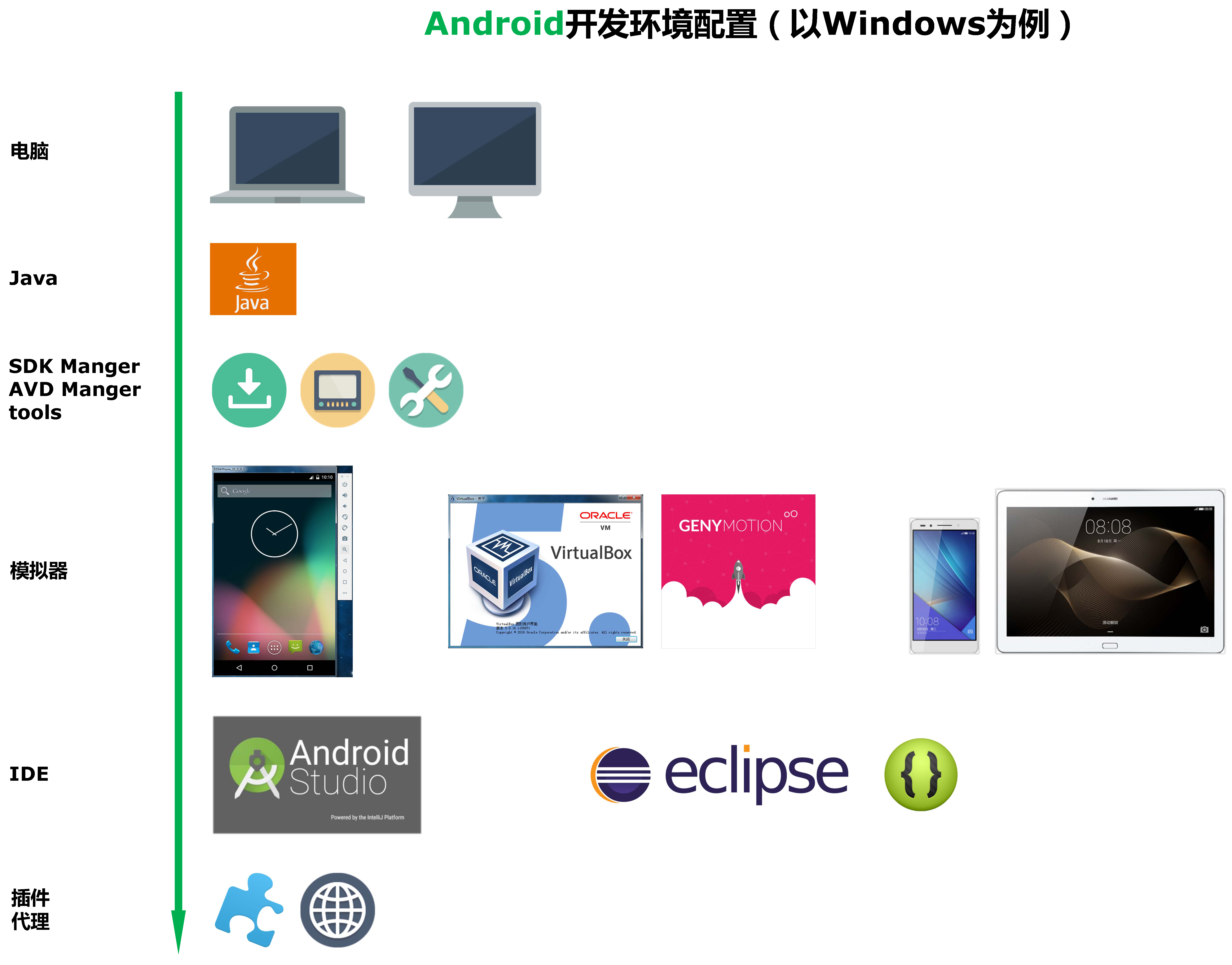
Android開發環境配置工具 如果你准備從事Android開發,那麼無論選擇在eclipse下開發,還是選擇在AndroidStudio下開發,都可以參照
 Android消息機制:Looper,MessageQueue,Message與handler
Android消息機制好多人都講過,但是自己去翻源碼的時候才能明白。今天試著講一下,因為目標是講清楚整體邏輯,所以不追究細節。Message是消息機制的核心,所以從Mes