編輯:Android編程入門
先判斷有木有這個快捷方式:
 // 判讀是否已經存在快捷方式
    public boolean isExistShortCut() {
        boolean isInstallShortcut = false;
        final ContentResolver cr = Main3Activity.this.getContentResolver();
        // 2.2系統之後是”com.android.launcher2.settings”,之前的為"com.android.launcher.settings"
        final String AUTHORITY = "com.android.launcher2.settings";
        final Uri CONTENT_URI = Uri.parse("content://" + AUTHORITY + "/favorites?notify=true");
        Cursor c = cr.query(CONTENT_URI, new String[] { "title", "iconResource" }, "title=?",
                new String[] { getString(R.string.app_name) }, null);
        if (c != null && c.getCount() > 0) {
            isInstallShortcut = true;
            System.out.println("已經存在快捷方式");
        }
        return isInstallShortcut;
    }
AndroidManifast.xml加入權限:
    <uses-permission android:name="com.android.launcher.permission.INSTALL_SHORTCUT" />
    <uses-permission android:name="com.android.launcher.permission.UNINSTALL_SHORTCUT"/>
    <!-- 快捷方式信息需要從setting中讀取 -->
    <uses-permission android:name="com.android.launcher.permission.READ_SETTINGS"/>
在onCreate()中加入:
if(!isExistShortCut()){
                    //String title=getResources().getString(R.string.title);
                    Intent addIntent=new Intent("com.android.launcher.action.INSTALL_SHORTCUT");
                    Parcelable icon=Intent.ShortcutIconResource.fromContext(this, R.drawable.ic_launcher); //獲取快捷鍵的圖標
                    Intent myIntent=new Intent(this, MainActivity.class);
                    addIntent.putExtra(Intent.EXTRA_SHORTCUT_NAME, getString(R.string.app_name));//快捷方式的標題
                    addIntent.putExtra(Intent.EXTRA_SHORTCUT_ICON_RESOURCE, icon);//快捷方式的圖標
                    addIntent.putExtra(Intent.EXTRA_SHORTCUT_INTENT, myIntent);//快捷方式的動作
                    addIntent.putExtra("duplicate",false);
                    sendBroadcast(addIntent);//發送廣播
                }
 Android學習筆記:ActionBar使用介紹
一、基本概念最權威和官方的介紹請看google的api文檔http://developer.android.com/training/basics/actionbar/s
 Android分層架構入門
引言 通過前面兩篇: Android 開發之旅:環境搭建及HelloWorld Android 開發之旅:HelloWorld項
 android常用的彈出提示框
我們在平時做開發的時候,免不了會用到各種各樣的對話框,相信有過其他平台開發經驗的朋友都會知道,大部分的平台都只提供了幾個最簡單的實現,如果我們想實現自己特定需求的對話框,
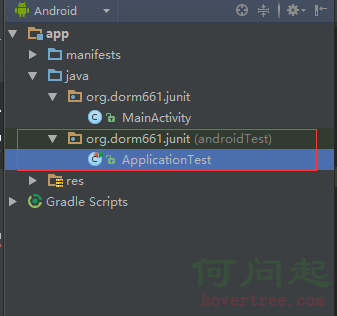 Android Studio 單元測試
單元測試(unit testing),是指對軟件中的最小可測試單元進行檢查和驗證。 針對Android開發,目前網上有很多在Eclipse環境下進行單元測試的教程,然而