編輯:Android編程入門
一、在xml文件中設置幀動畫
1、首先得在drawable資源文件夾下創建一個animation_list文件
<?xml version="1.0" encoding="utf-8"?>
<animation-list xmlns:android="http://schemas.android.com/apk/res/android">

    <item
        android:drawable="@drawable/p1"
        android:duration="500" />
    <item
        android:drawable="@drawable/p2"
        android:duration="500" />
    <item
        android:drawable="@drawable/p3"
        android:duration="500" />
    <item
        android:drawable="@drawable/p4"
        android:duration="500" />
    <item
        android:drawable="@drawable/p5"
        android:duration="500" />

</animation-list>
2、通過java代碼啟動將動畫加載到空間中,並啟動
ImageView imageView=(ImageView)findViewById(R.id.id_iv);
imageView.setImageResource(R.drawable.anim_list);
AnimationDrawable animationDrawable = (AnimationDrawable) image.getDrawable();
animationDrawable.setOneShot(false);//是否只執行一次
animationDrawable.start();//開啟動畫
//animationDrawable.stop();//停止動畫
二、在java代碼中設置幀動畫
ImageView imageView= (ImageView)findViewById(R.id.id_iv);
animationDrawable= new AnimationDrawable();
animationDrawable.addFrame(getResources().getDrawable(R.drawable.p1), 500);
animationDrawable.addFrame(getResources().getDrawable(R.drawable.p2), 500);
imageView.setImageDrawable(animationDrawalbe);
animationDrawable.setOneShot(false);//是否只執行一次
animationDrawable.start();//開啟動畫
//animationDrawable.stop();//停止動畫
 android開發環境以及genymotion虛擬機配合HBuilder測試(自總結)
一、安裝android-studiohttps://github.com/inferjay/AndroidDevToolsbundle版集成環境win7jdk(JAVA環
 安卓的主要幾大布局
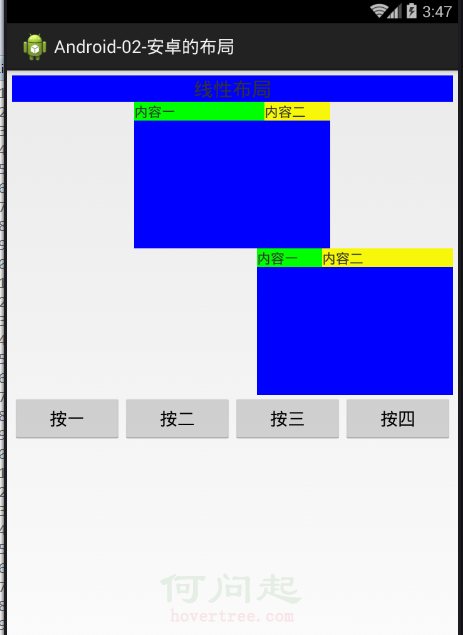
今天我們的主要內容就是安卓的主要幾個基礎的布局方式。(主要布局如下:)1.線性布局(LinerLayout)2.相對布局(RelativeLayout)3.表格布局(Ta
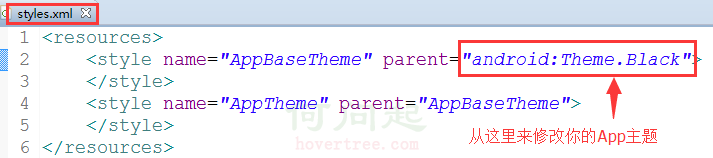 總結一下Android中主題(Theme)的正確玩法
在AndroidManifest.xml文件中有<application android:theme=@style/AppTheme>,其中的@style/A
 Android開發學習——Android項目的目錄結構
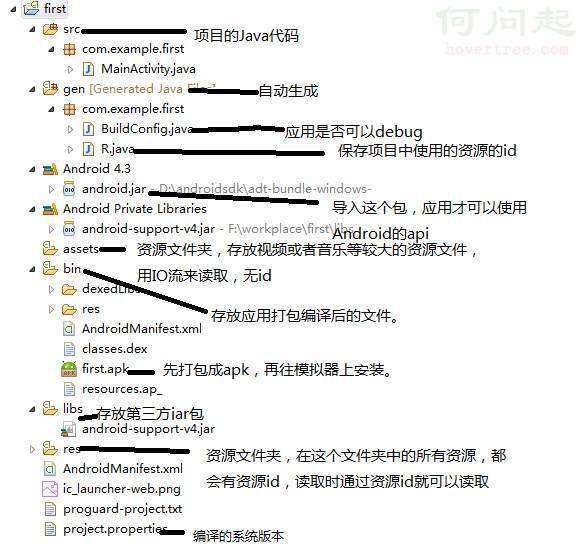
Android項目的目錄結構: 資源文件夾:清單配置文件:Android的四大組件在使用前全部需要在清單文件中配置<?xml version