編輯:Android資訊
在android開發中很多UI控件往往需要進行定制以滿足應用的需要或達到更加的效果,接下來就通過一個系列來介紹自定義控件,這裡更多是通過一些案例逐步去學習,本系列有一些典型的應用,掌握好了大家也可去創新開發出一些更好的UI,本次先通過簡單案例掌握一些基礎知識——如何在自定義控件中定義屬性.
1、編寫類型MRadioButton 擴展RadioButton
public class MRadioButton extends RadioButton {
…
}
2、在MRadioButton類中,定制屬性
我們可以在控件中定義自己的屬性,可以定義多個屬性,但必須封裝提供set/get方法,也就是按規范寫。如mValue屬性,像下面代碼
private String mValue;
    public String getmValue() {
        return mValue;
    }
    public void setmValue(String mValue) {
        this.mValue = mValue;
    }
3、為定制的屬性編寫attrs.xml資源
該資源文件放在res/values目錄下,內容如下:
<?xml version="1.0" encoding="utf-8"?>
<resources>
    <declare-styleable name="MRadioButton">
            <! – 屬性名稱-->
        <attr name="value" format="string" />
    </declare-styleable>
</resources>
4、在MRadioButton類中定義構造函數,初始化屬性
            public MRadioButton(Context context) {
        super(context);
    }
public MRadioButton(Context context, AttributeSet attrs, int defStyle) {
        super(context, attrs, defStyle);
    }
        public MRadioButton(Context context, AttributeSet attrs) {
        super(context, attrs);
        //從attrs.xml中加載一個名字叫’ .MRadioButton’的declare-styleable資源
    TypedArray tArray = context.obtainStyledAttributes(attrs, R.styleable.MRadioButton);
        //將屬性value與類中的屬性mValue關聯
    this.mValue = tArray.getString(R.styleable.MRadioButton_value);
        //回收tArray對象
    tArray.recycle();
    }
5、在MainActivity中布局文件中添加MRadioButton組件,如下所示
<RelativeLayout xmlns:android="http://schemas.android.com/apk/res/android"
    xmlns:tools="http://schemas.android.com/tools"
    xmlns:jereh="http://schemas.android.com/apk/res/com.jereh. view"
    android:layout_width="match_parent"
    android:layout_height="match_parent"
    tools:context="com.example.zdyview.MainActivity" >

    <com.itc.zidingyiview.MRadioButton
        android:layout_width="match_parent"
        android:layout_height="match_parent"
        android:id="@+id/mrb"
        jereh:value="hello"
        />

</RelativeLayout>
6、MainActivity代碼:
public class MainActivity extends Activity {
    private MRadioButton rb;
    @Override
    protected void onCreate(Bundle savedInstanceState) {
        super.onCreate(savedInstanceState);
        setContentView(R.layout.activity_main);
        rb=(MRadioButton)super.findViewById(R.id.mrb);
        rb.setOnClickListener(new View.OnClickListener() {
            @Override
            public void onClick(View v) {
Toast.makeText(MainActivity.this, rb.getmValue(),Toast.LENGTH_LONG).show();
            }
        });
    }
}
當點擊單選按鈕會顯示hello信息
 深入理解Android異步消息處理機制
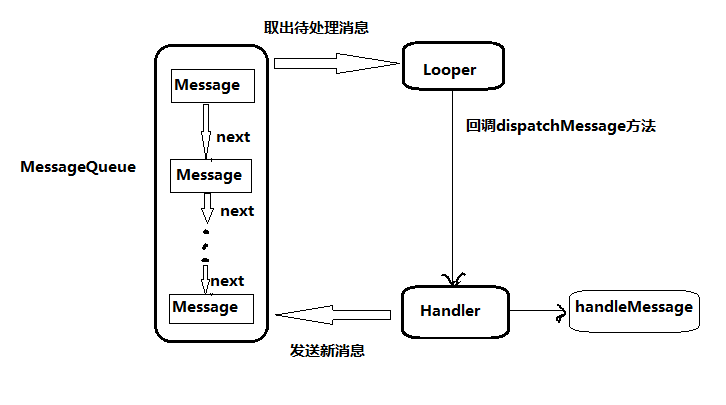
一、概述 Android 中的異步消息處理主要分為四個部分組成,Message、Hndler、MessageQueue 和 Looper。其關系如下圖所示: 1
 Android 適配多種 ROM 的快捷方式
快捷方式 應該來說 很多人都做過,我們就來看一下基本的快捷方式 是怎麼實現的,會有什麼問題? 首先 肯定要獲取權限: <!-- 添加快捷方式 -->
 Android Fragment生命周期深入探究
Fragment是Android中的重要組件,在Android 3.0的時候添加進來。 關於Fragment的生命周期,我相信了解過的開發人員都應該把以下方法脫口
 Android簡易手勢密碼開源庫
本文由碼農網 – 蘇耀東原創,轉載請看清文末的轉載要求,歡迎參與我們的付費投稿計劃! 簡介 本文介紹一個Android手勢密碼開源庫的使用及實現的詳細過程