編輯:關於Android編程
NotificationListenerService是通過系統調起的服務,在應用發起通知時,系統會將通知的應用,動作和信息回調給NotificationListenerService。但使用之前需要引導用戶進行授權。使用NotificationListenerService一般需要下面三個步驟。
注冊服務
首先需要在AndroidManifest.xml對service進行注冊。
<service
  android:name=".NotificationCollectorService"
  android:label="@string/app_name"
  android:permission="android.permission.BIND_NOTIFICATION_LISTENER_SERVICE">
  <intent-filter>
    <action android:name="android.service.notification.NotificationListenerService" />
  </intent-filter>
</service>
繼承實現NotificationListenerService
自己實現一個繼承NotificationListenerService的service,在onNotificationPosted中完成自己需要的操作。
public class NotificationCollectorService extends NotificationListenerService {
  @Override
  public void onNotificationPosted(StatusBarNotification sbn) {
    Log.i("xiaolong", "open" + "-----" + sbn.getPackageName());
    Log.i("xiaolong", "open" + "------" + sbn.getNotification().tickerText);
    Log.i("xiaolong", "open" + "-----" + sbn.getNotification().extras.get("android.title"));
    Log.i("xiaolong", "open" + "-----" + sbn.getNotification().extras.get("android.text"));
  }

  @Override
  public void onNotificationRemoved(StatusBarNotification sbn) {
    Log.i("xiaolong", "remove" + "-----" + sbn.getPackageName());

  }
}
引導用戶進行授權
由於此服務需要用戶手動進行授權,所以使用前需要對用戶進行引導設置。
public class MainActivity extends AppCompatActivity {

  @Override
  protected void onCreate(Bundle savedInstanceState) {
    super.onCreate(savedInstanceState);
    setContentView(R.layout.activity_main);
    String string = Settings.Secure.getString(getContentResolver(),
        "enabled_notification_listeners");
    if (!string.contains(NotificationCollectorService.class.getName())) {
      startActivity(new Intent(
          "android.settings.ACTION_NOTIFICATION_LISTENER_SETTINGS"));
    }
  }
}
用戶授權後就可以對通知欄的所有信息進行監聽了。
以上就是本文的全部內容,希望對大家的學習有所幫助,也希望大家多多支持本站。
 VR入門
VR入門
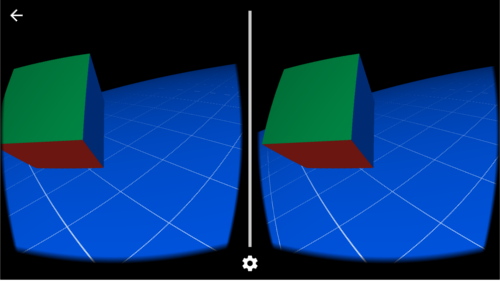
入門指南本文檔介紹如何使用實驗性的 Cardboard SDK for Android 創建您自己的虛擬實境 (VR) 體驗。Android 演示版應用:Treasure
 android項目 之 記事本(9) ----- 畫板功能之橡皮擦、畫筆大小和畫筆顏色
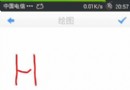
上節已實現了畫板中的繪制,刪除,恢復入清空的功能,還有橡皮擦,設置畫筆大小和畫筆顏色沒有實現,這節就將這幾個功能逐一實現。 先看效果圖:
 Android Studio 1.0 (穩定版) 完全攻略
這篇博文中主要從以下幾點進行敘述: 1、Android Studio安裝與使用 2、Android Studio特
 Android為按鈕控件綁定事件的五種實現方式
一、寫在最前面本次,來介紹一下安卓中為控件--Button綁定事件的五種方式。二、具體的實現第一種:直接綁定在Button控件上:步驟1.在Button控件上設置andr