編輯:關於Android編程
Json 生成與解析
JSON常用與服務器進行數據交互,JSON中“{}”表示JSONObject,“[]”表示JSONArray
如下json數據:
1 {"singers":[
2 {"id":"02","name":"tom","gender":"男","tel":["123456","789012"]},
3 {"id":"03","name":"jerry","gender":"男","tel":["899999","666666"]},
4 {"id":"04","name":"jim","gender":"男","tel":["7777","5555"]},{"id":"05","name":"lily","gender":"女","tel":["222222","111111"]}
5 ]}
生成json數據代碼:
public String buildJson() throws JSONException {

    JSONObject persons = new JSONObject();

    JSONArray personArr = new JSONArray();

    JSONObject person = new JSONObject();
    person.put("id", "02");
    person.put("name", "tom");
    person.put("gender", "男");

    JSONArray tel = new JSONArray();
    tel.put("123456");
    tel.put("789012");

    person.put("tel", tel);

    personArr.put(person);

    JSONObject person2 = new JSONObject();
    person2.put("id", "03");
    person2.put("name", "jerry");
    person2.put("gender", "男");

    JSONArray tel2 = new JSONArray();
    tel2.put("899999");
    tel2.put("666666");

    person2.put("tel", tel2);

    personArr.put(person2);


    JSONObject person3 = new JSONObject();
    person3.put("id", "04");
    person3.put("name", "jim");
    person3.put("gender", "男");

    JSONArray tel3 = new JSONArray();
    tel3.put("7777");
    tel3.put("5555");

    person3.put("tel", tel3);

    personArr.put(person3);


    JSONObject person4 = new JSONObject();
    person4.put("id", "05");
    person4.put("name", "lily");
    person4.put("gender", "女");

    JSONArray tel4 = new JSONArray();
    tel4.put("222222");
    tel4.put("111111");

    person4.put("tel", tel4);

    personArr.put(person4);


    persons.put("singers", personArr);


    return persons.toString();
  }
解析json數據代碼:
private void parseJsonMulti(String strResult) {
    try {
      JSONArray jsonObjs = new JSONObject(strResult).getJSONArray("singers");
      String s = "";

      for (int i = 0; i < jsonObjs.length(); i++) {
        JSONObject jsonObj = ((JSONObject) jsonObjs.opt(i));
        int id = jsonObj.getInt("id");
        String name = jsonObj.getString("name");
        String gender = jsonObj.getString("gender");
        s += "ID號" + id + ", 姓名:" + name + ",性別:" + gender + ",電話:";
        JSONArray tel = jsonObj.getJSONArray("tel");
        for (int j = 0; j < tel.length(); j++) {

          s += tel.getString(j)+"/";
        }

        s += "\n";

      }
      tv.setText(s);
    } catch (JSONException e) {
      e.printStackTrace();
    }
  }
感謝閱讀,希望能幫助到大家,謝謝大家對本站的支持!
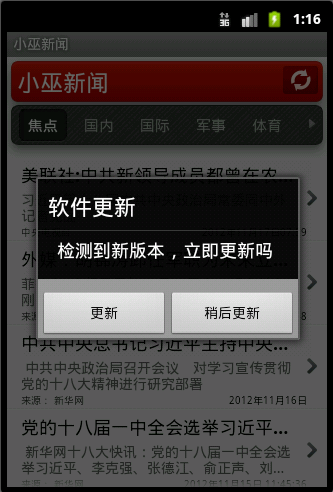 Android軟件自動更新實現代碼
如何實現軟件自動更新,下面是具體實例:效果圖: 具體步驟:1、在服務器上部署
 Android實現左右擺動的球體動畫效果
首先,看一下效果 可能各位在別處看到過類似的東西,我在微信的文章末尾看到有個玩意,感覺有意思,就用代碼實現一下。這篇文章主要把握寫代碼的思路展示一下。 看到上
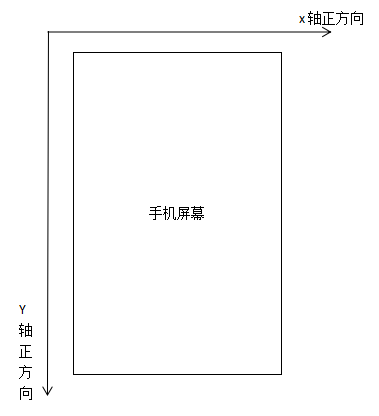 Android View移動的3種方式總結
前言在Android開發中,View一直是Android開發人員的一塊心病,一方面想要進階,一方面又害怕進階,可以說Android的View是進階路上的最大絆腳石,因為它
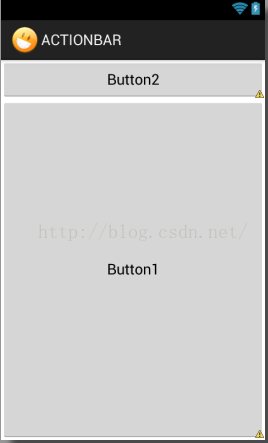 Android LinearLayout布局的layout_weight屬性探究
Android布局文件中的layout_weight屬性僅在LinearLayout布局中有效。google推薦:當設置了控件的layout_weight屬性時,該控件相