編輯:關於Android編程
Android TextView 圓弧
效果圖:
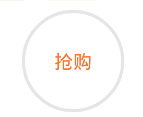
布局代碼:
<TextView
          android:id="@+id/product_tag"
          android:layout_width="wrap_content"
          android:layout_height="wrap_content"
          android:gravity="center"
          android:singleLine="true"
          android:textSize="10sp"
          android:textColor="@color/label_orange"
          android:layout_marginLeft="10dp"
          android:background="@drawable/shape_label_orange"
          android:text="標簽"/>
樣式代碼:
弧度和背景主要靠background中的.xml文件實現
1、
<?xml version="1.0" encoding="utf-8"?>
<shape xmlns:android="http://schemas.android.com/apk/res/android">

  <!-- 實心 -->
  <solid android:color="@android:color/white"/>
  <!-- 邊框 -->
  <stroke
      android:width="0.5dp"
      android:color="@color/label_orange"/>
  <!-- 圓角 -->
  <corners android:radius="3dp"/>
  <!-- 邊距 -->
  <padding
      android:top="2dp"
      android:bottom="2dp"
      android:left="6dp"
      android:right="6dp"/>

</shape>
2、
<?xml version="1.0" encoding="utf-8"?>
<shape
    xmlns:android="http://schemas.android.com/apk/res/android"
    android:shape="oval"
    android:useLevel="false">

  <!-- 實心 -->
  <solid android:color="@color/label_round_orange" />
  <!-- 圓角 -->
  <corners android:radius="360dp" />
  <!-- 邊距 -->
  <padding
    android:bottom="1dp"
    android:left="1dp"
    android:right="1dp"
    android:top="1dp" />

  <!-- 大小 -->
  <size android:width="15dp"
     android:height="15dp" />

</shape>
感謝閱讀,希望能幫助到大家,謝謝大家對本站的支持!
 android基礎總結篇之二:Activity的四種launchMode
我們今天要講的是Activity的四種launchMode。launchMode在多個Activity跳轉的過程中扮演著重要的角色,它可以決定是否生成新的Activity
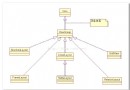 Android基礎布局之六大布局
布局管理器都是以ViewGroup為基類派生出來的; 使用布局管理器可以適配不同手機屏幕的分辨率,尺寸大小; 如何使用XML文件定義視圖:
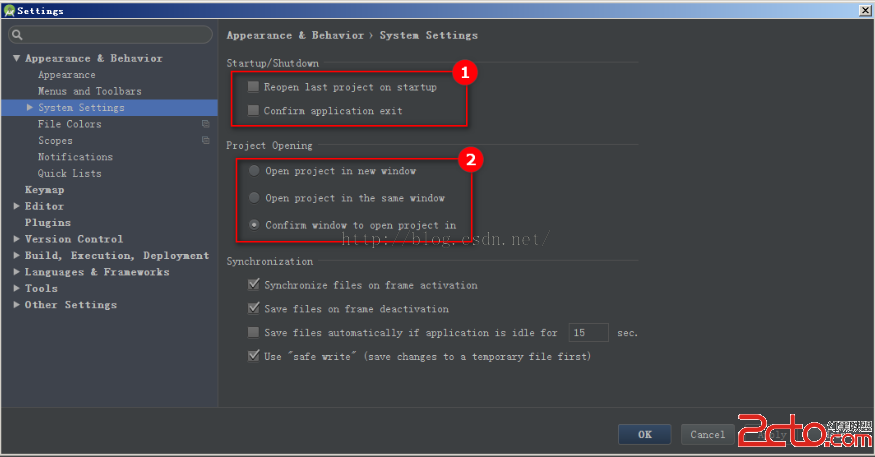 android studio 使用checkstyle全攻略
步驟:1.https://github.com/android/platform_development/blob/master/ide/intellij/codesty
 手機QQ浏覽器屏蔽廣告方法
1.打開手機QQ浏覽器,點擊底欄【菜單】 2.向左滑動,選擇【省流加速】 3.看到【廣告過濾】了嗎,點擊進入 4.在這裡即可選擇是否打開【廣告過濾】