編輯:關於Android編程
什麼是靜默安裝?既是可以在不提示用戶的情況下,進行APK的安裝。
有的時候,根據業務需求,需要實現靜默安裝APK,但是Android提供的安裝接口是需要提示用戶的前提下安裝。
以下提供一個靜默安裝的解決方案(通過執行命令行的方式實現,需ROOT權限):
new Thread() {
    public void run() {
    Process process = null;
    OutputStream out = null;
    InputStream in = null;
    try {
    // 請求root
    process = Runtime.getRuntime().exec("su");
    out = process.getOutputStream();
    // 調用pm命令安裝,理論上是可以做任何事情
    out.write(("pm install -r " + currentTempFilePath + "\n").getBytes());
    in = process.getInputStream();
    int len = 0;
    byte[] bs = new byte[1024];
    while (-1 != (len = in.read(bs))) {
    String state = new String(bs, 0, len);
    if (state.equals("Success\n")) {
       //安裝成功後的操作
         }
       }
    } catch (IOException e) {
        e.printStackTrace();
    } catch (Exception e) {
        e.printStackTrace();
    } finally {
        try {
            if (out != null) {
                out.flush();
                out.close();
            }
            if (in != null) {
                in.close();
            }
        } catch (IOException e) {
            e.printStackTrace();
        }
    }
  }
}.start();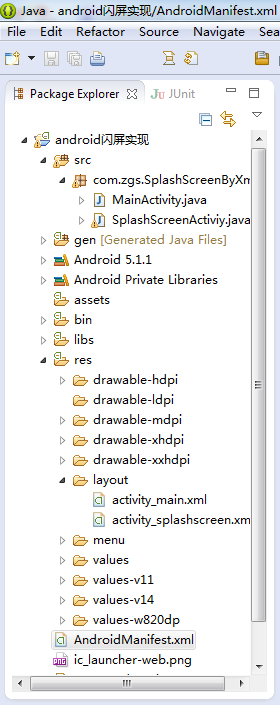 Android中閃屏實現方法小結(普通閃屏、倒計時閃屏、倒計時+動畫閃屏)
一、項目目錄結構二、activity_main.xml代碼<RelativeLayout xmlns:android=http://schemas.android.
 Android實現點擊Button產生水波紋效果
先上圖,看看接下來我要向大家介紹的是個什麼東西,如下圖: 接下來要介紹的就是如何實現上述圖中的波紋效果,這種效果如果大家沒有體驗過的話,可以看看百度手機衛士或者360手機
 Android編程獲取控件寬和高的方法總結分析
本文總結分析了Android編程獲取控件寬和高的方法。分享給大家供大家參考,具體如下:我們都知道在onCreate()裡面獲取控件的高度是0,這是為什麼呢?我們來
 android 自定義控件字體,解決字體偏移,卡頓,代碼重復等問題
其實,安卓上使用自定義的字體非常得簡單,在assets文件夾下面,自己定義一個font文件夾,然後,把自己的字體放進去,可以重命名一下,如圖: 這樣