編輯:關於Android編程
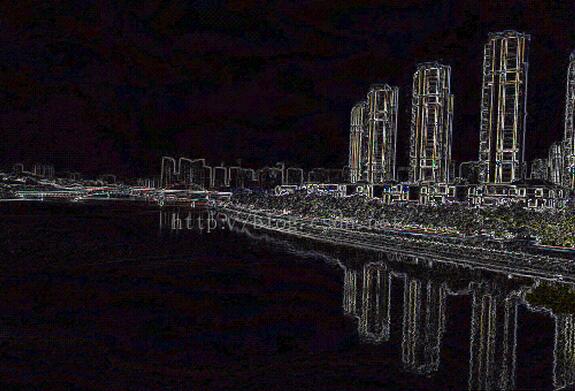
霓虹是用來描繪圖像的輪廓,勾畫出顏色變化的邊緣,加強其過度效果,使圖像產生輪廓發光的效果。
主要步驟為
1、根據當前像素與其右方和下方像素的梯度運算;
2、然後將結果值作為當前像素值,即將原圖當前下像素的RGB分量與其右方和下方像素做梯度 運算(差的平方和平方根);
3、然後將梯度值作為處理後的像素的RGB三個分量;
用代碼實現如下:
//霓虹
public static Bitmap Neon(Bitmap bitmap){
  int w = bitmap.getWidth();
  int h = bitmap.getHeight();

  Bitmap resultBitmap = Bitmap.createBitmap(w, h, Bitmap.Config.RGB_565);
  int color = 0;
  int r,g,b,r1,g1,b1,r2,g2,b2;

  int[] oldPx = new int[w * h];
  int[] newPx = new int[w * h];

  bitmap.getPixels(oldPx, 0, w, 0, 0, w, h);
  for(int y = 0; y < h - 1; y++){
    for(int x = 0; x < w - 1; x++){
      color = oldPx[x+y*w];

      r = (color >> 16) & 0xFF;
      g = (color >> 8) & 0xFF;
      b = (color >> 0) & 0xFF;

      int newcolor = oldPx[x+1+y*w];

      r1 = (newcolor >> 16) & 0xFF;
      g1 = (newcolor >> 8) & 0xFF;
      b1 = (newcolor >> 0) & 0xFF;

      int newcolor2 = oldPx[x+(y+1)*w];

      r2 = (newcolor2 >> 16) & 0xFF;
      g2 = (newcolor2 >> 8) & 0xFF;
      b2 = (newcolor2 >> 0) & 0xFF;

      int tr = (int) (2*Math.sqrt(((r-r1)*(r-r1)+(r-r2)*(r-r2))));
      int tg = (int) (2*Math.sqrt(((g-g1)*(g-g1)+(g-g2)*(g-g2))));
      int tb = (int) (2*Math.sqrt(((b-b1)*(b-b1)+(b-b2)*(b-b2))));

      newPx[x+y*w] = (255 << 24)|(tr << 16)|(tg << 8)|(tb);
    }
  }
  resultBitmap.setPixels(newPx, 0, w, 0, 0, w, h);
  return resultBitmap;
}
對應的效果圖如下:
原圖如下:
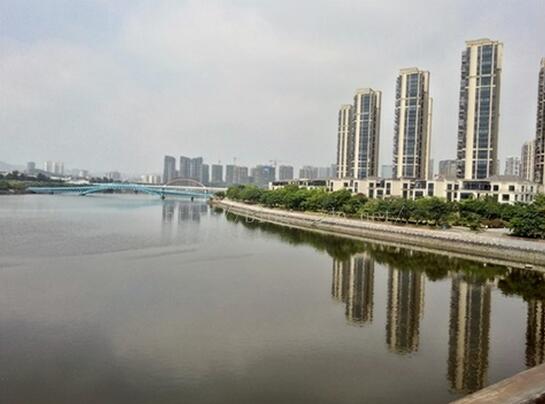
挺具有魔幻色彩的。
以上就是本文的全部內容,希望對大家的學習有所幫助,也希望大家多多支持本站。
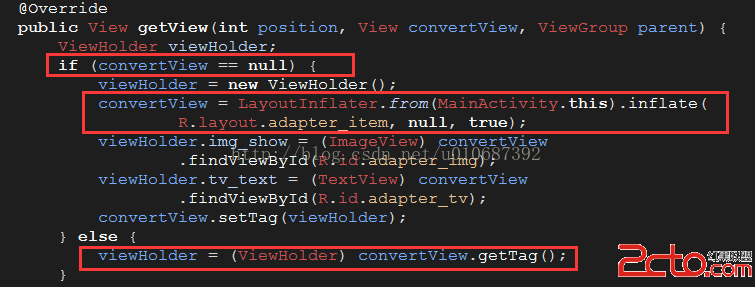 Android性能優化之Listview(ViewHolder重用機制)
相信大家在很多時候都會用到ListView這個控件,因為確實是用的很多很多,但是有木有遇到過當數據很多很多的時候,往下滑ListView時有時候會卡頓,這就需要我們來優化
 微信怎麼設置免打擾 微信設置消息免打擾
微信是我們平時生活中密不可分的社交聊天軟件,它操作簡單,功能實用,能及時進行消息的收發功能,不過有時候也經常被微信無關信息打擾,那怎麼樣進行設置呢?今天就由
 android開發使用SQLite之寫日記
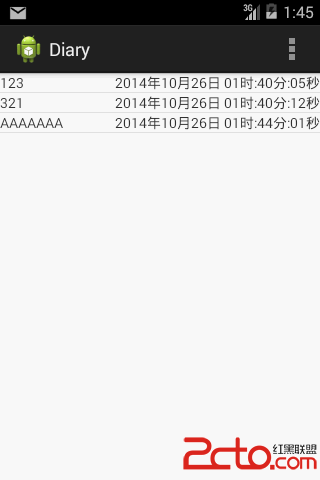
使用數據庫實現對數據的存儲。 下面上一個小例子,寫日記。 效果如下: 當LIstView中沒有數據顯示時,我們需要告訴用戶沒有數據.
 Android-銀聯支付
銀聯支付也是一般比較常用的支付功能,這裡簡單了介紹android app如果短期快速應用這一方面的東西。直接上代碼: 1.導入銀聯支付的依賴包: 2.在res目錄下增