編輯:關於Android編程
方法一:
通過Theme.Translucent
@android:style/Theme.Translucent
@android:style/Theme.Translucent.NoTitleBar
@android:style/Theme.Translucent.NoTitleBar.Fullscreen
只需要在Manifest中需要透明的Activity內設置theme為以上任意一個就可以了
<activity
  android:name="com.vixtel.simulate.MainApp"
  android:configChanges="keyboardHidden|orientation"
  android:label="@string/app_name"
  android:screenOrientation="portrait"
  android:theme="@android:style/Theme.Translucent.NoTitleBar" >
  <intent-filter>
    <action android:name="android.intent.action.MAIN" />

    <category android:name="android.intent.category.LAUNCHER" />
  </intent-filter>
</activity>
方法二:
自定義style,就像自定義Dialog的style一樣,在res-values-color.xml中添加透明顏色值:
<?xml version="1.0" encoding="UTF-8"?>
<resources>

  <color name="transparent">#0000</color>

</resources>
在res-values-styles.xml中添加如下:
<style name="myTransparent">
  <item name="android:windowBackground">@color/transparent</item>
  <item name="android:windowNoTitle">true</item>
  <item name="android:windowIsTranslucent">true</item>
  <item name="android:windowAnimationStyle">@android:style/Animation.Translucent</item>
</style>
在Manifest中中需要透明的Activity內設置theme為我們自定義的即可
android:theme="@style/myTransparent"
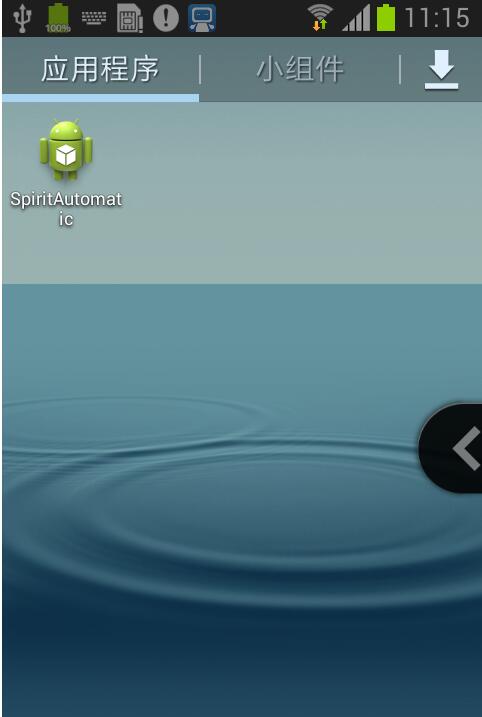
運行程序後,就全透明了,看得見背景下的所有東西可以卻都操作無效。
以上就是小編為大家帶來的Android設置Activity背景為透明style的簡單方法(必看)全部內容了,希望大家多多支持本站~
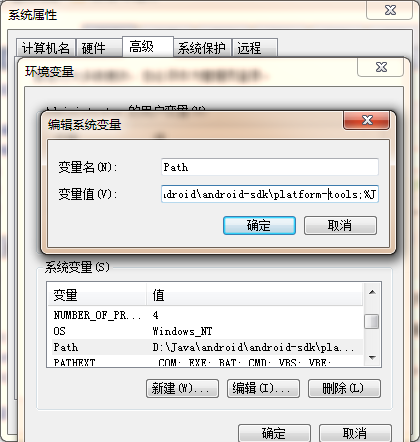 Android 用adb pull或push 拷貝手機文件到到電腦上,拷貝手機數據庫到電腦上,拷貝電腦數據庫到手機上
先說一下adb命令配置,如果遇到adb不是內部或外部命令,也不是可運行的程序或批量文件。配置下環境變量1、adb不是內部或外部命令,也不是可運行的程序或批量文件。解決辦法
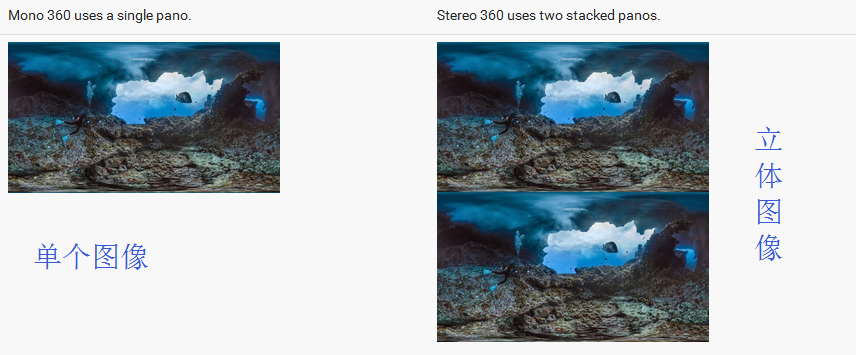 二、VR全景圖 ---- Android VR視頻/Google VR for Android /VR Pano/VR Video
SimpleVrPanorama其實這篇應該寫SimpleVrPanorama和simplevideowidget 兩個,但是由於篇幅過長就分開寫了演示用AS錄的沒有觸摸
 微信舉報解除和微信解除限制的6個方法
在微信的運營過程中難免會出現一些無法預料的事情,比如在朋友圈被惡評,甚至被某些別有用
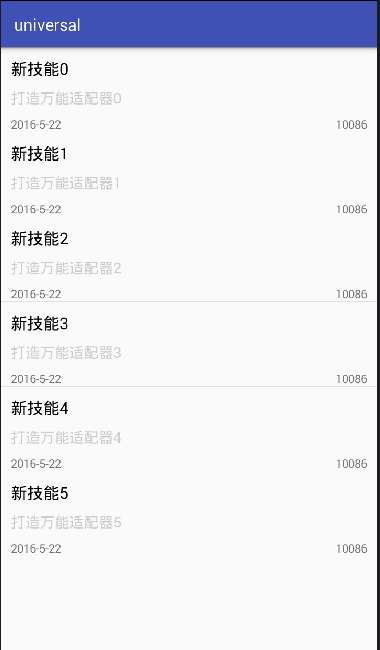 android開發筆記之適配器
大家看到這個標題是不是覺得很詫異呢?什麼叫終極適配器,其實就是這種適配器是萬能的,所有需要使用適配器的組件,都可用這一個適配器就行。既然這樣,就來講講吧。效果:當然這是個