編輯:關於Android編程
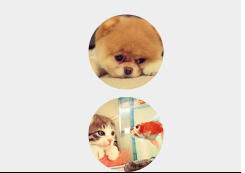
Bitmap src = BitmapFactory.decodeResource(getResources(), imageId); //獲取Bitmap圖片
RoundedBitmapDrawable roundedBitmapDrawable = RoundedBitmapDrawableFactory.create(getResources(), src); //創建RoundedBitmapDrawable對象
roundedBitmapDrawable.setCornerRadius(100); //設置圓角半徑(根據實際需求)
roundedBitmapDrawable.setAntiAlias(true); //設置反走樣
image.setImageDrawable(roundedBitmapDrawable); //顯示圓角圖片
動態
生成圓形圖片
由於RoundedBitmapDrawable類沒有直接提供生成圓形圖片的方法,所以生成圓形圖片首先需要對原始圖片進行裁剪,將圖片裁剪成正方形,最後再生成圓形圖片,具體實現如下:
Bitmap src = BitmapFactory.decodeResource(getResources(), imageId);
Bitmap dst;
//將長方形圖片裁剪成正方形圖片
if (src.getWidth() >= src.getHeight()){
dst = Bitmap.createBitmap(src, src.getWidth()/2 - src.getHeight()/2, 0, src.getHeight(), src.getHeight()
);
}else{
dst = Bitmap.createBitmap(src, 0, src.getHeight()/2 - src.getWidth()/2, src.getWidth(), src.getWidth()
);
}
RoundedBitmapDrawable roundedBitmapDrawable = RoundedBitmapDrawableFactory.create(getResources(), dst);
roundedBitmapDrawable.setCornerRadius(dst.getWidth() / 2); //設置圓角半徑為正方形邊長的一半
roundedBitmapDrawable.setAntiAlias(true);
image.setImageDrawable(roundedBitmapDrawable);
以上所述是小編給大家介紹的使用RoundedBitmapDrawable生成圓角圖片的方法,希望對大家有所幫助,如果大家有任何疑問請給我留言,小編會及時回復大家的。在此也非常感謝大家對本站網站的支持!
 Android選項卡動態滑動效果
本文會實現一個類似網易新聞(不說網易新聞大家可能不知道大概是什麼樣子)點擊超多選項卡,選項卡動態滑動的效果。首先來看看布局,就是用HorizontalScrollView
 詳解Android中Notification的使用方法
在消息通知的時候,我們經常用到兩個控件Notification和Toast。特別是重要的和需要長時間顯示的信
 React Native 集成到已有項目
前言React Native已經出現很久了,有很多應用也在進行嘗試,前面我們也講述了怎麼創建React Native工程以及怎麼搭建原生語言與js的開發環境。但是在實際應
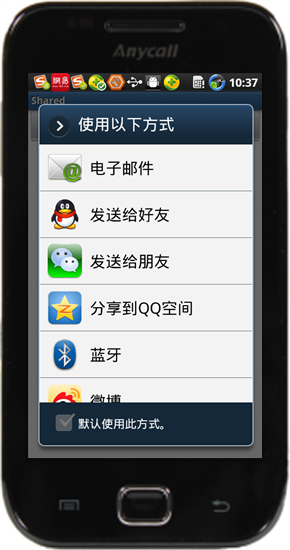 詳解Android系統中跨應用數據分享功能的實現
一個Andoird應用程序的重要的地方是他們有相互溝通和整合的能力,一個應用程序可以和另一個應用程序交互,接下來我們來看看Android應用之間的內容分享當你構建Inte