編輯:關於Android編程
效果圖如下
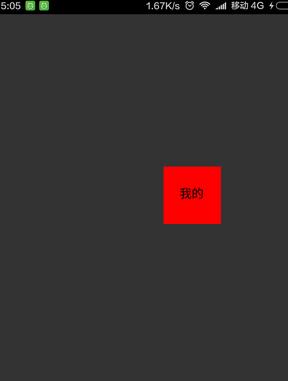
第一步:新建DragView繼承RelativeLayout
package com.rong.activity;

import com.rong.test.R;

import android.content.Context;
import android.graphics.Color;
import android.graphics.PixelFormat;
import android.util.AttributeSet;
import android.view.Gravity;
import android.view.MotionEvent;
import android.view.View;
import android.view.WindowManager;
import android.widget.Button;
import android.widget.RelativeLayout;

public class DragView extends RelativeLayout {
 private WindowManager windowManager;// 用於可拖動的浮動窗口
 private WindowManager.LayoutParams windowParams;// 浮動窗口的參數
 private Button myButton;

 public DragView(Context context, AttributeSet attrs) {
 super(context, attrs);
 init();
 }

 private void init() {
 View.inflate(getContext(), R.layout.layout_my, this);
 myButton = new Button(getContext());
 myButton.setText("我的");
 myButton.setBackgroundColor(Color.RED);
 }

 @Override
 public boolean onTouchEvent(MotionEvent event) {
 // 獲取當前點的xy位置
 int currentX = (int) event.getX();
 int currentY = (int) event.getY();
 switch (event.getAction()) {
 case MotionEvent.ACTION_DOWN:
  if (windowManager == null) {
  setWindowParams(currentX, currentY);
  windowManager = (WindowManager) getContext().getSystemService(Context.WINDOW_SERVICE);
  windowManager.addView(myButton, windowParams);
  }
  break;
 case MotionEvent.ACTION_MOVE:
  windowParams.x = currentX;
  windowParams.y = currentY;
  windowManager.updateViewLayout(myButton, windowParams);
  break;
 case MotionEvent.ACTION_UP:
  // windowManager.removeView(myButton);
  break;
 }
 return true;
 }

 private void setWindowParams(int x, int y) {
 // 建立item的縮略圖
 windowParams = new WindowManager.LayoutParams();
 windowParams.gravity = Gravity.TOP | Gravity.LEFT;// 這個必須加
 // 得到preview左上角相對於屏幕的坐標
 windowParams.x = x;
 windowParams.y = y;
 // 設置寬和高
 windowParams.width = 200;
 windowParams.height = 200;
 windowParams.flags = WindowManager.LayoutParams.FLAG_NOT_FOCUSABLE
  | WindowManager.LayoutParams.FLAG_NOT_TOUCHABLE | WindowManager.LayoutParams.FLAG_KEEP_SCREEN_ON
  | WindowManager.LayoutParams.FLAG_LAYOUT_IN_SCREEN;
 windowParams.format = PixelFormat.TRANSLUCENT;
 windowParams.windowAnimations = 0;
 }
}
第二步:新建布局文件activity_main.xml
<?xml version="1.0" encoding="utf-8"?>
<RelativeLayout xmlns:android="http://schemas.android.com/apk/res/android"
  android:id="@+id/main_touchlayout"
  android:layout_width="match_parent"
  android:layout_height="match_parent"
  android:background="#ffffff"
  android:orientation="vertical" >

  <com.rong.activity.DragView
    android:id="@+id/main_touchview"
    android:layout_width="match_parent"
    android:layout_height="match_parent"
    android:layout_centerInParent="true"
    android:background="#ff0000" />

</RelativeLayout>
以上就是本文的全部內容,希望對大家的學習有所幫助,也希望大家多多支持本站。
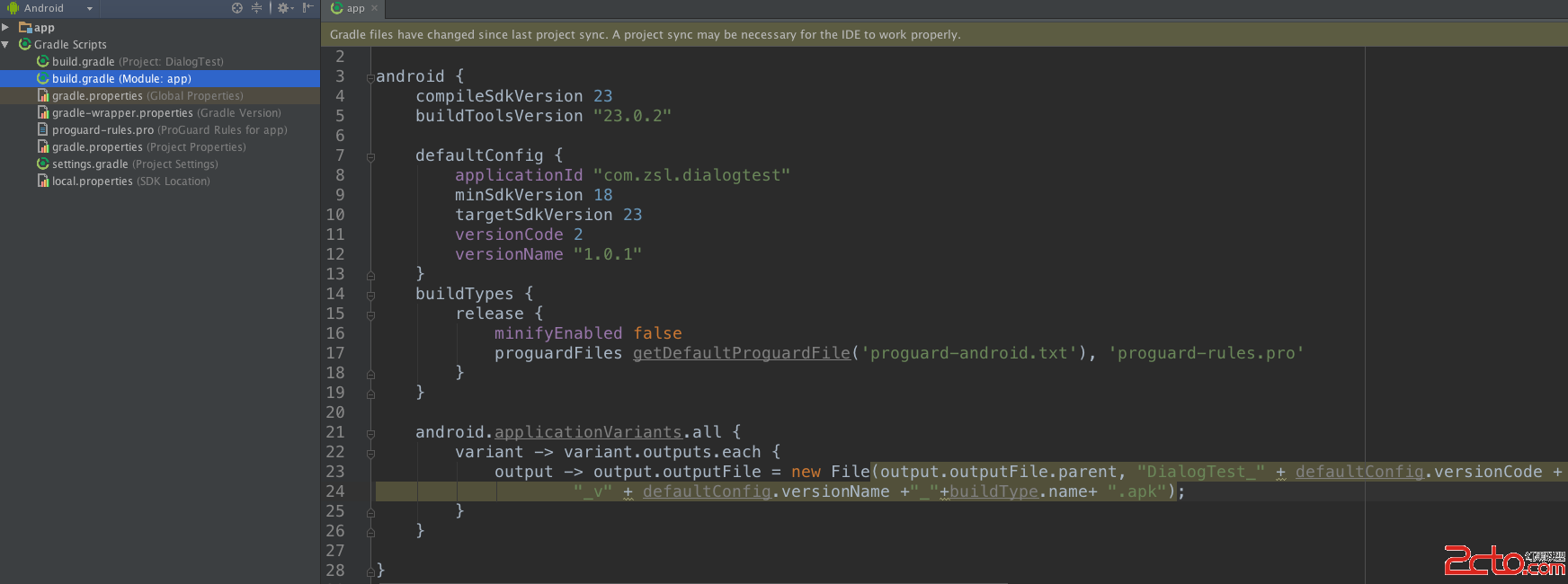 Android Studio 打包apk,自動追加版本號和版本名稱
默認AS大包好的apk是app-deubg.apk的,這樣的話版本多了找出一個bug在哪個版本中存在的,就非常的麻煩了,我們追加版本號和版本名稱後就非常好區分了。配置方法
 Android7.0 MessageQueue
Android中的消息處理機制大量依賴於Handler。每個Handler都有對應的Looper,用於不斷地從對應的MessageQueue中取出消息處理。一直以來,覺得
 qq厘米秀挑戰厘米神搶手怎麼玩
QQ厘米秀是騰訊手機QQ新出的功能,玩家在手機QQ聊天中可以放上自己的厘米秀,也能發很多特定的帶有聲音的表情。QQ厘米秀讓用戶在手機QQ聊天中更有趣,而且目
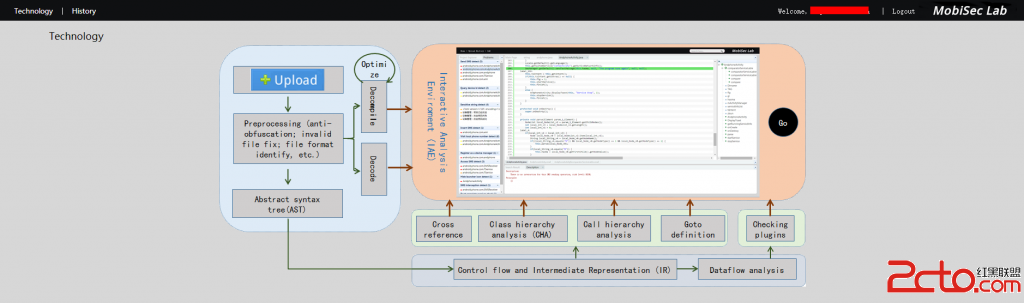 Android安卓安全審計mobiseclab
關於安卓上的app分析,有很多的本地化軟件可以勝任, 不過,今天給大家介紹一款在線的安全審計,惡意軟件(android app)檢測和分析工具,mobiseclab,