編輯:關於Android編程
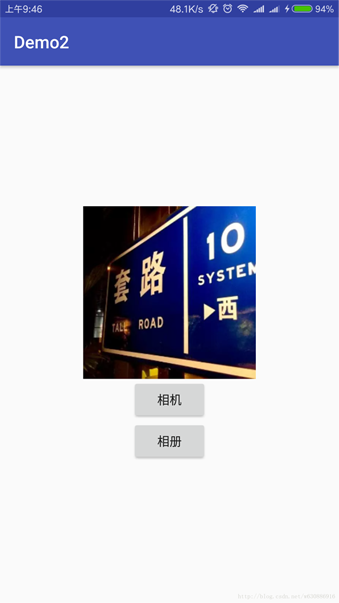
預覽效果圖:

需要權限:
<uses-permission android:name="com.android.launcher.permission.INSTALL_SHORTCUT" />
配置文件:AndroidManifest.xml
<activity
android:name="com.myself.news.activity.GuideActivity"
android:label="@string/title_activity_guide" >
<intent-filter>
<action android:name="com.myself.news.ACTION_HOME" />
<category android:name="android.intent.category.DEFAULT" />
</intent-filter>
</activity>
在應用的閃屏頁面Activity的 oncreate方法調用 installShortcut();
代碼:
// 創建快捷方式
// com.android.launcher.permission.INSTALL_SHORTCUT
private void installShortcut() {
// 判斷有沒有創建過快捷方式
boolean isCreated = SharedPreferencesUtils.getBoolean(this,
GlobalConstantsUtils.PREF_IS_SHORTCUT_INTALLED, false);
// 判斷是否已經創建過
if (!isCreated) {
// 發廣播
Intent intent = new Intent();
intent.setAction("com.android.launcher.action.INSTALL_SHORTCUT");
// 圖標
// 根據資源文件id生成Bitmap對象
intent.putExtra(Intent.EXTRA_SHORTCUT_ICON, BitmapFactory
.decodeResource(getResources(), R.drawable.ic_launcher));
// 名稱
intent.putExtra(Intent.EXTRA_SHORTCUT_NAME, "手機安全衛士");
// 動作
Intent actionIntent = new Intent();
// 跳到主頁面
actionIntent.setAction(GlobalConstantsUtils.ACTION_HOME);
intent.putExtra(Intent.EXTRA_SHORTCUT_INTENT, actionIntent);
sendBroadcast(intent);
// 標記已經創建過快捷方式,下次不再創建
SharedPreferencesUtils.setBoolean(this,
GlobalConstantsUtils.PREF_IS_SHORTCUT_INTALLED, true);
}
}
常量工具類GlobalConstantsUtils:
public static final String PREF_IS_SHORTCUT_INTALLED = "is_shortcut_intalled";// 是否已經創建快捷方式
public static final String ACTION_HOME = "com.myself.news.ACTION_HOME";// 跳轉到主頁面的ACTION
 ym——Android仿QQ5.0側滑菜單ResideMenu源碼分析
原創博客地址:點擊傳送 AndroidResideMenu 先看看如何使用: 把項目源碼下載下來導入工程,可以看到 ResideMenu為引用工程,再看
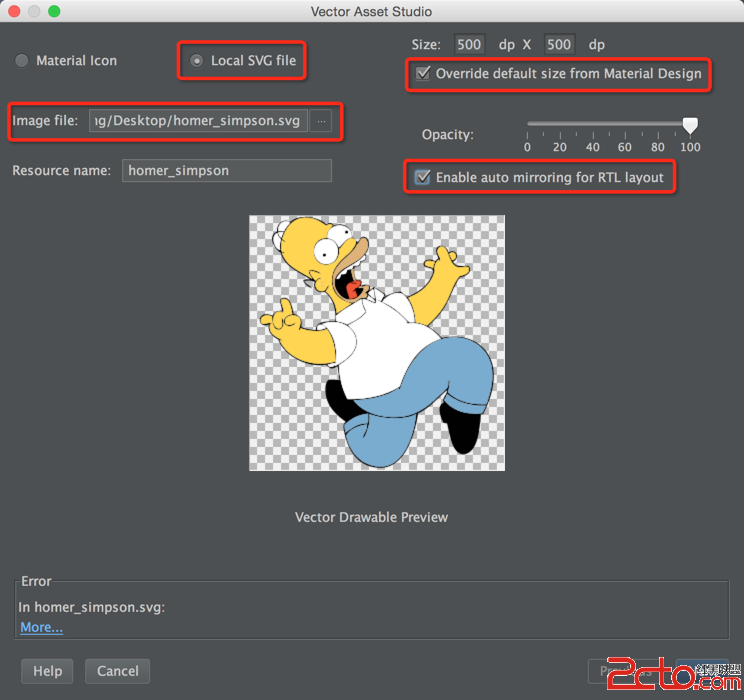 使用SVG圖片格式
SVG格式, 適應屏幕, 圖片較小, 還有很多優點, 參考. 本文講解如何使用SVG格式. SVG: Scalable Vector Graphics, 可縮放矢量圖形.
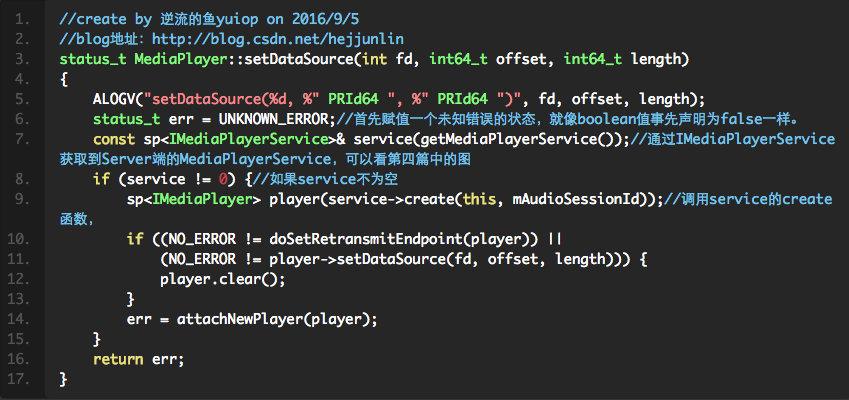 Android Multimedia框架總結(六)C++中MediaPlayer的C/S架構
前面幾節中,都是通過java層調用到jni中,jni向下到c++層並未介紹看下Java層一個方法在c++層 MediaPlayer後續過程frameworks/av/me
 Android應用程序內存洩漏介紹
Android應用程序內存洩漏介紹內存洩漏和內存溢出的區別內存溢出(out of memory)是指程序在申請內存時,沒有足夠的內存空間供其使用,出現out of mem