編輯:關於Android編程
一、Splash界面的作用
用來展現產品的Logo
應用程序初始化的操作
檢查應用程序的版本
檢查當前應用程序是否合法注冊
二、界面的xml定義
寫一個布局背景設置為產品的logo圖片,再添加一個textview顯示版本號。
  <TextView
  android:id="@+id/tv_splash_version"
  android:layout_width="wrap_content"
  android:layout_height="wrap_content"
  android:textColor="#000000"
  android:text
  android:shadowDx="1"//陰影的偏移量
  android:shadowDy="1"
  android:shadowRadius="0.2"//陰影的半徑
  android:shadowColor="#ffff00"
  android:text="版本:1.0"
  android:textSize="16sp"
  android:layout_centerInParent="true"/>
三、動態獲取版本號的方法
public String getAppVersion(){
  PackageManager pm = getPackageManager();
  try {
    PackageInfo info = pm.getPackageInfo(getPackageName(), 0);
    return info.versionName;
  } catch (NameNotFoundException e) {
    e.printStackTrace();
    //不可能發生;
    return "";
  }
}
四、鏈接服務器獲取更新信息
升級提醒的對話框
protected void showUpdateDialog() {
 AlertDialog.Builder build = new Builder(this);
 build.setTitle("發現新版本");
 build.setMessage(description);
 build.setNegativeButton("立刻升級", new OnClickListener() {

   @Override
   public void onClick(DialogInterface dialog, int which) {
     //升級的代碼;
   };
 });
 build.setPositiveButton("下次再說", new OnClickListener() {

   @Override
   public void onClick(DialogInterface dialog, int which) {
     dialog.dismiss();
 enterHome();

   }
 });
 build.show();
在子線程中請求服務器的代碼 checkup()方法
private void checkup() {
 new Thread() {
   public void run() {
     Message msg = Message.obtain();
     long startTime = System.currentTimeMillis();//啟動該線程的系統時間
     try {
       //請求網絡的代碼
       URL url = new URL(getString(R.string.serverurl));
       HttpURLConnection conn = (HttpURLConnection) url
           .openConnection();
       conn.setRequestMethod("GET");//請求方法
       conn.setConnectTimeout(4000);//超時時間
       int code = conn.getResponseCode();//返回碼200請求成功
       if (code == 200) {
         InputStream is = conn.getInputStream();
         String result = StreamTools.readFromStream(is);
         Log.i(TAG, "聯網成功" + result);
         JSONObject obj = new JSONObject(result);//解析json字符串
         String version = (String) obj.get("version");//版本信息
         description = (String) obj.get("description");//描述信息
         apkurl = (String) obj.get("apkurl");
         if (getAppVersion().equals(version)) {
           msg.what = ENTER_HOME;
         } else {
           msg.what = SHOW_UPDATE_DIALOG;

         }
       }
     } catch (MalformedURLException e) {

       e.printStackTrace();
       msg.what = URL_ERROR;
     } catch (IOException e) {
       e.printStackTrace();
       msg.what = NETWORK_ERROR;
     } catch (JSONException e) {
       e.printStackTrace();
       msg.what = JSON_ERROR;
     } finally {
       handler.sendMessage(msg);
       long endTime = System.currentTimeMillis();//該線程執行完畢的時間
       long dTime = endTime-startTime;//該線程的阻塞時間
       if (dTime<3000) {
         try {
           Thread.sleep(3000-dTime);//若該線程的阻塞時間小於三秒繼續睡眠到三秒
         } catch (InterruptedException e) {
           e.printStackTrace();
         }
       }
     }
   }
 }.start();

 }
handler

 private Handler handler = new Handler() {

 @Override
 public void handleMessage(Message msg) {
   // TODO Auto-generated method stub
   super.handleMessage(msg);
   switch (msg.what) {
   case SHOW_UPDATE_DIALOG:
     showUpdateDialog();
     break;
   case ENTER_HOME:
     Toast.makeText(getApplicationContext(), "", 0).show();
     enterhome();
     break;
   case URL_ERROR:
     Toast.makeText(getApplicationContext(), "URL_ERROR", 0).show();
     enterhome();
     break;
   case NETWORK_ERROR:
     Toast.makeText(getApplicationContext(), "NETWORK_ERROR", 0).show();
     enterhome();
     break;

   case JSON_ERROR:
     Toast.makeText(getApplicationContext(), "JSON_ERROR", 0).show();
     enterhome();
     break;
   }
 }
};
五、下載文件(使用Afinal框架)並調用系統安裝工具安裝APK
  if (Environment.getExternalStorageState().equals(Environment.MEDIA_MOUNTED)) {
      FinalHttp finalHttp = new FinalHttp();
        finalHttp.download(apkurl,Environment.getExternalStorageDirectory().getAbsolutePath()+
         "/mobilesafe2.0.apk" , new AjaxCallBack<File>() {

          @Override
          public void onLoading(long count, long current) {
            super.onLoading(count, current);
            tv_uapdate_info.setVisibility(View.VISIBLE);
            int progress =(int) (current*100/count);
                tv_uapdate_info.setText("下載進度:"+progress+"%");
          }

          @Override
          public void onFailure(Throwable t, int errorNo,
              String strMsg) {
            t.printStackTrace();
            Toast.makeText(getApplicationContext(), "下載失敗", 0).show();
            enterhome();

            super.onFailure(t, errorNo, strMsg);
          }

          @Override
          public void onSuccess(File t) {

            super.onSuccess(t);
            installAPK(t);

          }

          private void installAPK(File t) {
            Intent intent = new Intent();//自動安裝程序可調用該段代碼
            intent.setAction("android.intent.action.VIEW");
            intent.addCategory("android.intent.category.DEFAULT");
            intent.setDataAndType(Uri.fromFile(t), "application/vnd.android.package-archive");
            startActivity(intent);
          }

        });

      }else{
        Toast.makeText(getApplicationContext(), "請插入內存卡再試",0).show();
        return;

      }
其他:
1、顯示4.0的樣式:方式是去掉功能清單裡的Activity對應的android:theme;
放到application裡面;
2、當splash頁面彈出升級提示框過濾點擊返回的是兩種方式:
builder.setCancelable(false);
設置setOnCancelListener 當觸屏的時候直接進入主頁面
對話框是掛載在Activity上面的,如果Activity不存在,對話框就不能被創建。
getApplicationContext();生命周期長,只要應用還存活它就存在;this 生命周期短,只要Activity不存在了,系統就會回收
其中:getBaseContext(),getApplication(),getApplicationContext(); 都不能放在AlertDialog做上下文;
3.Splash用來宣傳和隱藏程序啟動細節是很有用的。
用Handler的實現方法如下:(也可以用線程實現,不推薦)
定義一個Activity,用來顯示你的圖片,其中最重要的就是定義一個Handler,用來發送和接收消息:
public class WelcomeActivity extends Activity
{
  //定義一個handler,用來接收延遲發送的信息-啟動activity
  private Handler handler = new Handler()
  {
    @Override
    <span >public void handleMessage(Message msg) </span>
    {
      // TODO Auto-generated method stub
      super.handleMessage(msg);
      switch(msg.what)
      {
      case 0x123:
        Intent intent = new Intent(WelcomeActivity.this,
            OnlineExamActivity.class);
        startActivity(intent);
        finish();
      }
    }
  };
在onCreate()方法中,用handler發送消息,延遲3000毫秒:
@Override
  protected void onCreate(Bundle savedInstanceState)
  {
    // TODO Auto-generated method stub
    super.onCreate(savedInstanceState);
    setContentView(R.layout.welcome_activity);
    start();
  }

  private void start()
  {
    <span >handler.sendEmptyMessageDelayed(0x123, 3000);</span>
  }
把你的圖片放到布局文件中作背景即可。
 android動畫的實戰篇------樂動力旋轉動畫
一、前言 在現今App泛濫的市場上,各種App的功能都是你抄我的我抄你的時候,想做一個精品的App沒有自己的風格,沒有讓用戶眼
 Android之項目級懸浮窗開發教程
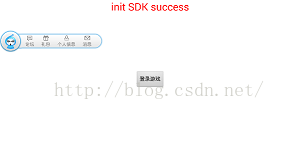
在我們玩手機游戲時能看到,很多游戲的登錄界面兩側往往會有一個小小的懸浮窗,可以提供相應功能菜單項,簡潔實用且不影響游戲體驗。具體效果如下圖所示。這篇博客將帶大家開發一個可
 Android設計模式之一個例子讓你徹底明白裝飾者模式(Decorator Pattern)
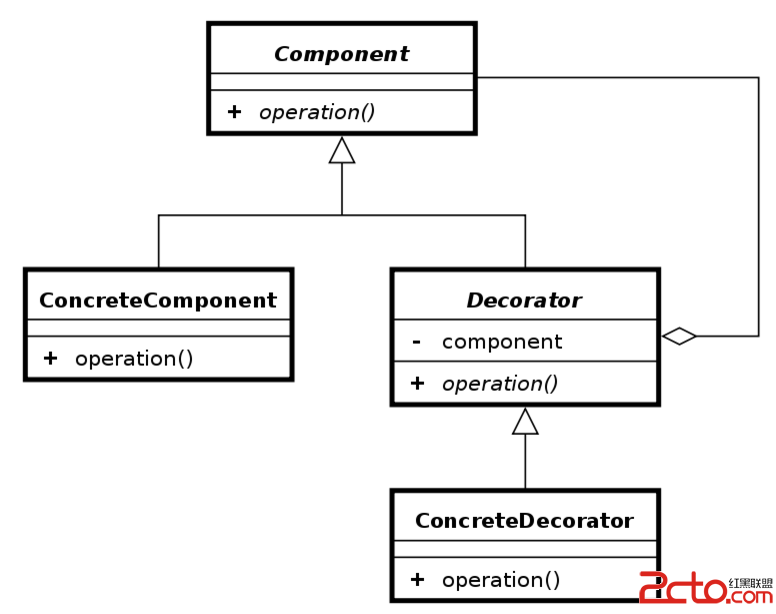
導讀這篇文章中我不會使用概念性文字來說明裝飾者模式,因為通常概念性的問題都很抽象,很難懂,使得讀者很難明白到底為什麼要使用這種設計模式,我們設計模式的誕生,肯定是前輩們在
 Android上下文菜單用法實例分析
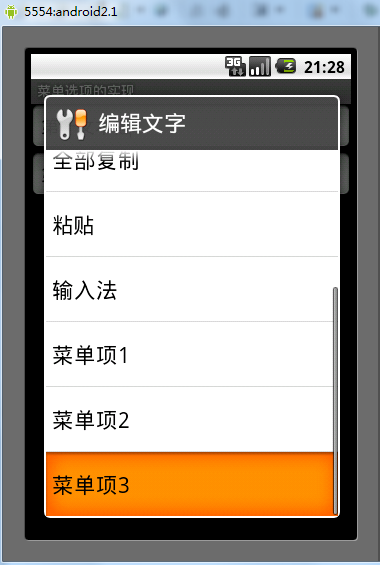
本文實例講述了Android上下文菜單用法。分享給大家供大家參考。具體如下:上下文菜單不同於選項菜單,選項菜單服務於Activity,而上下文菜單則是注冊到某個View對