編輯:關於Android編程
本文實例講述了Android編程讀取Assets所有文件(遍歷每一個文件夾)並存入sdcard的方法。分享給大家供大家參考,具體如下:
private void CopyAssets(String assetDir, String dir) {
    String[] files;
    try {
      // 獲得Assets一共有幾多文件
      files = this.getResources().getAssets().list(assetDir);
    } catch (IOException e1) {
      return;
    }
    File mWorkingPath = new File(dir);
    // 如果文件路徑不存在
    if (!mWorkingPath.exists()) {
      // 創建文件夾
      if (!mWorkingPath.mkdirs()) {
        // 文件夾創建不成功時調用
      }
    }
    for (int i = 0; i < files.length; i++) {
      try {
        // 獲得每個文件的名字
        String fileName = files[i];
        // 根據路徑判斷是文件夾還是文件
        if (!fileName.contains(".")) {
          if (0 == assetDir.length()) {
            CopyAssets(fileName, dir + fileName + "/");
          } else {
            CopyAssets(assetDir + "/" + fileName, dir + "/"
                + fileName + "/");
          }
          continue;
        }
        File outFile = new File(mWorkingPath, fileName);
        if (outFile.exists())
          outFile.delete();
        InputStream in = null;
        if (0 != assetDir.length())
          in = getAssets().open(assetDir + "/" + fileName);
        else
          in = getAssets().open(fileName);
        OutputStream out = new FileOutputStream(outFile);
        // Transfer bytes from in to out
        byte[] buf = new byte[1024];
        int len;
        while ((len = in.read(buf)) > 0) {
          out.write(buf, 0, len);
        }
        in.close();
        out.close();
      } catch (FileNotFoundException e) {
        e.printStackTrace();
      }
      catch (IOException e) {
        e.printStackTrace();
      }
    }
}
更多關於Android相關內容感興趣的讀者可查看本站專題:《Android開發入門與進階教程》、《Android數據庫操作技巧總結》及《Android控件用法總結》
希望本文所述對大家Android程序設計有所幫助。
 Android App卡頓慢優化之多線程優化
本博客涉及的內容有:多線程並發的性能問題,介紹了AsyncTask,HandlerThread,IntentService與ThreadPool分別適合的使用場景以及各自
 在Android Studio 配置OpenCV 3.1
進入官網(http://opencv.org/)下載OpenCV for android並解壓,不知道什麼原因,嘗試過幾次下載的很慢,時常斷開,後來有一次突然就很順利的下
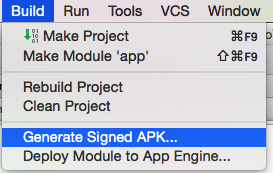 Android Studio系列-簽名打包
前言本篇博客紀錄使用Android Studio對項目進行簽名打包,跟Eclipse大同小異,讀者朋友注意其中到差別。第一步 創建簽名文件第二步 填寫簽名參數第三步 選擇
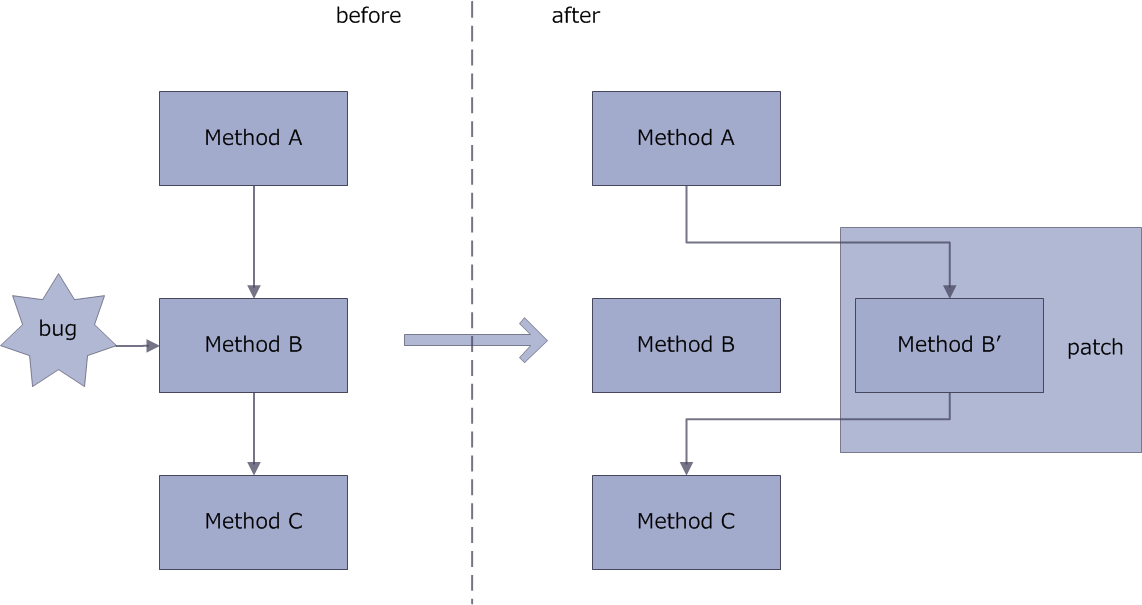 Android熱修復:Andfix和Hotfix,兩種方案的比較與實現
android的熱修復技術我看的最早的應該是QQ空間團隊的解決方案,後來真正需要了,才仔細調查,現在的方案中,阿裡有兩種Dexposed和Andfix框架,由於前一種不支