編輯:關於Android編程
本文實例分析了Android持久化技術之文件的讀取與寫入操作。分享給大家供大家參考,具體如下:
1、文件存儲
(1)在Android的持久化技術中,文件存儲是最基本的一種數據存儲方式。
(2)對存儲的內容部做任何處理,原樣存儲到文件中。
(3)Context提供了文件寫入與讀取的方法,openFileOutput:寫入到文件;openFileInput:從文件中讀取。
(4)文件寫入時模式有多種:比如是覆蓋寫入還是追加寫入等。
(5)寫入的文件默認存儲在/data/data/報名/files/目錄下。
2、示例
在這裡設置一個簡單的應用場景:當在文本框中輸入內容時,當下次再進入時顯示上次輸入的內容。
(1)activity_main.xml文件
<LinearLayout xmlns:android="http://schemas.android.com/apk/res/android"
  android:layout_width="fill_parent"
  android:layout_height="fill_parent"
  android:orientation="horizontal" >
  <TextView
    android:id="@+id/textView1"
    android:layout_width="wrap_content"
    android:layout_height="wrap_content"
    android:text="Account:" />
  <EditText
    android:id="@+id/editText1"
    android:layout_width="match_parent"
    android:layout_height="wrap_content"
    android:ems="10" >
  </EditText>
</LinearLayout>
在該布局中,有一TextView和一輸入框。
(2)MainActivity.java
package com.example.testfilestore;
import java.io.BufferedReader;
import java.io.BufferedWriter;
import java.io.FileInputStream;
import java.io.FileNotFoundException;
import java.io.FileOutputStream;
import java.io.IOException;
import java.io.InputStreamReader;
import java.io.OutputStreamWriter;
import android.app.Activity;
import android.content.Context;
import android.os.Bundle;
import android.text.TextUtils;
import android.view.Menu;
import android.widget.EditText;
/**
 * 文件存儲:寫入與讀取
 * @author yy
 *
 */
public class MainActivity extends Activity {
  private EditText editText;
  @Override
  protected void onCreate(Bundle savedInstanceState) {
    super.onCreate(savedInstanceState);
    setContentView(R.layout.activity_main);
    //獲取editText對象
    editText = (EditText) findViewById(R.id.editText1);
    //首先加載上次輸入的內容
    String inputContent = readFromFile();
    if(!TextUtils.isEmpty(inputContent)){
      //如果上次輸入的內容不為空,則加載進來
      editText.setText(inputContent);
      //設置光標位置,使之位於文本末尾,默認是在文本頭部
      editText.setSelection(inputContent.length());
    }
  }
  /**
   * 當活動銷毀時,保存輸入的內容
   */
  @Override
  protected void onDestroy() {
    super.onDestroy();
    //獲取輸入的內容
    String data = editText.getText().toString();
    //寫入文件
    writeToFile(data);
  }
  /**
   * 輸入的內容寫入文件
   */
  public void writeToFile(String data){
    FileOutputStream fileOutputStream = null;
    BufferedWriter bufferedWriter = null;
    try {
      //Context中的方法,用於存儲數據
      //第一個參數是文件名
      //第二個參數是寫入模式,表示覆蓋寫入,如果原來有內容,則會覆蓋
      fileOutputStream = openFileOutput("first",Context.MODE_PRIVATE);
      bufferedWriter = new BufferedWriter(new OutputStreamWriter(fileOutputStream));
      bufferedWriter.write(data);
    } catch (FileNotFoundException e) {
      e.printStackTrace();
    } catch (IOException e) {
      e.printStackTrace();
    }finally{
        //關閉流
        try {
          if(bufferedWriter!=null){
            bufferedWriter.close();
          }
        } catch (IOException e) {
          e.printStackTrace();
        }
    }
  }
  /**
   * 從文件中讀取數據
   * @return
   */
  public String readFromFile(){
    FileInputStream fileInputStream = null;
    BufferedReader bufferedReader = null;
    StringBuffer stringBuffer = new StringBuffer();
    try {
      fileInputStream = openFileInput("first");
      bufferedReader = new BufferedReader(new InputStreamReader(fileInputStream));
      String line = "";
      while((line = bufferedReader.readLine())!=null){
        stringBuffer.append(line);
      }
    } catch (FileNotFoundException e) {
      e.printStackTrace();
    } catch (IOException e) {
      e.printStackTrace();
    }finally{
      //關閉流
      try {
        if (bufferedReader != null) {
          bufferedReader.close();
        }
      } catch (IOException e) {
        e.printStackTrace();
      }
    }
    //返回
    return stringBuffer.toString();
  }
  @Override
  public boolean onCreateOptionsMenu(Menu menu) {
    // Inflate the menu; this adds items to the action bar if it is present.
    getMenuInflater().inflate(R.menu.main, menu);
    return true;
  }
}
在該類中,提供了兩個方法:輸入內容寫入文件以及從文件中加載上次輸入的內容。在這兩個方法中分別調用Context提供的方法openFileOutput和openFileInput。
當寫入時只有文件名,當然可以添加後綴,沒有路徑,是默認存儲的。
文件的存儲時在活動銷毀時進行的。
文件內容的加載是在活動創建時進行的。
3、結果
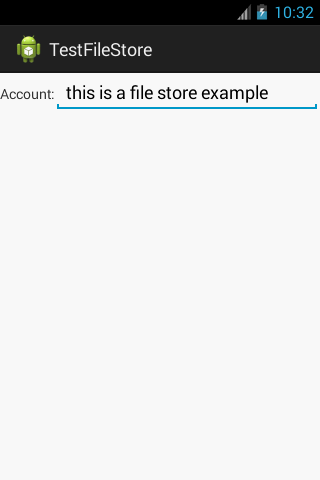
當再次進入時,會加載上次輸入的內容,並且光標位於末尾。
希望本文所述對大家Android程序設計有所幫助。
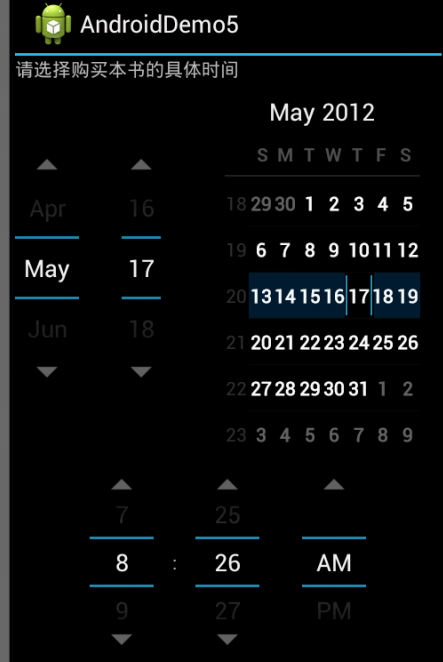 android中DatePicker和TimePicker的使用方法詳解
本文以實例講述了android中DatePicker和TimePicker的使用方法,具體步驟如下:下面是實現具體功能的代碼,其中main.xml代碼為:<?
 Android源碼之Gallery專題研究(1)
前言 時光飛逝,從事Android系統開發已經兩年了,總想寫點什麼來安慰自己。思考了很久總是無法下筆,覺得沒什麼好寫的。現在終於決定寫一些符合大多數人需求的東西,想必使用
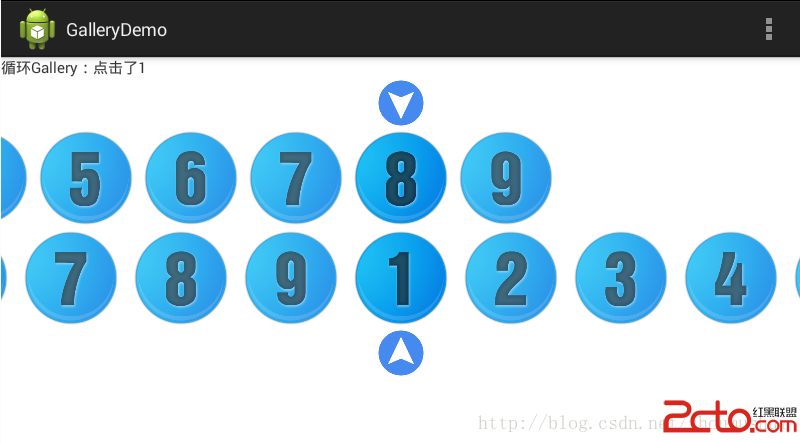 Android普通和循環Gallery
效果圖: 代碼 Main.java package com.example.gallerydemo; import android.app.Activity; imp
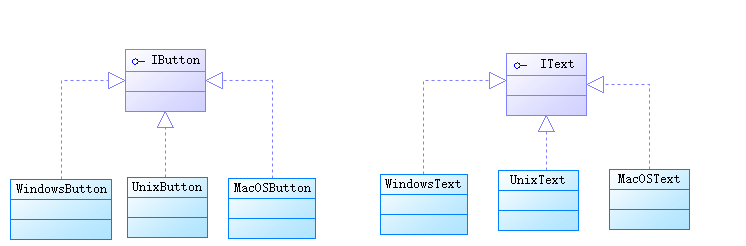 java/android 設計模式學習筆記(4)---抽象工廠模式
再來介紹一下抽象工廠模式(Abstact Factory Pattern),也是創建型模式之一。抽象工廠模式和工廠方法模式稍有區別。工廠方法模式中工廠類生產出來的產品都是