編輯:關於Android編程
本文實例講述了Android編程開發之TextView單擊鏈接彈出Activity的方法。分享給大家供大家參考,具體如下:
話不多說直接上碼:
核心源碼:
package com.example.textview4;
import android.app.Activity;
import android.content.Intent;
import android.os.Bundle;
import android.text.SpannableString;
import android.text.Spanned;
import android.text.method.LinkMovementMethod;
import android.text.style.ClickableSpan;
import android.view.View;
import android.widget.TextView;
public class MainActivity extends Activity {
  @Override
  protected void onCreate(Bundle savedInstanceState) {
    super.onCreate(savedInstanceState);
    setContentView(R.layout.activity_main);
    TextView tv1 = (TextView) findViewById(R.id.textView1);
    TextView tv2 = (TextView) findViewById(R.id.textView2);
    String text1 = "顯示第一個activity";
    String text2 = "顯示第二個activity";
    // 將text進行拆分
    SpannableString ss1 = new SpannableString(text1);
    SpannableString ss2 = new SpannableString(text2);
    ss1.setSpan( new ClickableSpan() {
      @Override
      public void onClick(View widget) {
        Intent intent = new Intent(MainActivity.this, FirstActivity.class);
        startActivity(intent);
      }
    }, 0, text1.length(), Spanned.SPAN_EXCLUSIVE_EXCLUSIVE);
    ss2.setSpan(new ClickableSpan() {
      @Override
      public void onClick(View widget) {
        Intent intent = new Intent(MainActivity.this, SecondActivity.class);
        startActivity(intent);
      }
    }, 0, text2.length(), Spanned.SPAN_EXCLUSIVE_EXCLUSIVE);
    tv1.setText(ss1);
    tv2.setText(ss2);
    tv1.setMovementMethod(LinkMovementMethod.getInstance());
    tv2.setMovementMethod(LinkMovementMethod.getInstance());
  }
}
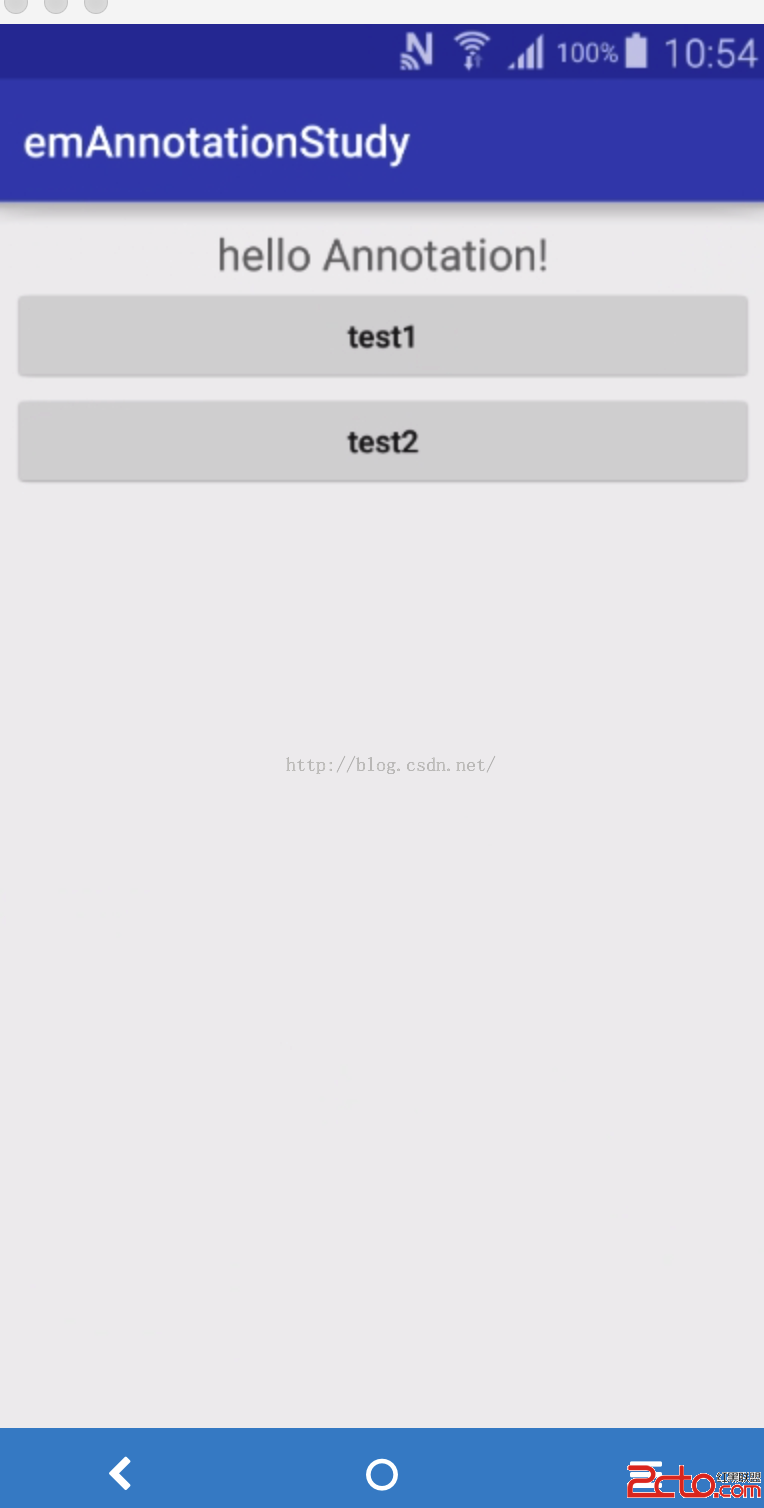
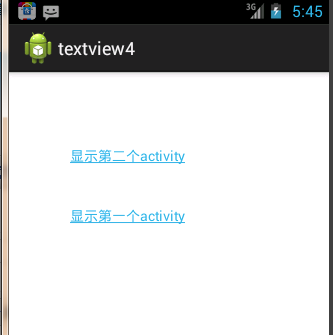
運行效果截圖如下:
更多關於Android控件相關內容可查看本站專題:《Android控件用法總結》
希望本文所述對大家Android程序設計有所幫助。
 Android BroadcastReceiver廣播注冊方式總結
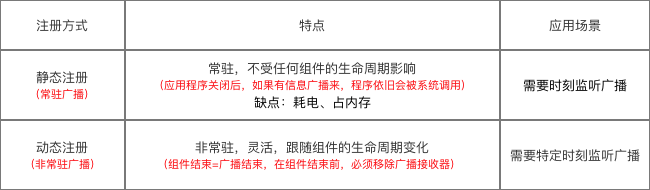
Android:BroadcastReceiver注冊的方式分為兩種:靜態注冊動態注冊1. 靜態注冊在AndroidManifest.xml裡通過標簽聲明屬性說明:<
 Android實現右邊抽屜Drawerlayout效果
側邊欄是Android應用中很常見的一個界面效果(抽屜效果)。而利用DrawerLayout實現右側欄是相對簡單的。而且這個控件自帶滑動效果,十分方便。 DrawerLa
 手機怎麼掃描二維碼
手機怎麼掃描二維碼?手機掃描二維碼方法介紹一、通過微信掃描二維碼打開微信,點擊微信右上角的+號,從彈出的菜單中選擇“掃一掃”;在彈出
 談談對Android View事件分發機制的理解
最近因為項目中用到類似一個LinearLayout中水平布局中,有一個TextView和Button,然後對該LinearLayout布局設置點擊事件,點擊TextVie