編輯:關於Android編程
本文實例講述了Android編程之書架效果背景圖處理方法。分享給大家供大家參考,具體如下:
在android應用中,做一個小說閱讀器是很多人的想法,大家一般都是把如何讀取大文件,如果在滾動或是翻頁時,讓用戶感覺不到做為重點。我也在做一個類似一功能,可是在做書架的時候,看了QQ閱讀的書架,感覺很好看,就想做一個,前面一篇《android書架效果實現原理與代碼》對此做了專門介紹,其完整實例代碼可點擊此處本站下載。
上面的例子很不錯,可是有一個問題是他的背景圖的寬必須是手機屏幕的寬,不會改變,這樣感覺對於手機的適配不太好。就自己動手改了一下。
不多說,直接說一下原理上代碼。
在gridView中為一列加背景,沒有別的方法,只能重寫GridView類,在這個類裡,你加載一個背景圖來處理,我的做法就是在加載完背景圖後,重新根據你的手機的寬繪一個新圖,這樣你的背景圖,就可以很好看的顯示出了。
這裡我只放出重寫的GridView類。
public class myGridView extends GridView {
 private Bitmap background;
 private Bitmap newBackGround;
 public myGridView(Context context, AttributeSet attrs) {
  super(context, attrs);
  //加載做為背景的圖片
  background = BitmapFactory.decodeResource(getResources(), R.drawable.bookcase_bg);
 }
 protected void dispatchDraw(Canvas canvas) {
  //取得加載的背景圖片高,寬
  int width = background.getWidth();
  int height = background.getHeight();
  //取得手機屏幕的高,寬,這裡要注意,不要在構造方法中寫,因為那樣取到的值是0
  int scWidth = this.getWidth();
  int scHeight = this.getHeight();
  //計算縮放率,新尺寸除原始尺寸,我這裡因為高不用變,所以就是原大小的比例1
  //這裡一定要注意,這裡的值是比例,不是值。
  float scaleWidth = ((float) scWidth) / width;
  float scaleHeight = 1;
  //Log.v("info", "width:" + width + "height:" + height + "scWidth:" + scWidth + "scaleWidth:" + scaleWidth + "scaleHeight:" + scaleHeight);
  // 創建操作圖片用的matrix對象
  Matrix matrix = new Matrix();
  // 縮放圖片動作
  matrix.postScale(scaleWidth, scaleHeight);
  //生成新的圖片
  newBackGround = Bitmap.createBitmap(background, 0, 0,
    width, height, matrix, true);
  int count = getChildCount();
  //Log.v("myGridView-Count", count + "");
  int top = 185;
  //Log.v("getChildAt", getChildAt(0).getTop() + "");
  int backgroundWidth = newBackGround.getWidth();
  int backgroundHeight = newBackGround.getHeight();
  for (int y = top; y<scHeight; y += 223){
   //for (int x = 0; x<scWidth; x += backgroundWidth){
    canvas.drawBitmap(newBackGround, 0, y, null);
   //}
  }
  super.dispatchDraw(canvas);
 }
 //禁止滾動 條滾動
 public void onMeasure(int widthMeasureSpec, int heightMeasureSpec) {
   int expandSpec = MeasureSpec.makeMeasureSpec(Integer.MAX_VALUE >> 2,
    MeasureSpec.AT_MOST);
   super.onMeasure(widthMeasureSpec, expandSpec);
  }
}
希望本文所述對大家Android程序設計有所幫助。
 Android藍牙完全學習手冊
1.前言市面上關於Android的技術書籍很多,幾乎每本書也都會涉及到藍牙開發,但均是上層應用級別的,而且篇幅也普遍短小。對於手機行業的開發者,要進行藍牙模塊的維護,就必
 Android Wi-Fi Display(Miracast)介紹
2012年11月中旬,Google發布了Android4.2。雖然它和Android 4.1同屬Jelly Bean系列,但卻添加了很多新的功能。其中,在顯示部分,And
 小米5怎樣進行卡刷刷機 小米5刷機詳細圖文教程
之前小編說過刷第三方的系統包,需要用到第三方recovery才可以刷入。之前已經為大家帶來過“小米5刷入第三方Recovery教程”
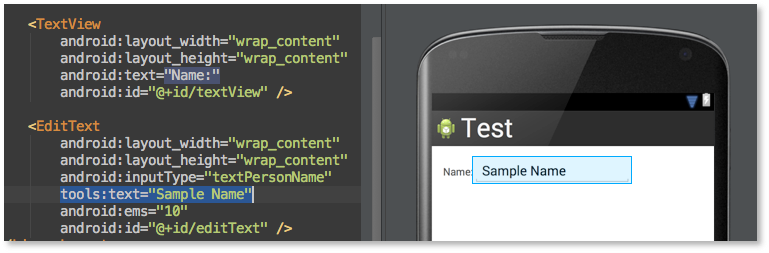 Android Studio使用小技巧:布局預覽時填充數據
我們都知道Android Studio用起來很棒,其中布局預覽更棒。我們在調UI的時候基本是需要實時預覽來看效果的,在Android Studio中只需要切換到Desig