編輯:關於Android編程
本文要講自己定義一個標題欄,能加事件。然後可以移值到不同的手機上,基本上不用改什麼,調用也很簡單
在layout文件夾下,新建一個XML。名字叫做layout_title_bar.xml然後來看看布局:
<?xml version="1.0" encoding="utf-8"?>
<RelativeLayout xmlns:android="http://schemas.android.com/apk/res/android"
  android:layout_width="fill_parent"
  android:layout_height="45.0dip"
  android:background="@drawable/bg_title_bar"
  android:gravity="top" >

  <ImageView
    android:id="@+id/title_bar_menu_btn"
    android:layout_width="wrap_content"
    android:layout_height="wrap_content"
    android:layout_centerVertical="true"
    android:layout_marginLeft="3.0dip"
    android:layout_marginRight="3.0dip"
    android:layout_marginTop="3.0dip"
    android:gravity="center"
    android:src="@drawable/ic_top_bar_category" />

  <ImageView
    android:layout_width="wrap_content"
    android:layout_height="fill_parent"
    android:layout_toRightOf="@id/title_bar_menu_btn"
    android:background="@drawable/ic_top_divider" />

  <TextView
    android:id="@+id/title_bar_name"
    android:layout_width="wrap_content"
    android:layout_height="wrap_content"
    android:layout_centerInParent="true"
    android:ellipsize="end"
    android:gravity="center"
    android:paddingLeft="75.0dip"
    android:paddingRight="75.0dip"
    android:singleLine="true"
    android:text="Java學習寶典"
    android:textColor="#ffffff"
    android:textSize="22sp" />

</RelativeLayout>
看下效果:
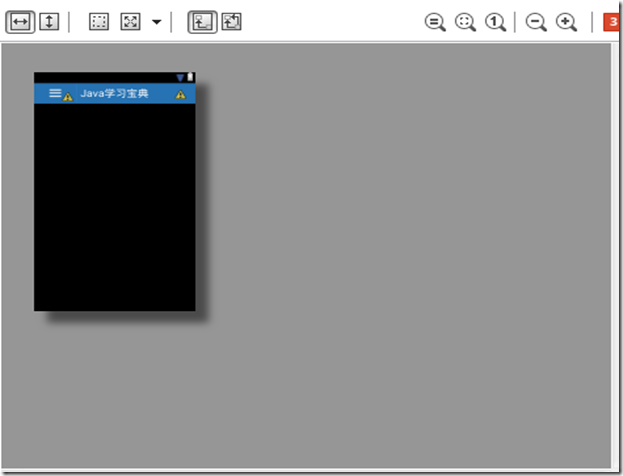
接下要就是要用了,在要用到的地方:我這裡是activity_main.xml文件中:
加上一句: <include layout="@layout/layout_title_bar" />這樣就行了,
然後我們要給標題欄上的按鈕添加事件,這個更加簡單了:
在MainActivity.java(對應activity_main.xml)中,onCreate函數中添加:事件可以自己改,我這裡是讓它控制左右滑動的功能。
ImageView menuImg = (ImageView) findViewById(R.id.title_bar_menu_btn);
    menuImg.setOnClickListener(new View.OnClickListener() {

      @Override
      public void onClick(View arg0) {
        if (!menuIsShow)
          showMenu();
        else {
          hideMenu();
        }

      }

    });
這樣就可以了:
我們來看看效果
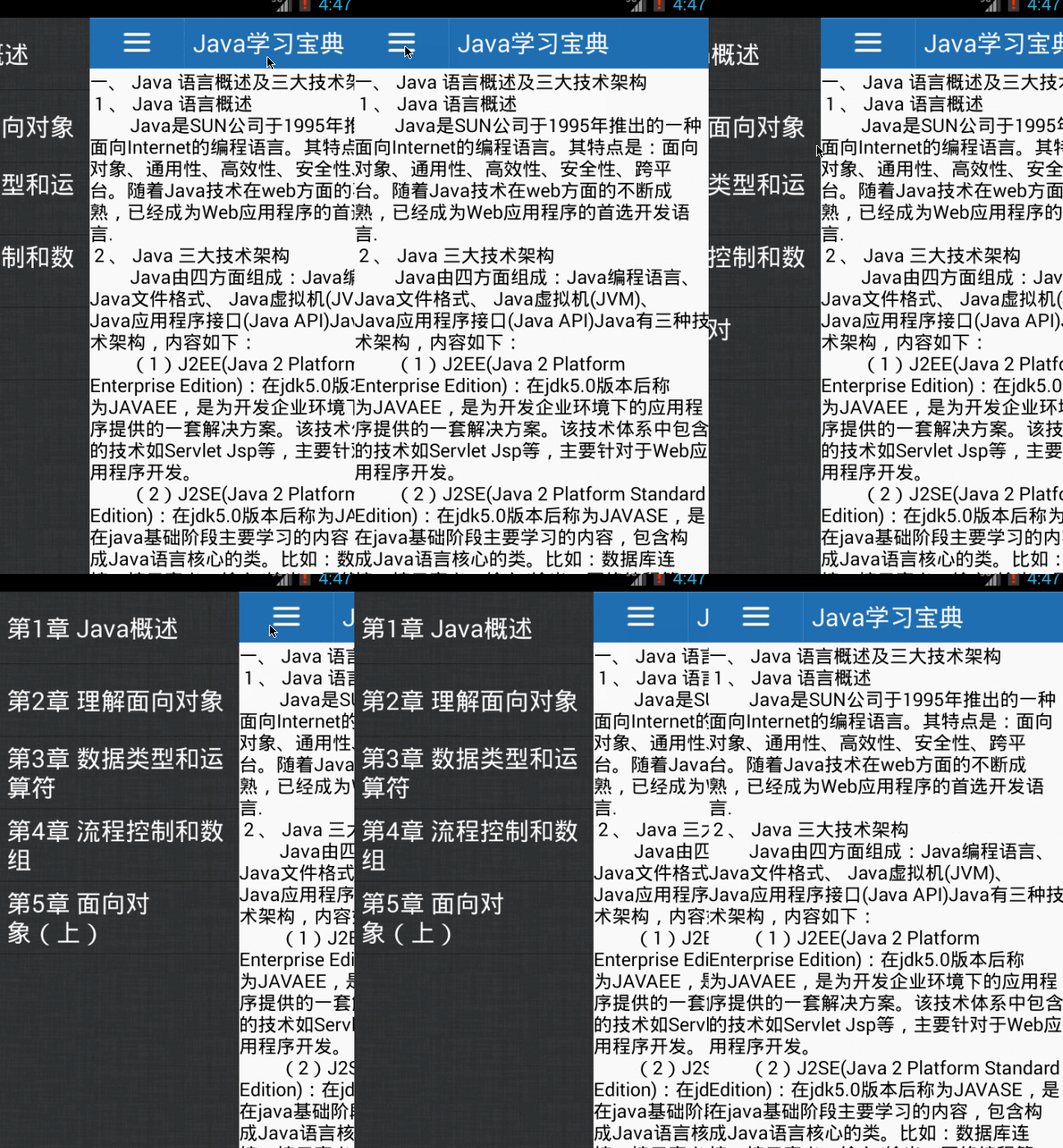
這就是效果了,很簡單吧,想用直接把上面的布局復制過去就OK了!
 ViewPager 實現 Galler 效果, 中間大圖顯示,兩邊小圖展示
正常情況下, ViewPager 一頁只能顯示一項數據, 但是我們常常看到網上,特別是電視機頂盒的首頁經常出現中間大圖顯示兩端也都露出一點來,這種效果怎麼實現呢?先上一張
 ListView(1)控件架構與ArrayAdapter詳解
ListView是Android開發中比較常用的一個組件,它以列表的形式展示信息,並能根據信息的長度自適應顯示。比如說我們手機裡的通訊錄就用到了ListView顯示聯系人
 pkbox安卓模擬器雙開多開辦法
在電腦安裝手機游戲軟件時候要用到安卓模擬器,為了工作需要,比如聊天類工具都需要多開,那麼今天講下載使用pkbox安卓模擬器多開的方法。請升級為最新版PXbo
 Android通訊錄開發之取得姓名首字母實現簡拼搜索
Android通訊錄開發之取得姓名首字母實現簡拼搜索 2013年12月27日 開發日志 目前小巫在實習的公司,負責一個項目的開發,雖說是接手過來的,不過經過前面的幾