編輯:關於Android編程
本文實例講述了Android編程設置TabHost當中字體的方法。分享給大家供大家參考,具體如下:
TabWidget tw=this.getTabWidget();//設置TabHost當中的內容的方法
for(int i=0;i<tw.getChildCount();i++){
  //設置TabHost字體的相關方法
  TextView tv=(TextView)tw.getChildAt(i).findViewById(android.R.id.title);
  tv.setGravity(BIND_AUTO_CREATE);
  tv.setPadding(10, 10, 10, 10);
  tv.setTextSize(20);
  tv.setTextColor(Color.GREEN);
  //同理,設置TabHost背景圖片的相關方法如下
  ImageView iv=(ImageView)tw.getChildAt(i).findViewById(android.R.id.icon);
  iv.setAlpha(1);//設置透明度,設置背景圖片的其他屬性,在此不一一列舉!
}
希望本文所述對大家Android程序設計有所幫助。
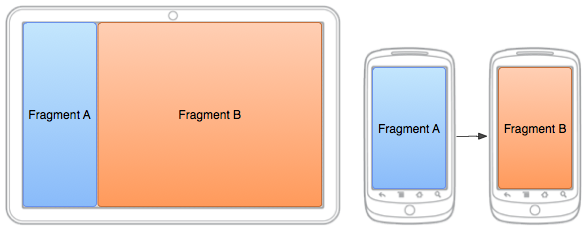 Android doc Training部分 --Building a Flexible UI(部分翻譯)
To create a dynamic and multi-pane user interface on Android, you need to encapsulate
 Android開發之開發者頭條APP(三)實現首頁
相關閱讀:Android開發之開發者頭條(一)啟動頁實現Android開發之開發者頭條(二)實現左滑菜單title: 帶你實現開發者頭條APP(三) 首頁實現tags:
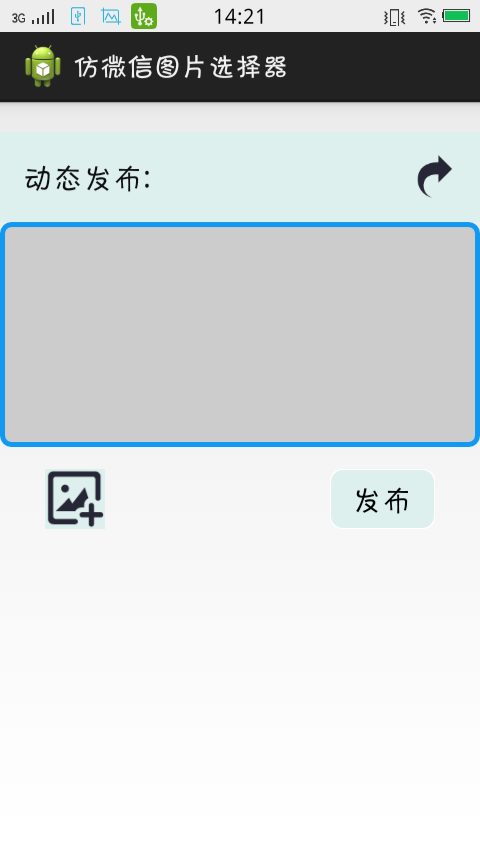 仿微信圖片選擇器
仿微信圖片選擇器源碼下載連接:先上圖,後上代碼:打開app後點擊添加圖片按鈕:獲取選擇的圖片 並返回在gridview中:private ImageButton imag
 使用ViewDragHelper打造屬於自己的DragwLayout(抽屜開關 )
DrawLayout這個自定義的空間很常見,qq,網易新聞,知乎等等,都有這種效果,那這種效果是怎樣實現的呢?本篇博客將帶你來怎樣實現它。廢話不多說,先來看一下 效果首先