編輯:關於Android編程
本文實例講述了Android實現讀寫JSON數據的方法。分享給大家供大家參考。具體如下:
1. 解析JSON:
package de.vogella.android.twitter.json;
import java.io.BufferedReader;
import java.io.IOException;
import java.io.InputStream;
import java.io.InputStreamReader;
import org.apache.http.HttpEntity;
import org.apache.http.HttpResponse;
import org.apache.http.StatusLine;
import org.apache.http.client.ClientProtocolException;
import org.apache.http.client.HttpClient;
import org.apache.http.client.methods.HttpGet;
import org.apache.http.impl.client.DefaultHttpClient;
import org.json.JSONArray;
import org.json.JSONObject;
import android.app.Activity;
import android.os.Bundle;
import android.util.Log;
public class ParseJSON extends Activity {
 /** Called when the activity is first created. */
 @Override
 public void onCreate(Bundle savedInstanceState) {
  super.onCreate(savedInstanceState);
  setContentView(R.layout.main);
  String readTwitterFeed = readTwitterFeed();
  try {
   JSONArray jsonArray = new JSONArray(readTwitterFeed);
   Log.i(ParseJSON.class.getName(),
     "Number of entries " + jsonArray.length());
   for (int i = 0; i < jsonArray.length(); i++) {
    JSONObject jsonObject = jsonArray.getJSONObject(i);
    Log.i(ParseJSON.class.getName(), jsonObject.getString("text"));
   }
  } catch (Exception e) {
   e.printStackTrace();
  }
 }
 public String readTwitterFeed() {
  StringBuilder builder = new StringBuilder();
  HttpClient client = new DefaultHttpClient();
  HttpGet httpGet = new HttpGet(
    "http://twitter.com/statuses/user_timeline/vogella.json");
  try {
   HttpResponse response = client.execute(httpGet);
   StatusLine statusLine = response.getStatusLine();
   int statusCode = statusLine.getStatusCode();
   if (statusCode == 200) {
    HttpEntity entity = response.getEntity();
    InputStream content = entity.getContent();
    BufferedReader reader = new BufferedReader(
      new InputStreamReader(content));
    String line;
    while ((line = reader.readLine()) != null) {
     builder.append(line);
    }
   } else {
    Log.e(ParseJSON.class.toString(), "Failed to download file");
   }
  } catch (ClientProtocolException e) {
   e.printStackTrace();
  } catch (IOException e) {
   e.printStackTrace();
  }
  return builder.toString();
 }
}
2. 生成JSON:
public void writeJSON() {
 JSONObject object = new JSONObject();
 try {
  object.put("name", "Jack Hack");
  object.put("score", new Integer(200));
  object.put("current", new Double(152.32));
  object.put("nickname", "Hacker");
 } catch (JSONException e) {
  e.printStackTrace();
 }
 System.out.println(object);
}
希望本文所述對大家的Android程序設計有所幫助。
 Android設計之美:MVP模式創建輪播圖(Banner)
准備工作:利用github第三方添加輪播圖 基於MVP模式搭建架構 調試添加輪播圖:可參考:github輪播圖Banner添加依賴://添加Retrofit的依賴和Gli
 Chromium網頁Layer Tree繪制過程分析
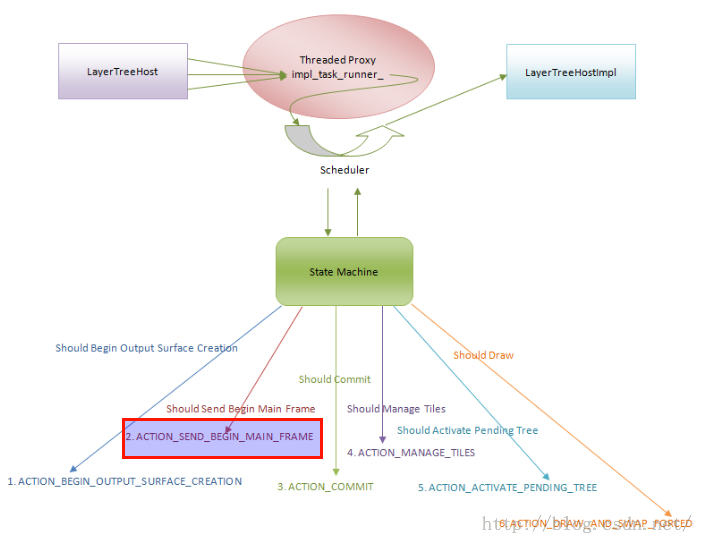
網頁繪圖表面創建完成之後,調度器就會請求繪制CC Layer Tree,這樣網頁在加載完成之後就能快速顯示出來。通過CC Layer Tree可以依次找到Graphics
 android開源圖表庫MPAndroidChart文檔翻譯(上)
MPAndroidChart 是 Android 系統上一款開源的圖表庫。目前提供線圖和餅圖,支持選擇、縮放和拖放。android開源圖表庫MPAndroidChar的g
 android中wifi原理及流程分析
wifi相關的文件位置:WIFI Settings應用程序位於packages/apps/Settings/src/com/android/settings/wifi/J