編輯:關於Android編程
本文實例講述了Android基本游戲循環。分享給大家供大家參考。具體如下:
// desired fps
private final static int  MAX_FPS = 50;
// maximum number of frames to be skipped
private final static int  MAX_FRAME_SKIPS = 5;
// the frame period
private final static int  FRAME_PERIOD = 1000 / MAX_FPS;
@Override
public void run() {
  Canvas canvas;
  Log.d(TAG, "Starting game loop");
  long beginTime;   // the time when the cycle begun
  long timeDiff;   // the time it took for the cycle to execute
  int sleepTime;   // ms to sleep (<0 if we're behind)
  int framesSkipped; // number of frames being skipped
  sleepTime = 0;
  while (running) {
    canvas = null;
    // try locking the canvas for exclusive pixel editing
    // in the surface
    try {
      canvas = this.surfaceHolder.lockCanvas();
      synchronized (surfaceHolder) {
        beginTime = System.currentTimeMillis();
        framesSkipped = 0; // resetting the frames skipped
        // update game state
        this.gamePanel.update();
        // render state to the screen
        // draws the canvas on the panel
        this.gamePanel.render(canvas);
        // calculate how long did the cycle take
        timeDiff = System.currentTimeMillis() - beginTime;
        // calculate sleep time
        sleepTime = (int)(FRAME_PERIOD - timeDiff);
        if (sleepTime > 0) {
          // if sleepTime > 0 we're OK
          try {
            // send the thread to sleep for a short period
            // very useful for battery saving
            Thread.sleep(sleepTime);
          } catch (InterruptedException e) {}
        }
        while (sleepTime < 0 && framesSkipped < MAX_FRAME_SKIPS) {
          // we need to catch up
          // update without rendering
          this.gamePanel.update();
          // add frame period to check if in next frame
          sleepTime += FRAME_PERIOD;
          framesSkipped++;
        }
      }
    } finally {
      // in case of an exception the surface is not left in
      // an inconsistent state
      if (canvas != null) {
        surfaceHolder.unlockCanvasAndPost(canvas);
      }
    }  // end finally
  }
}
希望本文所述對大家的Android程序設計有所幫助。
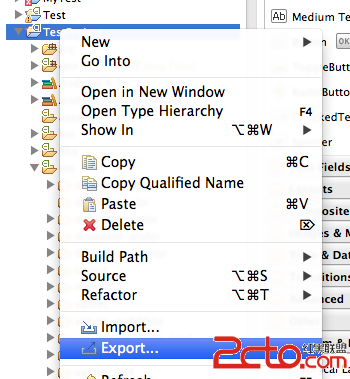 Android官方技術文檔翻譯——Eclilpse項目遷移
翻譯工作耗時費神,如果你覺得本文翻譯得還OK,請點擊文末的“頂”;如有錯訛,敬請指正。謝謝。 Eclip
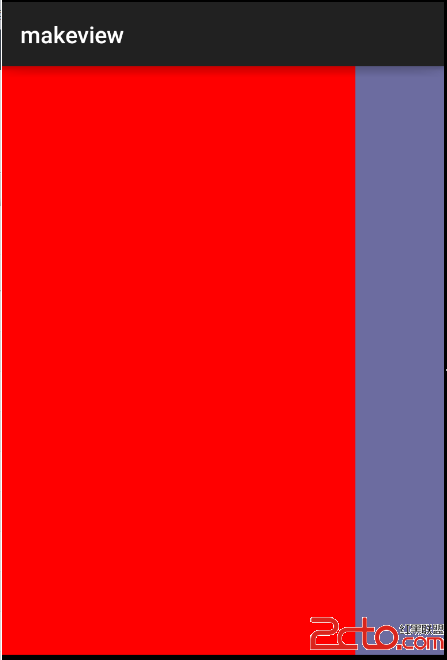 android---自定義左滑右滑菜單
沒有使用第三方類庫,純代碼定制.主要用到的知識如下,我們知道,不管是自定義View還是系統提供的TextView這些,它們都必須放置在LinearLayout等一些Vie
 Android-滿屏幕拖動的控件
覺得跟之前的模擬小火箭很相似,又有學習的地方,能作為知識補充。所以轉載一起學習。大家也可以關注他的文章哦。也就是,用戶可以隨心所欲的拖動控件,布局文件很簡單就是一個But
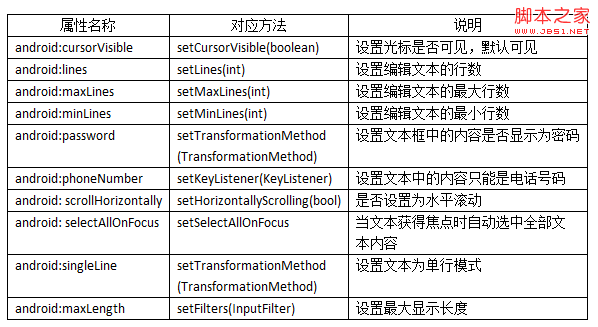 Android控件之EditView常用屬性及應用方法
EditView類繼承自TextView類,EditView與TextView最大的不同就是用戶可以對EditView控件進行編輯,