編輯:關於Android編程
本文實例講述了Android實現zip文件壓縮及解壓縮的方法。分享給大家供大家參考。具體如下:
DirTraversal.java如下:
package com.once;
import java.io.File;
import java.util.ArrayList;
import java.util.LinkedList;
/**
 * 文件夾遍歷
 * @author once
 *
 */
public class DirTraversal {
  //no recursion
  public static LinkedList<File> listLinkedFiles(String strPath) {
    LinkedList<File> list = new LinkedList<File>();
    File dir = new File(strPath);
    File file[] = dir.listFiles();
    for (int i = 0; i < file.length; i++) {
      if (file[i].isDirectory())
        list.add(file[i]);
      else
        System.out.println(file[i].getAbsolutePath());
    }
    File tmp;
    while (!list.isEmpty()) {
      tmp = (File) list.removeFirst();
      if (tmp.isDirectory()) {
        file = tmp.listFiles();
        if (file == null)
          continue;
        for (int i = 0; i < file.length; i++) {
          if (file[i].isDirectory())
            list.add(file[i]);
          else
            System.out.println(file[i].getAbsolutePath());
        }
      } else {
        System.out.println(tmp.getAbsolutePath());
      }
    }
    return list;
  }
  //recursion
  public static ArrayList<File> listFiles(String strPath) {
    return refreshFileList(strPath);
  }
  public static ArrayList<File> refreshFileList(String strPath) {
    ArrayList<File> filelist = new ArrayList<File>();
    File dir = new File(strPath);
    File[] files = dir.listFiles();
    if (files == null)
      return null;
    for (int i = 0; i < files.length; i++) {
      if (files[i].isDirectory()) {
        refreshFileList(files[i].getAbsolutePath());
      } else {
        if(files[i].getName().toLowerCase().endsWith("zip"))
          filelist.add(files[i]);
      }
    }
    return filelist;
  }
}
ZipUtils.java如下:
package com.once;
import java.io.*;
import java.util.ArrayList;
import java.util.Collection;
import java.util.Enumeration;
import java.util.zip.ZipEntry;
import java.util.zip.ZipException;
import java.util.zip.ZipFile;
import java.util.zip.ZipOutputStream;
/**
 * Java utils 實現的Zip工具
 *
 * @author once
 */
public class ZipUtils {
  private static final int BUFF_SIZE = 1024 * 1024; // 1M Byte
  /**
   * 批量壓縮文件(夾)
   *
   * @param resFileList 要壓縮的文件(夾)列表
   * @param zipFile 生成的壓縮文件
   * @throws IOException 當壓縮過程出錯時拋出
   */
  public static void zipFiles(Collection<File> resFileList, File zipFile) throws IOException {
    ZipOutputStream zipout = new ZipOutputStream(new BufferedOutputStream(new FileOutputStream(
        zipFile), BUFF_SIZE));
    for (File resFile : resFileList) {
      zipFile(resFile, zipout, "");
    }
    zipout.close();
  }
  /**
   * 批量壓縮文件(夾)
   *
   * @param resFileList 要壓縮的文件(夾)列表
   * @param zipFile 生成的壓縮文件
   * @param comment 壓縮文件的注釋
   * @throws IOException 當壓縮過程出錯時拋出
   */
  public static void zipFiles(Collection<File> resFileList, File zipFile, String comment)
      throws IOException {
    ZipOutputStream zipout = new ZipOutputStream(new BufferedOutputStream(new FileOutputStream(
        zipFile), BUFF_SIZE));
    for (File resFile : resFileList) {
      zipFile(resFile, zipout, "");
    }
    zipout.setComment(comment);
    zipout.close();
  }
  /**
   * 解壓縮一個文件
   *
   * @param zipFile 壓縮文件
   * @param folderPath 解壓縮的目標目錄
   * @throws IOException 當解壓縮過程出錯時拋出
   */
  public static void upZipFile(File zipFile, String folderPath) throws ZipException, IOException {
    File desDir = new File(folderPath);
    if (!desDir.exists()) {
      desDir.mkdirs();
    }
    ZipFile zf = new ZipFile(zipFile);
    for (Enumeration<?> entries = zf.entries(); entries.hasMoreElements();) {
      ZipEntry entry = ((ZipEntry)entries.nextElement());
      InputStream in = zf.getInputStream(entry);
      String str = folderPath + File.separator + entry.getName();
      str = new String(str.getBytes("8859_1"), "GB2312");
      File desFile = new File(str);
      if (!desFile.exists()) {
        File fileParentDir = desFile.getParentFile();
        if (!fileParentDir.exists()) {
          fileParentDir.mkdirs();
        }
        desFile.createNewFile();
      }
      OutputStream out = new FileOutputStream(desFile);
      byte buffer[] = new byte[BUFF_SIZE];
      int realLength;
      while ((realLength = in.read(buffer)) > 0) {
        out.write(buffer, 0, realLength);
      }
      in.close();
      out.close();
    }
  }
  /**
   * 解壓文件名包含傳入文字的文件
   *
   * @param zipFile 壓縮文件
   * @param folderPath 目標文件夾
   * @param nameContains 傳入的文件匹配名
   * @throws ZipException 壓縮格式有誤時拋出
   * @throws IOException IO錯誤時拋出
   */
  public static ArrayList<File> upZipSelectedFile(File zipFile, String folderPath,
      String nameContains) throws ZipException, IOException {
    ArrayList<File> fileList = new ArrayList<File>();

    File desDir = new File(folderPath);
    if (!desDir.exists()) {
      desDir.mkdir();
    }
    ZipFile zf = new ZipFile(zipFile);
    for (Enumeration<?> entries = zf.entries(); entries.hasMoreElements();) {
      ZipEntry entry = ((ZipEntry)entries.nextElement());
      if (entry.getName().contains(nameContains)) {
        InputStream in = zf.getInputStream(entry);
        String str = folderPath + File.separator + entry.getName();
        str = new String(str.getBytes("8859_1"), "GB2312");
        // str.getBytes("GB2312"),"8859_1" 輸出
        // str.getBytes("8859_1"),"GB2312" 輸入
        File desFile = new File(str);
        if (!desFile.exists()) {
          File fileParentDir = desFile.getParentFile();
          if (!fileParentDir.exists()) {
            fileParentDir.mkdirs();
          }
          desFile.createNewFile();
        }
        OutputStream out = new FileOutputStream(desFile);
        byte buffer[] = new byte[BUFF_SIZE];
        int realLength;
        while ((realLength = in.read(buffer)) > 0) {
          out.write(buffer, 0, realLength);
        }
        in.close();
        out.close();
        fileList.add(desFile);
      }
    }
    return fileList;
  }
  /**
   * 獲得壓縮文件內文件列表
   *
   * @param zipFile 壓縮文件
   * @return 壓縮文件內文件名稱
   * @throws ZipException 壓縮文件格式有誤時拋出
   * @throws IOException 當解壓縮過程出錯時拋出
   */
  public static ArrayList<String> getEntriesNames(File zipFile) throws ZipException, IOException {
    ArrayList<String> entryNames = new ArrayList<String>();
    Enumeration<?> entries = getEntriesEnumeration(zipFile);
    while (entries.hasMoreElements()) {
      ZipEntry entry = ((ZipEntry)entries.nextElement());
      entryNames.add(new String(getEntryName(entry).getBytes("GB2312"), "8859_1"));
    }
    return entryNames;
  }
  /**
   * 獲得壓縮文件內壓縮文件對象以取得其屬性
   *
   * @param zipFile 壓縮文件
   * @return 返回一個壓縮文件列表
   * @throws ZipException 壓縮文件格式有誤時拋出
   * @throws IOException IO操作有誤時拋出
   */
  public static Enumeration<?> getEntriesEnumeration(File zipFile) throws ZipException,
      IOException {
    ZipFile zf = new ZipFile(zipFile);
    return zf.entries();
  }
  /**
   * 取得壓縮文件對象的注釋
   *
   * @param entry 壓縮文件對象
   * @return 壓縮文件對象的注釋
   * @throws UnsupportedEncodingException
   */
  public static String getEntryComment(ZipEntry entry) throws UnsupportedEncodingException {
    return new String(entry.getComment().getBytes("GB2312"), "8859_1");
  }
  /**
   * 取得壓縮文件對象的名稱
   *
   * @param entry 壓縮文件對象
   * @return 壓縮文件對象的名稱
   * @throws UnsupportedEncodingException
   */
  public static String getEntryName(ZipEntry entry) throws UnsupportedEncodingException {
    return new String(entry.getName().getBytes("GB2312"), "8859_1");
  }
  /**
   * 壓縮文件
   *
   * @param resFile 需要壓縮的文件(夾)
   * @param zipout 壓縮的目的文件
   * @param rootpath 壓縮的文件路徑
   * @throws FileNotFoundException 找不到文件時拋出
   * @throws IOException 當壓縮過程出錯時拋出
   */
  private static void zipFile(File resFile, ZipOutputStream zipout, String rootpath)
      throws FileNotFoundException, IOException {
    rootpath = rootpath + (rootpath.trim().length() == 0 ? "" : File.separator)
        + resFile.getName();
    rootpath = new String(rootpath.getBytes("8859_1"), "GB2312");
    if (resFile.isDirectory()) {
      File[] fileList = resFile.listFiles();
      for (File file : fileList) {
        zipFile(file, zipout, rootpath);
      }
    } else {
      byte buffer[] = new byte[BUFF_SIZE];
      BufferedInputStream in = new BufferedInputStream(new FileInputStream(resFile),
          BUFF_SIZE);
      zipout.putNextEntry(new ZipEntry(rootpath));
      int realLength;
      while ((realLength = in.read(buffer)) != -1) {
        zipout.write(buffer, 0, realLength);
      }
      in.close();
      zipout.flush();
      zipout.closeEntry();
    }
  }
}
希望本文所述對大家的Android程序設計有所幫助。
 Android開發解決加載圖片OOM問題(兼顧4.0以下系統)
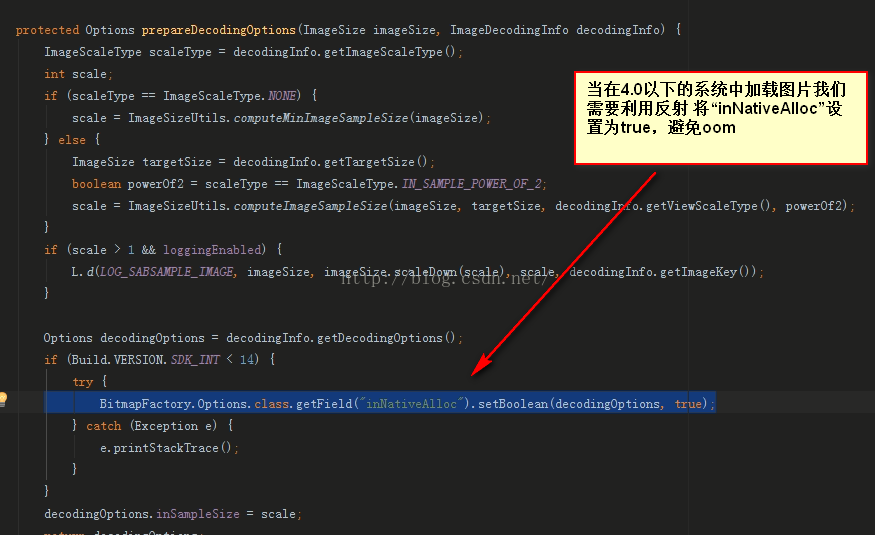
我們項目中經常會加載圖片,有時候如果加載圖片過多的話,小則導致程序很卡,重則OOM導致App掛了,今天翻譯https://developer.Android.com/tr
 android開發游記:SpringView 下拉刷新的高效解決方案,定制你自己風格的拖拽頁面
關於下拉刷新/上拉加載更多的解決方案網上已經有很多了,浏覽了目前主流的下拉控件比如PullToRefresh庫等,第一:大多數實現庫都難以進行動畫和樣式的自定義。第二:不
 Android之自定義Transition動畫
曾經(或者現在)很多人說起Android和iOS都會拿Android的UI設計來開黑, “你看看人家iOS的設計, 再來看看Android的, 差距怎麼就這麼
 Android開發者需要知道的8個項目管理技巧
專業的Android app開發人員會關注一些成熟的項目管理技術,以成功構建Android app,並讓這個app在Google Play Store嶄露頭角。考慮高端客